;}.cls-2{fill:url(%23Unbenannter_Verlauf_5-2);}.cls-3{fill:url(%23Unbenannter_Verlauf_5-5);}.cls-4{fill:url(%23Unbenannter_Verlauf_5-6);}.cls-5{fill:url(%23Unbenannter_Verlauf_5-3);}.cls-6{fill:url(%23Unbenannter_Verlauf_5-4);}%3c/style%3e%3clinearGradient%20id='Unbenannter_Verlauf_5'%20x1='1075.02'%20y1='943.06'%20x2='1201.78'%20y2='943.06'%20gradientUnits='userSpaceOnUse'%3e%3cstop%20offset='0'%20stop-color='%2322b88a'/%3e%3cstop%20offset='1'%20stop-color='%231a9e78'/%3e%3c/linearGradient%3e%3clinearGradient%20id='Unbenannter_Verlauf_5-2'%20x1='234.11'%20y1='663.43'%20x2='1058.29'%20y2='663.43'%20xlink:href='%23Unbenannter_Verlauf_5'/%3e%3clinearGradient%20id='Unbenannter_Verlauf_5-3'%20x1='843.79'%20y1='1064.84'%20x2='1096.04'%20y2='1064.84'%20xlink:href='%23Unbenannter_Verlauf_5'/%3e%3clinearGradient%20id='Unbenannter_Verlauf_5-4'%20x1='1120.37'%20y1='662.1'%20x2='1253'%20y2='662.1'%20xlink:href='%23Unbenannter_Verlauf_5'/%3e%3clinearGradient%20id='Unbenannter_Verlauf_5-5'%20x1='97.45'%20y1='265.53'%20x2='385.89'%20y2='265.53'%20xlink:href='%23Unbenannter_Verlauf_5'/%3e%3clinearGradient%20id='Unbenannter_Verlauf_5-6'%20x1='295.45'%20y1='255.64'%20x2='1213.95'%20y2='255.64'%20xlink:href='%23Unbenannter_Verlauf_5'/%3e%3c/defs%3e%3cpath%20class='cls-1'%20d='M1201.78,871c-.61,1.55-1.23,3.1-1.86,4.66-20.33,50.18-47.14,96.85-80.02,139.45-7.56-13.82-21.78-22.31-37.69-22.31h-7.19c29.82-37.26,54.46-78.02,73.61-121.8h53.15Z'/%3e%3cpath%20class='cls-2'%20d='M665.24,264.59l69.02,186.52c21.3,57.57,66.69,102.96,124.26,124.26l186.52,69.02c17.67,6.54,17.67,31.54,0,38.08l-186.52,69.02c-57.57,21.3-102.96,66.69-124.26,124.26l-69.02,186.52c-6.54,17.67-31.54,17.67-38.08,0l-69.02-186.52c-21.3-57.57-66.69-102.96-124.26-124.26l-186.52-69.02c-17.67-6.54-17.67-31.54,0-38.08l186.52-69.02c57.57-21.3,102.96-66.69,124.26-124.26l69.02-186.52c6.54-17.67,31.54-17.67,38.08,0Z'/%3e%3cpath%20class='cls-5'%20d='M1082.21,1021.98h-79.13c-1.7,0-2.97-1.56-2.62-3.23l22.72-109.35c2.94-14.16-15.11-22.74-24.23-11.51l-152.04,187.31c-7.32,9.02-.9,22.5,10.72,22.5h79.13c1.7,0,2.97,1.56,2.62,3.23l-22.72,109.35c-2.94,14.16,15.11,22.74,24.23,11.51l152.04-187.31c7.32-9.02.9-22.5-10.72-22.5Z'/%3e%3crect%20class='cls-6'%20x='1120.37'%20y='486.36'%20width='132.63'%20height='351.48'%20rx='19.58'%20ry='19.58'/%3e%3cpath%20class='cls-3'%20d='M250.58,128.27l13.88,55.81c7.19,28.91,29.76,51.47,58.66,58.66l55.81,13.88c9.29,2.31,9.29,15.51,0,17.82l-55.81,13.88c-28.91,7.19-51.47,29.76-58.66,58.66l-13.88,55.81c-2.31,9.29-15.51,9.29-17.82,0l-13.88-55.81c-7.19-28.91-29.76-51.47-58.66-58.66l-55.81-13.88c-9.29-2.31-9.29-15.51,0-17.82l55.81-13.88c28.91-7.19,51.47-29.76,58.66-58.66l13.88-55.81c2.31-9.29,15.51-9.29,17.82,0Z'/%3e%3cpath%20class='cls-4'%20d='M1213.95,453.21h-67.62c-1.23,0-2.47.04-3.67.12-27.03-63.89-65.84-121.36-115.42-170.94-51.54-51.54-111.61-91.44-178.55-118.59-64.67-26.22-133.03-39.52-203.16-39.52s-138.48,13.3-203.16,39.52c-33.73,13.67-65.72,30.61-95.75,50.63l-.19-.05c-23.62-5.88-42.51-22.85-51-45.24,37.87-26.86,78.65-49.21,122.01-66.79,72.63-29.44,149.37-44.38,228.08-44.38s155.45,14.93,228.08,44.38c75.2,30.51,142.67,75.31,200.53,133.15,57.84,57.85,102.65,125.33,133.15,200.53,2.31,5.7,4.54,11.43,6.66,17.19Z'/%3e%3c/svg%3e)
1st-Level AI Support: What It Can and Can't Do
What an AI agent handles in 1st-level IT support, where it deliberately stops, and why SuperSupport leaves passwords, users, firewall and servers to IT.


There is no AI in IT support that can do everything. There is one that tells you what it doesn't do.
AI service desks are promising a lot right now: reset a password, create an account, open a port, restart a server, all by chat. SuperSupport draws the line deliberately tighter. The agent solves the problems employees have on their device and leaves administration to IT. This overview shows where the line is and why.
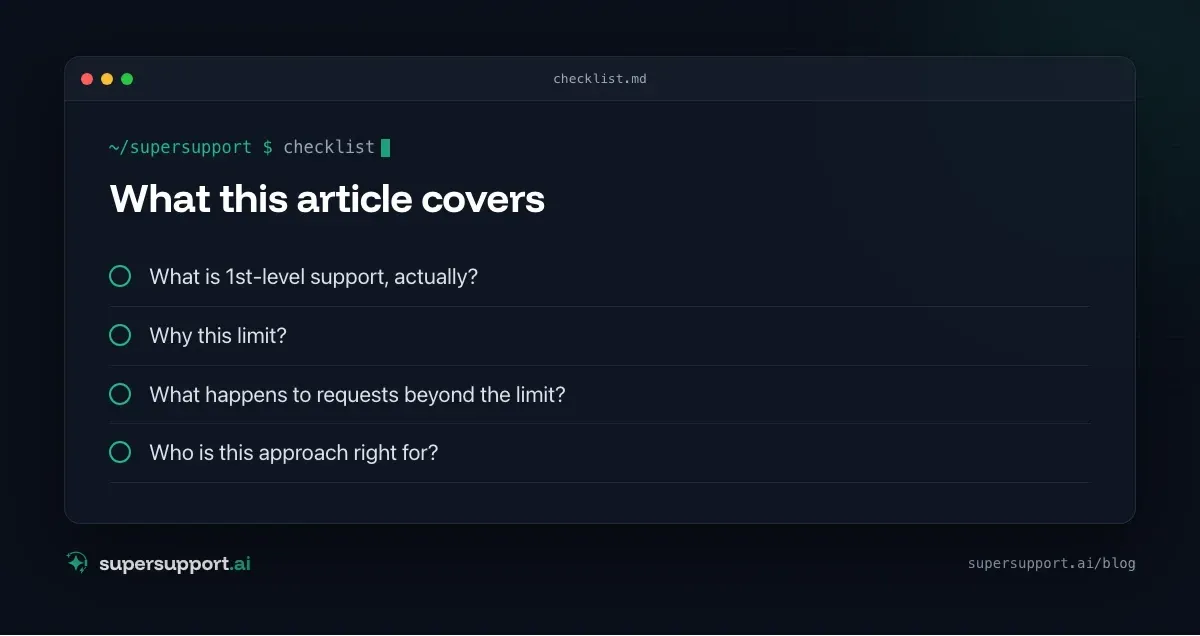
What is 1st-level support, actually?
1st level is the first help for an employee with a specific problem. It usually concerns one device or one program, and exactly one person. Administration, by contrast, changes what applies to many people: accounts, permissions, network, servers, software on all devices.
This distinction is the core of the approach: What affects only one device, the agent can solve itself. What affects everyone, IT decides.
What can the SuperSupport agent do?
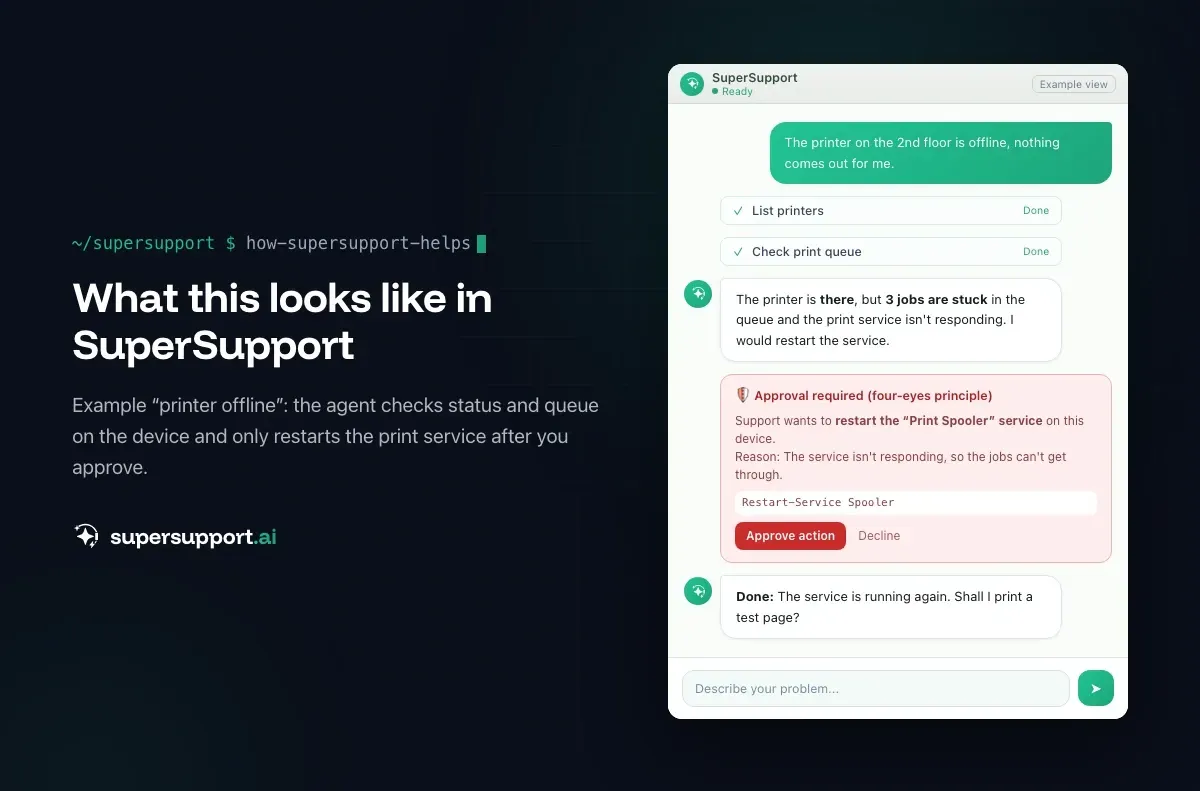
It works directly on the employee's Windows or Mac device, with targeted, logged checks and commands. Typical cases:
- Printer offline – checks status, queue, spooler; see Printer offline
- Outlook hangs – checks profile, add-ins, processes; see Outlook hangs on Loading Profile
- OneDrive isn't syncing – checks sign-in, storage, conflicts; see OneDrive isn't syncing
- Camera or microphone in Teams – checks devices and permissions; see Teams camera and microphone
- Laptop slow – measures processes, memory, CPU; see Slow laptop
- Update fails – reads the error code and history; see Windows Update fails
- VPN won't connect – checks client, network, time; see VPN authentication failed
It handles safe tasks itself, such as restarting the Print Spooler or flushing the DNS cache. It submits anything risky to IT for approval. Every step is in the log, and every chat is also the case.
What does SuperSupport deliberately not do?
SuperSupport deliberately leaves out six things that other AI service desks offer. Each one has its own article:
- Reset passwords and MFA: an identity question, not a device problem. See Why SuperSupport doesn't reset passwords.
- Manage users and licenses: decisions about costs, permissions and data. See Why SuperSupport doesn't manage users and licenses.
- Change firewall and network rules: applies to everyone, and port openings are entry points. See Why SuperSupport doesn't change firewall rules.
- Restart or maintain servers: a restart affects the whole office. See Why SuperSupport doesn't restart servers.
- Deploy software to all devices: an error on all devices is a standstill. See Why SuperSupport doesn't deploy software to all devices.
- Control the screen by mouse and keyboard: hard to control, hard to trace. See Why SuperSupport doesn't take over the screen.
Why this limit?
Because each of these capabilities needs administrator rights, in the directory, on the firewall, on the servers, in device management. A support tool with all of these rights would be the most rewarding target in the company for attackers: whoever manipulates the chat could change passwords, open ports or deploy software.
Three more reasons come on top:
- Impact: An error at a workstation affects one person; an error in administration affects everyone.
- Responsibility: Whoever assigns permissions, licenses and rules has to know the consequences and answer for them.
- Proof: Auditors, insurers and NIS2 ask who changed what and when. See Cyber insurance and NIS2 for MSPs.
What happens to requests beyond the limit?

Beta
IT support that fixes itself.
supersupport.ai handles your 1st-level support fully automatically. Secure your spot on the waitlist now.
Join the WaitlistThey go to IT in full, with findings instead of a vague description. The agent records what IT needs and narrows down on the device whatever can be narrowed down there:
- “Forgot my password” → pointer to self-service, see Reset your password yourself; otherwise handover to IT.
- “The new hire needs an account” → complete request with start date, role, programs and device.
- “The ERP isn't working” → check from the workstation: is the server reachable, is the port open, does it affect several devices?
- “The internet isn't working” → adapter, gateway, DNS, Wi-Fi. If the cause is the device, the agent fixes it; otherwise a case with measurements.
That way IT gets fewer tickets, and the ones that arrive are quicker to resolve.
Who is this approach right for?
- Internal IT teams who want to take everyday load off employees without giving yet another tool admin rights. See IT teams.
- MSPs who support many customers and don't want another privileged account in every customer tenant. See MSPs.
- Companies with security and documentation obligations who have to keep changes to identities and infrastructure traceable.
If your main goal is to automate password resets and account management, you are better served by Microsoft self-service, group-based licensing or automation in your RMM.
What does SuperSupport offer?
SuperSupport handles 1st-level IT support by chat, right on the Windows or Mac device: the agent handles safe tasks itself, submits anything risky to IT for approval, logs every step, and every chat is also the case. Multi-tenant for MSPs. What that looks like for internal IT teams and MSPs is described on their respective pages.
Frequently asked questions
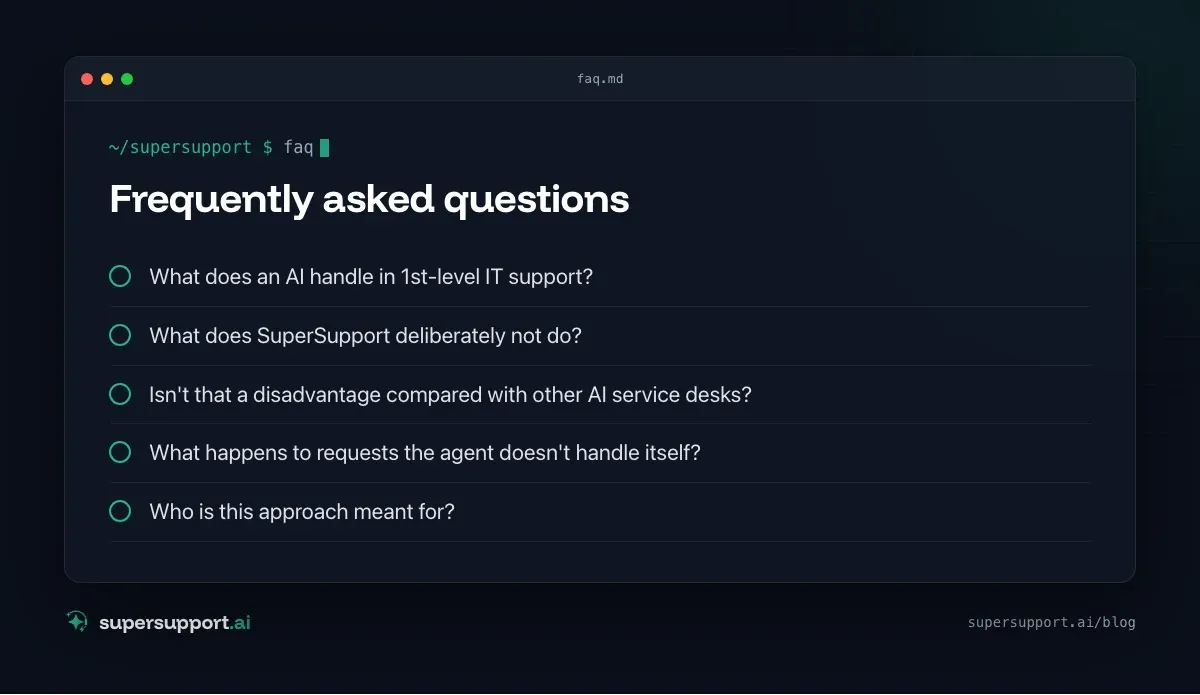
What does an AI handle in 1st-level IT support?
The typical problems individual employees have on their own device: printer offline, Outlook hangs, OneDrive isn't syncing, Teams camera doesn't work, storage full, update fails. SuperSupport checks this directly on the Windows or Mac device and fixes it where that is safe.
What does SuperSupport deliberately not do?
Reset passwords and MFA, manage users and licenses, change firewall and network rules, restart servers, deploy software to all devices and control the screen by mouse and keyboard. Those are administration tasks, not 1st-level tasks.
Isn't that a disadvantage compared with other AI service desks?
It is a deliberate decision. Each of these capabilities needs far-reaching permissions in the company and turns the support tool into a worthwhile target for attackers. SuperSupport doesn't need these permissions for 1st-level support, so it doesn't get them.
What happens to requests the agent doesn't handle itself?
It records them completely, narrows the problem down on the device and hands IT a case with measurements. Risky steps on the device itself, it submits to IT for approval.
Who is this approach meant for?
For internal IT teams and MSPs who want to take everyday load off their employees or customers without giving yet another tool admin rights over the directory, network and servers.
Beta
IT support that fixes itself.
supersupport.ai handles your 1st-level support fully automatically. Secure your spot on the waitlist now.
Join the WaitlistTimo Haslberger is Co-Founder & CPO of SuperSupport.ai. He owns the entire product experience: from first user interaction to automated problem resolution. Before co-founding SuperSupport.ai, he saw firsthand how IT teams drown in repetitive tickets. Today he's building the product that changes exactly that.
This article was created with AI assistance and editorially reviewed.
Related Articles
Why SuperSupport Doesn't Deploy Software to All Devices
New version on all 50 PCs by chat with an AI? SuperSupport is deliberately not a tool for fleet-wide software deployment. Rollouts belong in RMM or Intune.

Why SuperSupport Doesn't Restart Servers
Restart servers, reconfigure services, install updates by chat with an AI? SuperSupport deliberately stays out of servers. Why that isn't 1st-level work.
Why SuperSupport Does Not Change Firewall Rules
Open a port or change the VPN via AI chat? SuperSupport deliberately stays out of firewalls and routers. Why, and what the agent does from the workstation.