;}.cls-2{fill:url(%23Unbenannter_Verlauf_5-2);}.cls-3{fill:url(%23Unbenannter_Verlauf_5-5);}.cls-4{fill:url(%23Unbenannter_Verlauf_5-6);}.cls-5{fill:url(%23Unbenannter_Verlauf_5-3);}.cls-6{fill:url(%23Unbenannter_Verlauf_5-4);}%3c/style%3e%3clinearGradient%20id='Unbenannter_Verlauf_5'%20x1='1075.02'%20y1='943.06'%20x2='1201.78'%20y2='943.06'%20gradientUnits='userSpaceOnUse'%3e%3cstop%20offset='0'%20stop-color='%2322b88a'/%3e%3cstop%20offset='1'%20stop-color='%231a9e78'/%3e%3c/linearGradient%3e%3clinearGradient%20id='Unbenannter_Verlauf_5-2'%20x1='234.11'%20y1='663.43'%20x2='1058.29'%20y2='663.43'%20xlink:href='%23Unbenannter_Verlauf_5'/%3e%3clinearGradient%20id='Unbenannter_Verlauf_5-3'%20x1='843.79'%20y1='1064.84'%20x2='1096.04'%20y2='1064.84'%20xlink:href='%23Unbenannter_Verlauf_5'/%3e%3clinearGradient%20id='Unbenannter_Verlauf_5-4'%20x1='1120.37'%20y1='662.1'%20x2='1253'%20y2='662.1'%20xlink:href='%23Unbenannter_Verlauf_5'/%3e%3clinearGradient%20id='Unbenannter_Verlauf_5-5'%20x1='97.45'%20y1='265.53'%20x2='385.89'%20y2='265.53'%20xlink:href='%23Unbenannter_Verlauf_5'/%3e%3clinearGradient%20id='Unbenannter_Verlauf_5-6'%20x1='295.45'%20y1='255.64'%20x2='1213.95'%20y2='255.64'%20xlink:href='%23Unbenannter_Verlauf_5'/%3e%3c/defs%3e%3cpath%20class='cls-1'%20d='M1201.78,871c-.61,1.55-1.23,3.1-1.86,4.66-20.33,50.18-47.14,96.85-80.02,139.45-7.56-13.82-21.78-22.31-37.69-22.31h-7.19c29.82-37.26,54.46-78.02,73.61-121.8h53.15Z'/%3e%3cpath%20class='cls-2'%20d='M665.24,264.59l69.02,186.52c21.3,57.57,66.69,102.96,124.26,124.26l186.52,69.02c17.67,6.54,17.67,31.54,0,38.08l-186.52,69.02c-57.57,21.3-102.96,66.69-124.26,124.26l-69.02,186.52c-6.54,17.67-31.54,17.67-38.08,0l-69.02-186.52c-21.3-57.57-66.69-102.96-124.26-124.26l-186.52-69.02c-17.67-6.54-17.67-31.54,0-38.08l186.52-69.02c57.57-21.3,102.96-66.69,124.26-124.26l69.02-186.52c6.54-17.67,31.54-17.67,38.08,0Z'/%3e%3cpath%20class='cls-5'%20d='M1082.21,1021.98h-79.13c-1.7,0-2.97-1.56-2.62-3.23l22.72-109.35c2.94-14.16-15.11-22.74-24.23-11.51l-152.04,187.31c-7.32,9.02-.9,22.5,10.72,22.5h79.13c1.7,0,2.97,1.56,2.62,3.23l-22.72,109.35c-2.94,14.16,15.11,22.74,24.23,11.51l152.04-187.31c7.32-9.02.9-22.5-10.72-22.5Z'/%3e%3crect%20class='cls-6'%20x='1120.37'%20y='486.36'%20width='132.63'%20height='351.48'%20rx='19.58'%20ry='19.58'/%3e%3cpath%20class='cls-3'%20d='M250.58,128.27l13.88,55.81c7.19,28.91,29.76,51.47,58.66,58.66l55.81,13.88c9.29,2.31,9.29,15.51,0,17.82l-55.81,13.88c-28.91,7.19-51.47,29.76-58.66,58.66l-13.88,55.81c-2.31,9.29-15.51,9.29-17.82,0l-13.88-55.81c-7.19-28.91-29.76-51.47-58.66-58.66l-55.81-13.88c-9.29-2.31-9.29-15.51,0-17.82l55.81-13.88c28.91-7.19,51.47-29.76,58.66-58.66l13.88-55.81c2.31-9.29,15.51-9.29,17.82,0Z'/%3e%3cpath%20class='cls-4'%20d='M1213.95,453.21h-67.62c-1.23,0-2.47.04-3.67.12-27.03-63.89-65.84-121.36-115.42-170.94-51.54-51.54-111.61-91.44-178.55-118.59-64.67-26.22-133.03-39.52-203.16-39.52s-138.48,13.3-203.16,39.52c-33.73,13.67-65.72,30.61-95.75,50.63l-.19-.05c-23.62-5.88-42.51-22.85-51-45.24,37.87-26.86,78.65-49.21,122.01-66.79,72.63-29.44,149.37-44.38,228.08-44.38s155.45,14.93,228.08,44.38c75.2,30.51,142.67,75.31,200.53,133.15,57.84,57.85,102.65,125.33,133.15,200.53,2.31,5.7,4.54,11.43,6.66,17.19Z'/%3e%3c/svg%3e)
Why SuperSupport Doesn't Restart Servers
Restart servers, reconfigure services, install updates by chat with an AI? SuperSupport deliberately stays out of servers. Why that isn't 1st-level work.

Restarting a workstation affects one person. Restarting a server affects everyone.
“The ERP isn't working. Can you restart the server?” For an AI agent with server access, that would be a command. For the company, it can mean an aborted booking, a corrupted database record or ten colleagues dropped out of their work. SuperSupport deliberately does not intervene on servers, just as it doesn't touch passwords, users and licenses or firewall rules.
Workstations yes, servers no
The SuperSupport agent helps employees at their Windows and Mac workstations. There it fixes what is broken on a device.
Servers are shared infrastructure: file servers, databases, line-of-business applications, print servers, domain controllers. What happens there affects everyone. Maintenance, updates, restarts and configuration belong to the IT team or the MSP.
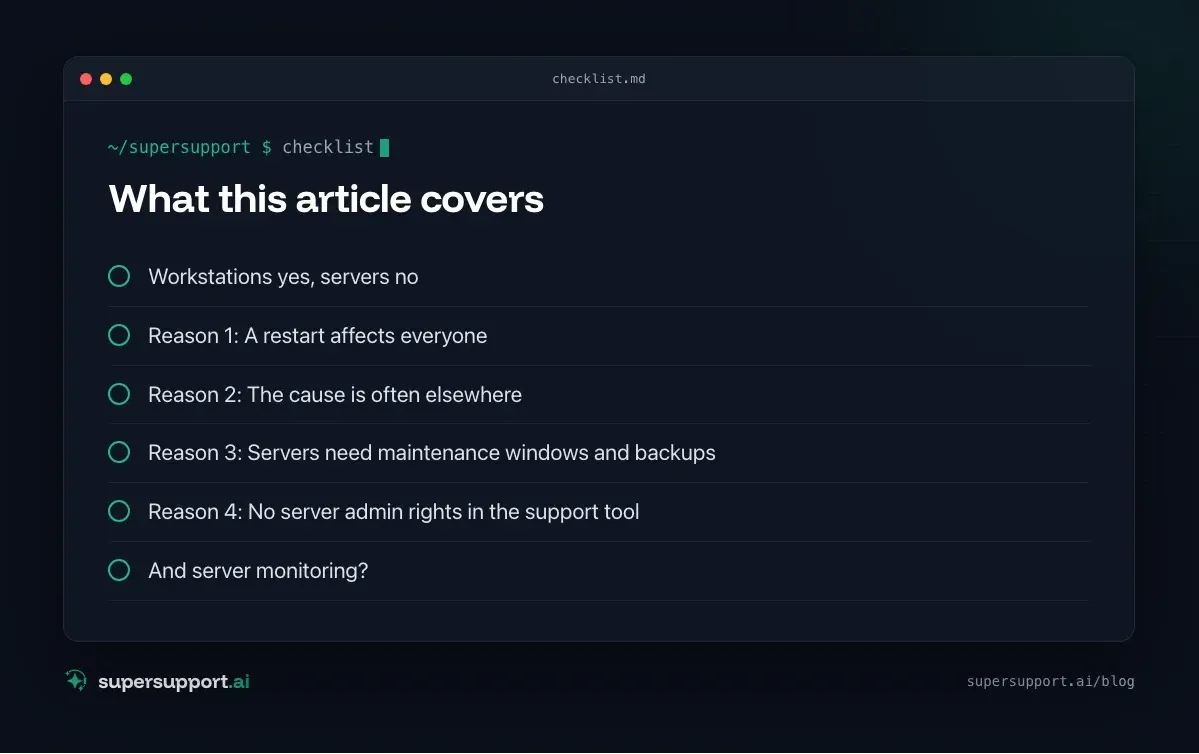
Reason 1: A restart affects everyone
A workstation restart affects one employee. A server restart affects the whole office: open files, bookings in progress, database transactions. At the wrong time it does more damage than the problem it was meant to solve.
Reason 2: The cause is often elsewhere
“The server is acting up” is rarely the whole story. In our cases, it was sometimes an expired license that shut the server down every hour (see Windows Server shuts down every hour), and sometimes an application that only started after someone logged in (see Run a program as a service). A reflexive restart would have hidden the symptom for a moment and obscured the cause.
Reason 3: Servers need maintenance windows and backups
Updates and changes on servers are planned: with a backup beforehand, a maintenance window and a test afterward. See Patch management for small and midsize businesses and Backup strategy for small and midsize businesses. A chat is the wrong place for that.
Reason 4: No server admin rights in the support tool
A tool that can restart servers needs administrator rights on the servers, often on the domain controller as well. For 1st-level support, SuperSupport doesn't need these rights. Fewer rights means a smaller attack surface.
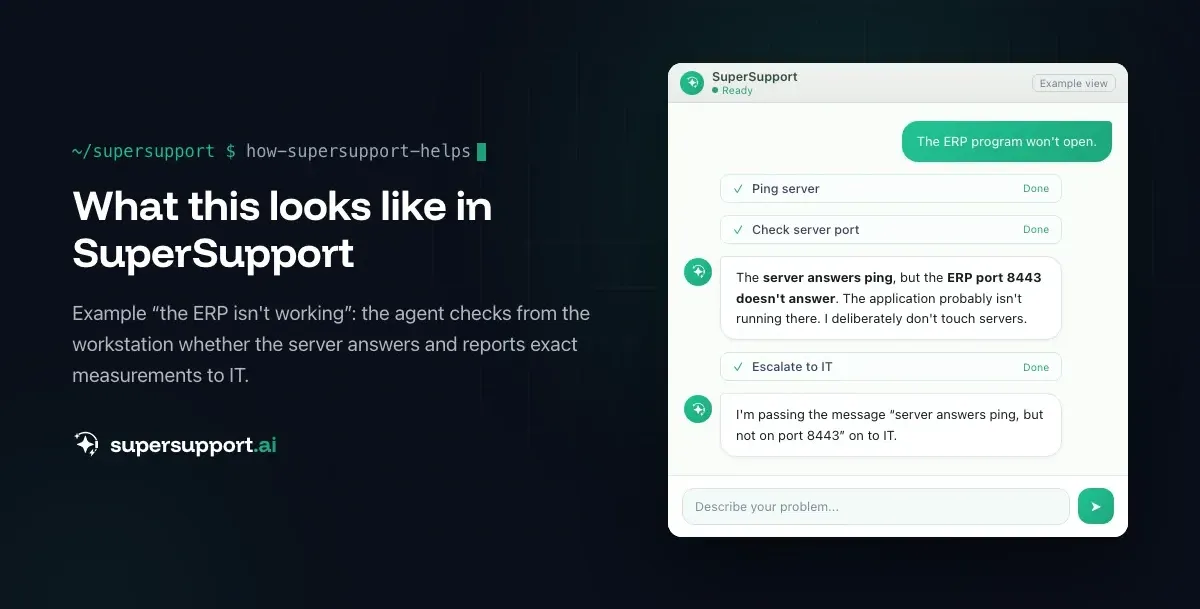
What SuperSupport does instead
Server problems almost always show up at the workstation: “the ERP isn't working”, “drive S: is gone”, “the printer isn't printing”. That is exactly where the agent starts:
- Does the server answer on the network? – “Server unreachable” or “reachable”
- Is the application's port open? – “ERP port not responding”, so the application probably isn't running
- Is it only this device? – wrong credentials, missing drive, outdated client
- Does it affect several devices? – pointer to a central problem

Beta
IT support that fixes itself.
supersupport.ai handles your 1st-level support fully automatically. Secure your spot on the waitlist now.
Join the Waitlist- If the cause is at the workstation, it fixes it, for example by reconnecting the network drive, restarting a local service or removing old credentials. See Network drive disconnected.
- If the cause is at the server, the case goes to IT with measurements: “Server X answers ping but not port Y, affects all three devices in accounting.” See also Restart a Windows service automatically for how IT can prevent such outages permanently.
And server monitoring?
That belongs in the IT provider's monitoring: RMM tools that watch services, storage, backups and certificates and raise an alert on failures. SuperSupport complements that on the employee side. See NinjaOne alternative or complement and Datto RMM alternative or complement.
What does SuperSupport offer?
SuperSupport handles 1st-level IT support by chat, right on the Windows or Mac device: the agent handles safe tasks itself, submits anything risky to IT for approval, logs every step, and every chat is also the case. What that looks like for internal IT teams and MSPs is described on their respective pages.
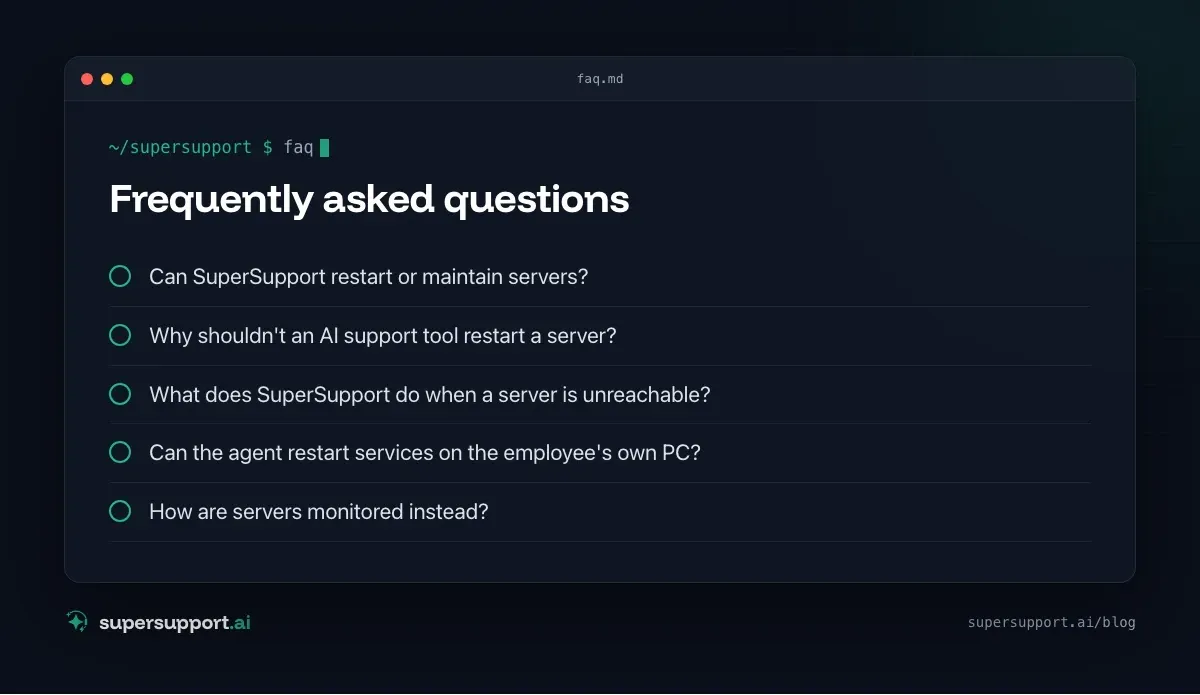
Frequently asked questions
Can SuperSupport restart or maintain servers?
No, deliberately not. SuperSupport is built for supporting employees at their Windows and Mac workstations. Servers, databases, line-of-business applications on servers and their updates stay with the IT team or the MSP.
Why shouldn't an AI support tool restart a server?
Because a server restart affects every user, can abort bookings or database operations in progress, and at the wrong time does more damage than the original problem. Whether and when to restart has to be decided by someone who knows the dependencies.
What does SuperSupport do when a server is unreachable?
From the workstation, the agent checks whether the server answers on the network, whether the application's port is open and whether other devices have the same problem. It then hands IT the finding “Server X does not respond on port Y” instead of “the program doesn't work”.
Can the agent restart services on the employee's own PC?
Yes, on the workstation itself, such as the Print Spooler or a hung local service, when that is safe or has been approved. The limit is the employee's own device.
How are servers monitored instead?
With the IT provider's monitoring and remote management: RMM tools, monitoring of services, storage, backups and certificates, and scheduled maintenance windows. SuperSupport complements that on the employee side.
Beta
IT support that fixes itself.
supersupport.ai handles your 1st-level support fully automatically. Secure your spot on the waitlist now.
Join the WaitlistTimo Haslberger is Co-Founder & CPO of SuperSupport.ai. He owns the entire product experience: from first user interaction to automated problem resolution. Before co-founding SuperSupport.ai, he saw firsthand how IT teams drown in repetitive tickets. Today he's building the product that changes exactly that.
This article was created with AI assistance and editorially reviewed.
Related Articles
Why SuperSupport Doesn't Deploy Software to All Devices
New version on all 50 PCs by chat with an AI? SuperSupport is deliberately not a tool for fleet-wide software deployment. Rollouts belong in RMM or Intune.

Why SuperSupport Does Not Change Firewall Rules
Open a port or change the VPN via AI chat? SuperSupport deliberately stays out of firewalls and routers. Why, and what the agent does from the workstation.
Why SuperSupport Does Not Take Over Your Screen
Some AI agents click through the screen like a human. SuperSupport does not take over mouse and keyboard but runs targeted, logged checks. Why it is safer.