;}.cls-2{fill:url(%23Unbenannter_Verlauf_5-2);}.cls-3{fill:url(%23Unbenannter_Verlauf_5-5);}.cls-4{fill:url(%23Unbenannter_Verlauf_5-6);}.cls-5{fill:url(%23Unbenannter_Verlauf_5-3);}.cls-6{fill:url(%23Unbenannter_Verlauf_5-4);}%3c/style%3e%3clinearGradient%20id='Unbenannter_Verlauf_5'%20x1='1075.02'%20y1='943.06'%20x2='1201.78'%20y2='943.06'%20gradientUnits='userSpaceOnUse'%3e%3cstop%20offset='0'%20stop-color='%2322b88a'/%3e%3cstop%20offset='1'%20stop-color='%231a9e78'/%3e%3c/linearGradient%3e%3clinearGradient%20id='Unbenannter_Verlauf_5-2'%20x1='234.11'%20y1='663.43'%20x2='1058.29'%20y2='663.43'%20xlink:href='%23Unbenannter_Verlauf_5'/%3e%3clinearGradient%20id='Unbenannter_Verlauf_5-3'%20x1='843.79'%20y1='1064.84'%20x2='1096.04'%20y2='1064.84'%20xlink:href='%23Unbenannter_Verlauf_5'/%3e%3clinearGradient%20id='Unbenannter_Verlauf_5-4'%20x1='1120.37'%20y1='662.1'%20x2='1253'%20y2='662.1'%20xlink:href='%23Unbenannter_Verlauf_5'/%3e%3clinearGradient%20id='Unbenannter_Verlauf_5-5'%20x1='97.45'%20y1='265.53'%20x2='385.89'%20y2='265.53'%20xlink:href='%23Unbenannter_Verlauf_5'/%3e%3clinearGradient%20id='Unbenannter_Verlauf_5-6'%20x1='295.45'%20y1='255.64'%20x2='1213.95'%20y2='255.64'%20xlink:href='%23Unbenannter_Verlauf_5'/%3e%3c/defs%3e%3cpath%20class='cls-1'%20d='M1201.78,871c-.61,1.55-1.23,3.1-1.86,4.66-20.33,50.18-47.14,96.85-80.02,139.45-7.56-13.82-21.78-22.31-37.69-22.31h-7.19c29.82-37.26,54.46-78.02,73.61-121.8h53.15Z'/%3e%3cpath%20class='cls-2'%20d='M665.24,264.59l69.02,186.52c21.3,57.57,66.69,102.96,124.26,124.26l186.52,69.02c17.67,6.54,17.67,31.54,0,38.08l-186.52,69.02c-57.57,21.3-102.96,66.69-124.26,124.26l-69.02,186.52c-6.54,17.67-31.54,17.67-38.08,0l-69.02-186.52c-21.3-57.57-66.69-102.96-124.26-124.26l-186.52-69.02c-17.67-6.54-17.67-31.54,0-38.08l186.52-69.02c57.57-21.3,102.96-66.69,124.26-124.26l69.02-186.52c6.54-17.67,31.54-17.67,38.08,0Z'/%3e%3cpath%20class='cls-5'%20d='M1082.21,1021.98h-79.13c-1.7,0-2.97-1.56-2.62-3.23l22.72-109.35c2.94-14.16-15.11-22.74-24.23-11.51l-152.04,187.31c-7.32,9.02-.9,22.5,10.72,22.5h79.13c1.7,0,2.97,1.56,2.62,3.23l-22.72,109.35c-2.94,14.16,15.11,22.74,24.23,11.51l152.04-187.31c7.32-9.02.9-22.5-10.72-22.5Z'/%3e%3crect%20class='cls-6'%20x='1120.37'%20y='486.36'%20width='132.63'%20height='351.48'%20rx='19.58'%20ry='19.58'/%3e%3cpath%20class='cls-3'%20d='M250.58,128.27l13.88,55.81c7.19,28.91,29.76,51.47,58.66,58.66l55.81,13.88c9.29,2.31,9.29,15.51,0,17.82l-55.81,13.88c-28.91,7.19-51.47,29.76-58.66,58.66l-13.88,55.81c-2.31,9.29-15.51,9.29-17.82,0l-13.88-55.81c-7.19-28.91-29.76-51.47-58.66-58.66l-55.81-13.88c-9.29-2.31-9.29-15.51,0-17.82l55.81-13.88c28.91-7.19,51.47-29.76,58.66-58.66l13.88-55.81c2.31-9.29,15.51-9.29,17.82,0Z'/%3e%3cpath%20class='cls-4'%20d='M1213.95,453.21h-67.62c-1.23,0-2.47.04-3.67.12-27.03-63.89-65.84-121.36-115.42-170.94-51.54-51.54-111.61-91.44-178.55-118.59-64.67-26.22-133.03-39.52-203.16-39.52s-138.48,13.3-203.16,39.52c-33.73,13.67-65.72,30.61-95.75,50.63l-.19-.05c-23.62-5.88-42.51-22.85-51-45.24,37.87-26.86,78.65-49.21,122.01-66.79,72.63-29.44,149.37-44.38,228.08-44.38s155.45,14.93,228.08,44.38c75.2,30.51,142.67,75.31,200.53,133.15,57.84,57.85,102.65,125.33,133.15,200.53,2.31,5.7,4.54,11.43,6.66,17.19Z'/%3e%3c/svg%3e)
AI in IT Support: Approval by the Four-Eyes Principle
An AI that may act on the device needs limits. What it does itself, what IT has to approve, and what it never does, explained with real chats.

An AI that is allowed to do everything is not support. It is a risk with a chat window.
As soon as an AI agent can run commands on the device, the most important question is no longer “What can it do?” but “What is it allowed to do on its own?” In SuperSupport, the answer has three parts: some things the agent does itself, some only with approval, and some never. Here is what that looks like in real chats.
What does the agent do itself?
Everything that only looks, plus harmless, reversible steps. From our agent's chats:
- “Which programs are using the most memory right now?” – checking processes.
- “How much space is left on the system drive?” – checking drives.
- “The printer isn't printing.” – listing printers, looking at the queue, sending a test page.
- “When was the computer last restarted?” – reading the uptime.
Reading does no harm. That is exactly why it is the agent's most common step. See What employees really ask IT support.
What needs approval?
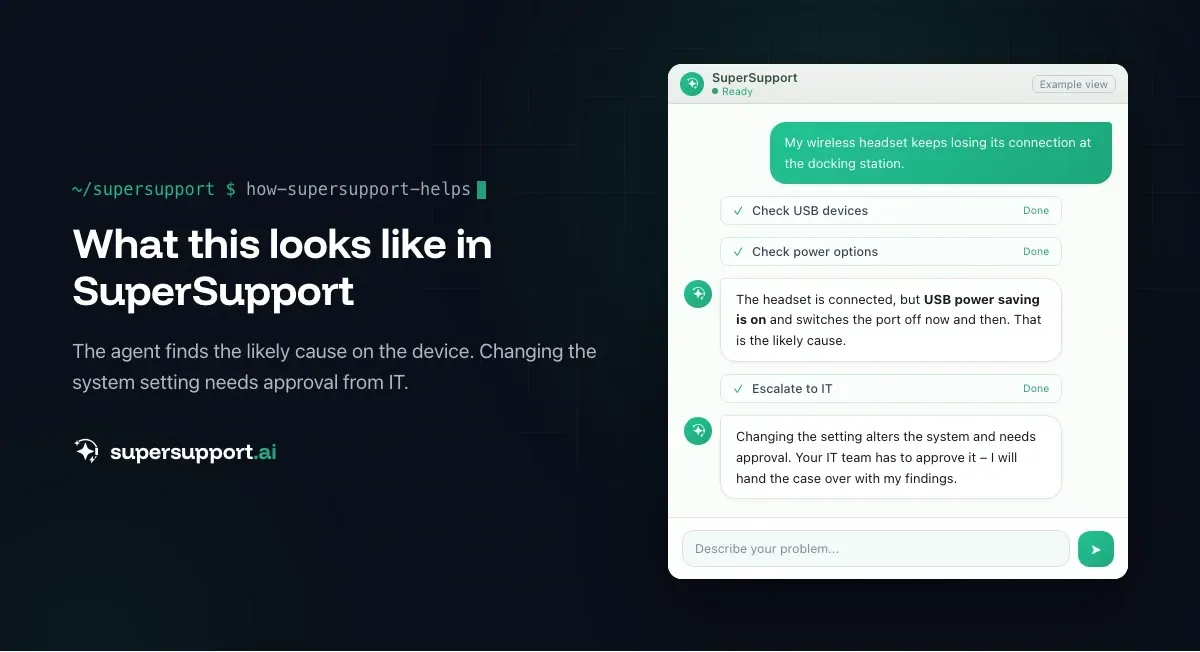
Everything that changes the system. A real case: a wireless headset kept losing its connection at the docking station. The agent found that USB power saving was the likely cause. But it did not simply change the setting. The step changes the system, so it was submitted as an action. See Headset loses connection at the docking station.
Typical candidates for approval:
- Power and security settings,
- drivers and updates,
- registry changes,
- installations,
- services that affect other programs.
What does the approval look like?
As a card in the chat, not as a checkbox somewhere in the background. In SuperSupport it is titled “Approval required (four-eyes principle)” and shows:
- what is to be changed on the device,
- why,
- whether the action is reversible,
- how long the approval is valid,
- the concrete command that would be run.
Below it are two buttons: “Approve action” and “Reject.” If the time runs out, the approval expires. Nobody approves anything blindly, because the command is visible.
What does the agent never do?
Anything destructive, accounts, and infrastructure. A real chat: someone wrote “vssadmin delete shadows.” The command deletes all shadow copies, that is, the Windows restore points. This is exactly what attackers do before encrypting. The agent's answer began with “STOP. This is a high-risk command,” explained why, and asked about the actual goal.
In addition, there are areas the agent does not touch on principle:
- Passwords – see Why no password resets by AI,
- user accounts – see Why no user management by AI,
- firewall – see Why no firewall changes by AI,
- servers – see Why no server maintenance by AI.
Why not just automate everything?

14 days free
IT support that fixes itself.
SuperSupport fixes IT problems right on the device, before they turn into tickets. Try it free for 14 days.
Start free trialBecause a mistake on the device costs more than an approval. An approval costs one click. A wrongly changed security setting can cost days, or trigger an incident. The four-eyes principle makes sure the AI is fast where it is harmless and careful where it matters.
And who decides what belongs where?
IT. For in-house and third-party software, IT describes in runbooks which checks and fixes are allowed and who has to approve. See Runbooks in IT support. Every step and every approval is recorded in the case. See Poorly documented IT tickets.
At a glance
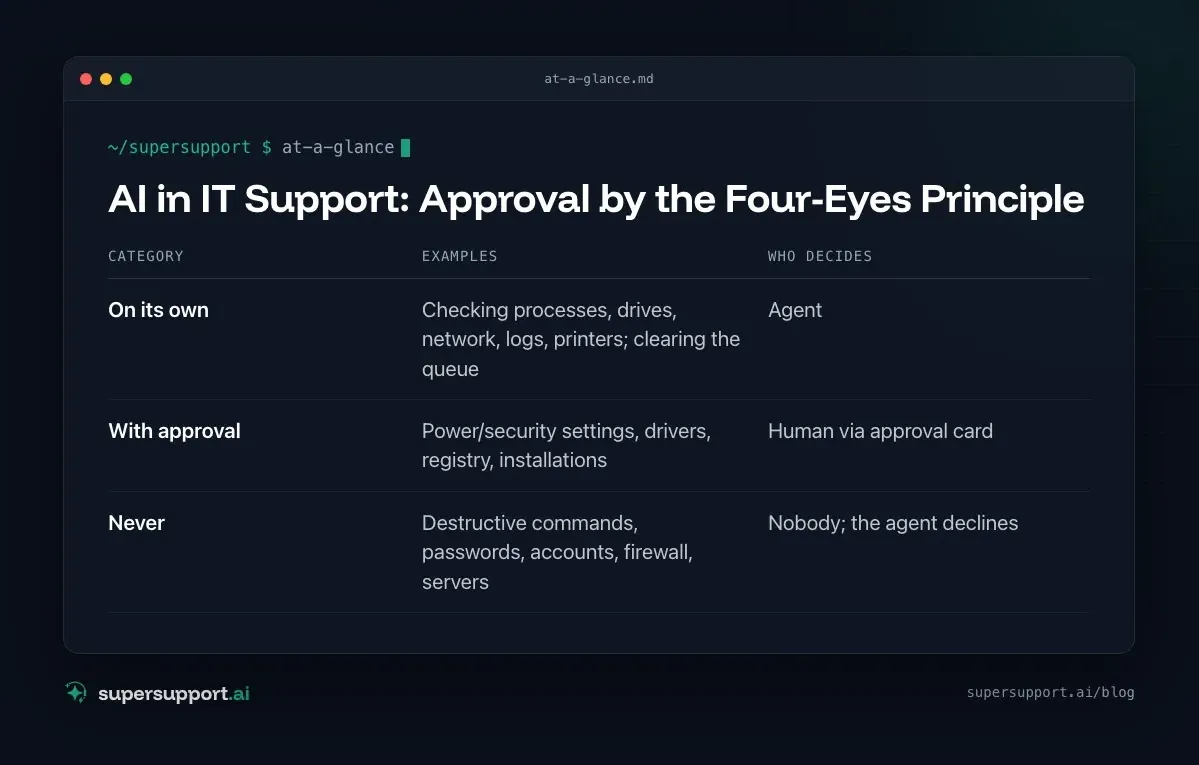
- Category: On its own – Examples: Checking processes, drives, network, logs, printers; clearing the queue; Who decides: Agent
- Category: With approval – Examples: Power/security settings, drivers, registry, installations; Who decides: Human via approval card
- Category: Never – Examples: Destructive commands, passwords, accounts, firewall, servers; Who decides: Nobody; the agent declines
Try it yourself
How approvals feel in daily work shows on the first real case. SuperSupport can be tested for free and without a credit card, for internal IT teams and MSPs.
Frequently asked questions
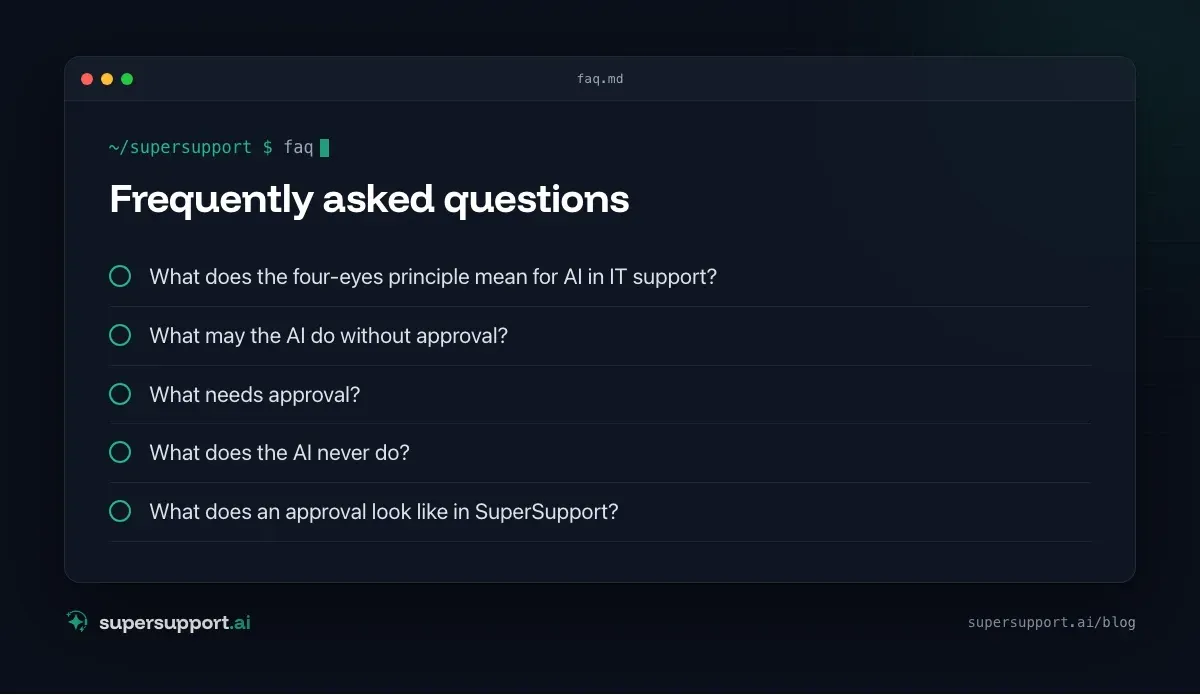
What does the four-eyes principle mean for AI in IT support?
The AI is not allowed to carry out risky changes on the device on its own. It submits them as a concrete action, and a human (the employee or IT) approves or rejects it. Only then does anything happen.
What may the AI do without approval?
Check and read: processes, drives, network, logs, printers, installed programs. Plus harmless, reversible steps such as clearing a print queue or ending a frozen program after asking.
What needs approval?
Everything that changes the system or is hard to undo, such as power or security settings, drivers, the registry, installations, or services that affect others.
What does the AI never do?
Destructive commands such as deleting all restore points, plus password resets, user accounts, firewall, and servers. It declines such requests and explains why.
What does an approval look like in SuperSupport?
A card titled “Approval required (four-eyes principle)”: it states what is to be changed on the device, the reason, whether it is reversible, and how long the approval is valid, and it shows the concrete command. It also has the buttons “Approve action” and “Reject.”
14 days free
IT support that fixes itself.
SuperSupport fixes IT problems right on the device, before they turn into tickets. Try it free for 14 days.
Start free trialTimo Haslberger is Co-Founder & CPO of SuperSupport.ai. He owns the entire product experience: from first user interaction to automated problem resolution. Before co-founding SuperSupport.ai, he saw firsthand how IT teams drown in repetitive tickets. Today he's building the product that changes exactly that.
This article was created with AI assistance and editorially reviewed.
Related Articles
OTRS Alternative: Znuny, OTOBO, KIX or AI Support?
With the OTRS Community Edition discontinued, many seek an alternative. The forks at a glance – and when AI support on the device complements them better.

Shadow AI in the Workplace: Detect, Govern, Replace
Employees use AI tools IT doesn't know about, with customer data, contracts and code. How to detect shadow AI, set sensible rules and offer alternatives.

AI Agent in IT Support: Guardrails That Actually Hold
An AI agent on the computer needs limits outside the prompt: protected list, blocked actions, approvals that expire. This is how it looks in practice.