;}.cls-2{fill:url(%23Unbenannter_Verlauf_5-2);}.cls-3{fill:url(%23Unbenannter_Verlauf_5-5);}.cls-4{fill:url(%23Unbenannter_Verlauf_5-6);}.cls-5{fill:url(%23Unbenannter_Verlauf_5-3);}.cls-6{fill:url(%23Unbenannter_Verlauf_5-4);}%3c/style%3e%3clinearGradient%20id='Unbenannter_Verlauf_5'%20x1='1075.02'%20y1='943.06'%20x2='1201.78'%20y2='943.06'%20gradientUnits='userSpaceOnUse'%3e%3cstop%20offset='0'%20stop-color='%2322b88a'/%3e%3cstop%20offset='1'%20stop-color='%231a9e78'/%3e%3c/linearGradient%3e%3clinearGradient%20id='Unbenannter_Verlauf_5-2'%20x1='234.11'%20y1='663.43'%20x2='1058.29'%20y2='663.43'%20xlink:href='%23Unbenannter_Verlauf_5'/%3e%3clinearGradient%20id='Unbenannter_Verlauf_5-3'%20x1='843.79'%20y1='1064.84'%20x2='1096.04'%20y2='1064.84'%20xlink:href='%23Unbenannter_Verlauf_5'/%3e%3clinearGradient%20id='Unbenannter_Verlauf_5-4'%20x1='1120.37'%20y1='662.1'%20x2='1253'%20y2='662.1'%20xlink:href='%23Unbenannter_Verlauf_5'/%3e%3clinearGradient%20id='Unbenannter_Verlauf_5-5'%20x1='97.45'%20y1='265.53'%20x2='385.89'%20y2='265.53'%20xlink:href='%23Unbenannter_Verlauf_5'/%3e%3clinearGradient%20id='Unbenannter_Verlauf_5-6'%20x1='295.45'%20y1='255.64'%20x2='1213.95'%20y2='255.64'%20xlink:href='%23Unbenannter_Verlauf_5'/%3e%3c/defs%3e%3cpath%20class='cls-1'%20d='M1201.78,871c-.61,1.55-1.23,3.1-1.86,4.66-20.33,50.18-47.14,96.85-80.02,139.45-7.56-13.82-21.78-22.31-37.69-22.31h-7.19c29.82-37.26,54.46-78.02,73.61-121.8h53.15Z'/%3e%3cpath%20class='cls-2'%20d='M665.24,264.59l69.02,186.52c21.3,57.57,66.69,102.96,124.26,124.26l186.52,69.02c17.67,6.54,17.67,31.54,0,38.08l-186.52,69.02c-57.57,21.3-102.96,66.69-124.26,124.26l-69.02,186.52c-6.54,17.67-31.54,17.67-38.08,0l-69.02-186.52c-21.3-57.57-66.69-102.96-124.26-124.26l-186.52-69.02c-17.67-6.54-17.67-31.54,0-38.08l186.52-69.02c57.57-21.3,102.96-66.69,124.26-124.26l69.02-186.52c6.54-17.67,31.54-17.67,38.08,0Z'/%3e%3cpath%20class='cls-5'%20d='M1082.21,1021.98h-79.13c-1.7,0-2.97-1.56-2.62-3.23l22.72-109.35c2.94-14.16-15.11-22.74-24.23-11.51l-152.04,187.31c-7.32,9.02-.9,22.5,10.72,22.5h79.13c1.7,0,2.97,1.56,2.62,3.23l-22.72,109.35c-2.94,14.16,15.11,22.74,24.23,11.51l152.04-187.31c7.32-9.02.9-22.5-10.72-22.5Z'/%3e%3crect%20class='cls-6'%20x='1120.37'%20y='486.36'%20width='132.63'%20height='351.48'%20rx='19.58'%20ry='19.58'/%3e%3cpath%20class='cls-3'%20d='M250.58,128.27l13.88,55.81c7.19,28.91,29.76,51.47,58.66,58.66l55.81,13.88c9.29,2.31,9.29,15.51,0,17.82l-55.81,13.88c-28.91,7.19-51.47,29.76-58.66,58.66l-13.88,55.81c-2.31,9.29-15.51,9.29-17.82,0l-13.88-55.81c-7.19-28.91-29.76-51.47-58.66-58.66l-55.81-13.88c-9.29-2.31-9.29-15.51,0-17.82l55.81-13.88c28.91-7.19,51.47-29.76,58.66-58.66l13.88-55.81c2.31-9.29,15.51-9.29,17.82,0Z'/%3e%3cpath%20class='cls-4'%20d='M1213.95,453.21h-67.62c-1.23,0-2.47.04-3.67.12-27.03-63.89-65.84-121.36-115.42-170.94-51.54-51.54-111.61-91.44-178.55-118.59-64.67-26.22-133.03-39.52-203.16-39.52s-138.48,13.3-203.16,39.52c-33.73,13.67-65.72,30.61-95.75,50.63l-.19-.05c-23.62-5.88-42.51-22.85-51-45.24,37.87-26.86,78.65-49.21,122.01-66.79,72.63-29.44,149.37-44.38,228.08-44.38s155.45,14.93,228.08,44.38c75.2,30.51,142.67,75.31,200.53,133.15,57.84,57.85,102.65,125.33,133.15,200.53,2.31,5.7,4.54,11.43,6.66,17.19Z'/%3e%3c/svg%3e)
AI Agent in IT Support: Guardrails That Actually Hold
An AI agent on the computer needs limits outside the prompt: protected list, blocked actions, approvals that expire. This is how it looks in practice.

“You are not allowed to do that” in the prompt is a request. A block is a block.
Anyone who gives an AI agent access to company computers first asks: what if it does something it shouldn't? The honest answer: a language model can be talked into things. See Can you trick an AI agent?. That is why the important limits can't just live in the prompt; they have to sit in the technology around it. In our agent's chats you can see what this looks like, in the messages it gets back when it hits a limit.
Guardrail 1: The protected list
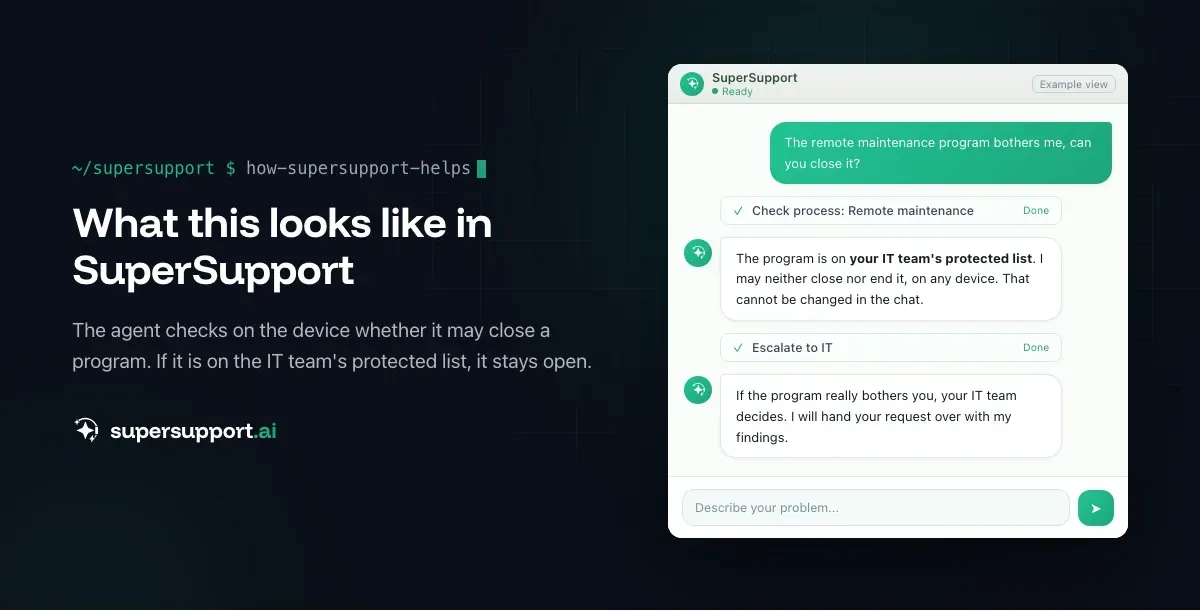
Programs the agent never touches. A real message, when an employee asked the agent to close the remote support program:
“[PROTECTED] The program is on this customer's protected list and must NOT be closed, terminated, disabled or uninstalled, on any device.”
IT sets the list once, and it applies to all devices. Typical entries: remote support, antivirus, backup agent, management tools. The agent doesn't decide this itself, and it can't get around it by phrasing the command differently.
Guardrail 2: The permission profile
Areas the agent doesn't even look into. A real message while searching through logs:
“BLOCKED: Action affects protected software and is blocked by the permission profile.”
The profile defines which programs, paths and command patterns are off limits, even for reading. That protects things like browser data or configurations that are none of the agent's business.
Guardrail 3: Blocked without a back door
Some actions have no approval path at all. A real message, when the agent wanted to install updates:
“This action was blocked by the security check and NOT carried out. There is no approval for it.”
The agent then has to suggest another way or hand over to a human. That is inconvenient, and exactly right for anything that is too broad or too risky for a chat.
Guardrail 4: Approval with an expiry
Sensitive but sensible steps go through a human. A real message, when the agent wanted to switch off antivirus as a test because no app could be installed:
“Required: approval by an administrator AND confirmation on the device. The action only runs after that and expires after 30 minutes.”
The approval also states the problem, the proposed solution and the way back. An “approval” typed into the chat doesn't count. More in AI in IT support: approval under the four-eyes principle.
Guardrail 5: Ask first for anything destructive
Anything that can delete data needs explicit consent. A real message, when the agent wanted to reset update components:
“DESTRUCTIVE: This command can delete data. Ask the user for confirmation first.”

14 days free
IT support that fixes itself.
SuperSupport fixes IT problems right on the device, before they turn into tickets. Try it free for 14 days.
Start free trialThe agent then explained what would be deleted and what wouldn't, and only continued after the “yes”.
Guardrail 6: What the product never does
Not a setting, but a decision. SuperSupport does not do password resets, user accounts or permissions, or firewall or server changes. This cannot be unlocked. See Level 1 AI: what it can do, and what it can't.
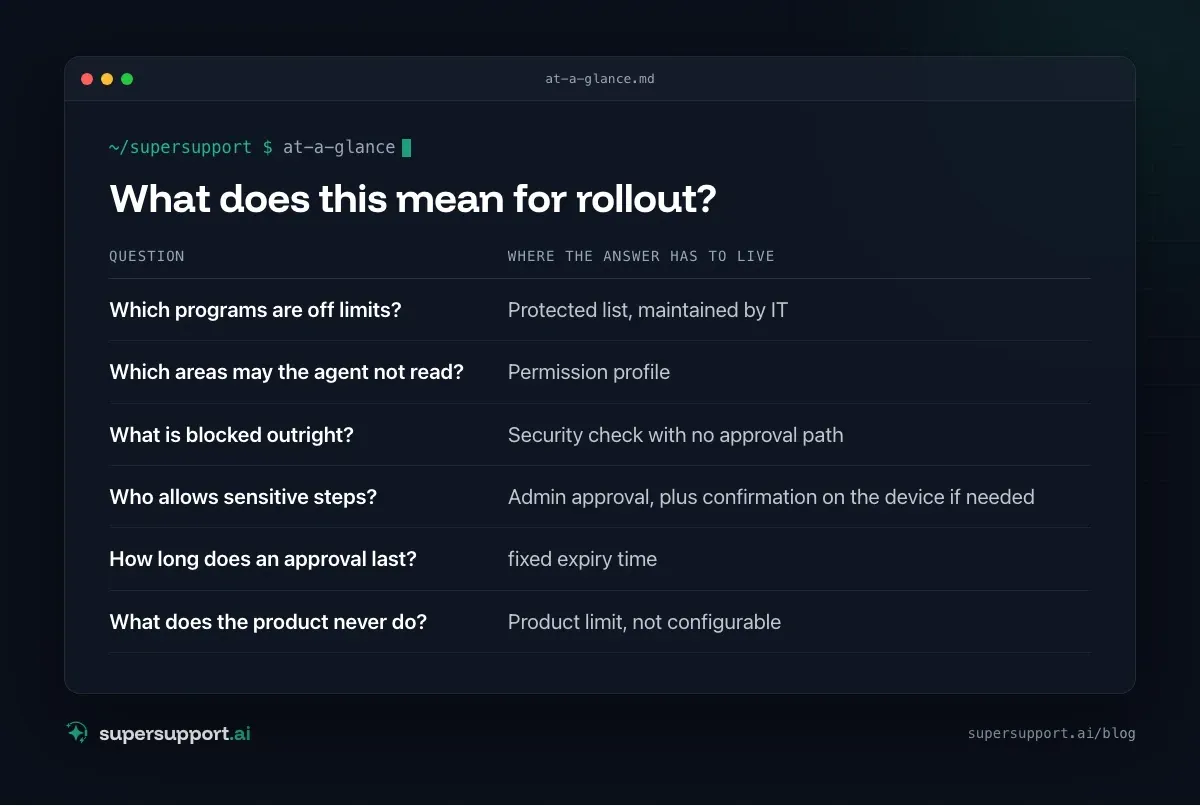
What does this mean for rollout?
- Which programs are off limits? – Protected list, maintained by IT
- Which areas may the agent not read? – Permission profile
- What is blocked outright? – Security check with no approval path
- Who allows sensitive steps? – Admin approval, plus confirmation on the device if needed
- How long does an approval last? – fixed expiry time
- What does the product never do? – Product limit, not configurable
Not in the prompt. The prompt may contain the same rules, but it is not the place where they have to hold.
How employees react to these limits is covered in Acceptance of AI in IT support. How in-house software is covered with fixed steps is covered in Runbooks in IT support. Legal aspects in GDPR and AI in support.
Try it yourself
Ask every AI vendor in IT support: where do the limits sit, in the prompt or in front of it? SuperSupport can be tested for free and without a credit card, for internal IT teams and MSPs.
Frequently asked questions
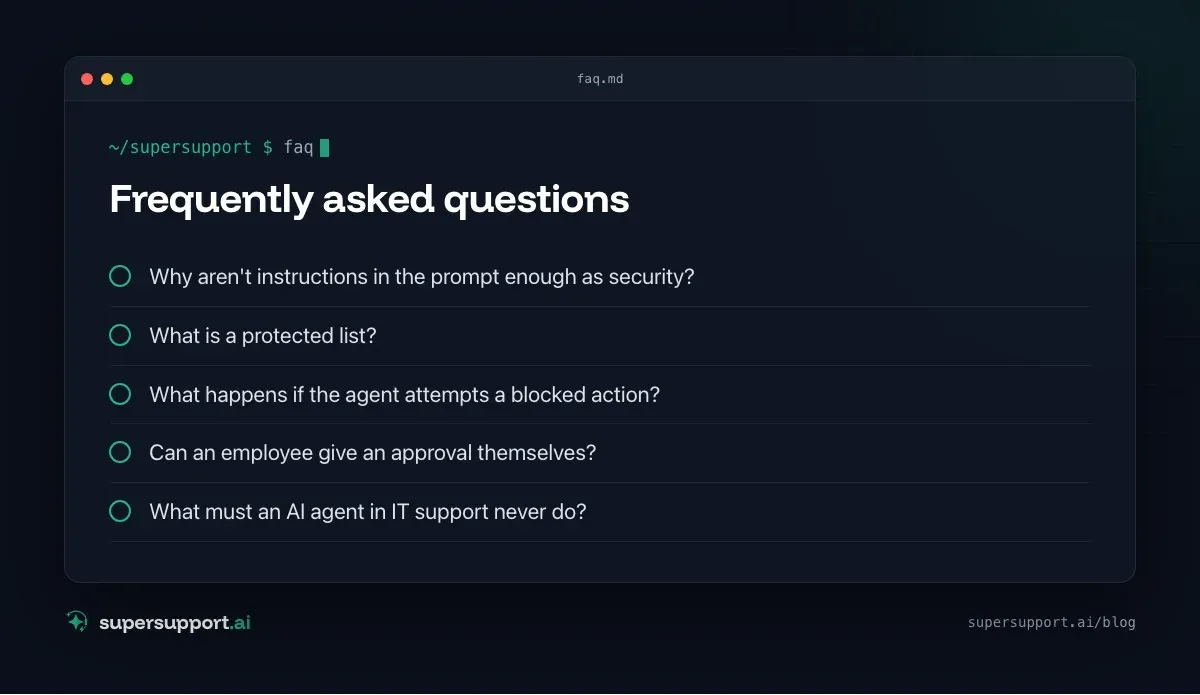
Why aren't instructions in the prompt enough as security?
Because a language model follows instructions, but can also be talked into things. Limits that really have to hold belong in the technology around the model: lists of protected programs, blocked command patterns, approvals that only a human can give.
What is a protected list?
A list of programs that the agent does not close, disable or uninstall on any device, such as remote support or security software. IT sets it once, and it applies to all of a customer's devices.
What happens if the agent attempts a blocked action?
It is not carried out. Depending on the type of action, there is either no way at all, for example with commands that are blocked outright, or a way through approval by an administrator.
Can an employee give an approval themselves?
No. Typing an approval into the chat changes nothing. Sensitive steps need an administrator's approval, some additionally a confirmation on the device, and approvals expire after a fixed time.
What must an AI agent in IT support never do?
With SuperSupport: no password resets, no user accounts or permissions, no firewall or server changes. That is a product decision, not a setting you can configure away.
14 days free
IT support that fixes itself.
SuperSupport fixes IT problems right on the device, before they turn into tickets. Try it free for 14 days.
Start free trialTimo Haslberger is Co-Founder & CPO of SuperSupport.ai. He owns the entire product experience: from first user interaction to automated problem resolution. Before co-founding SuperSupport.ai, he saw firsthand how IT teams drown in repetitive tickets. Today he's building the product that changes exactly that.
This article was created with AI assistance and editorially reviewed.
Related Articles
OTRS Alternative: Znuny, OTOBO, KIX or AI Support?
With the OTRS Community Edition discontinued, many seek an alternative. The forks at a glance – and when AI support on the device complements them better.

Shadow AI in the Workplace: Detect, Govern, Replace
Employees use AI tools IT doesn't know about, with customer data, contracts and code. How to detect shadow AI, set sensible rules and offer alternatives.

Microsoft SMS MFA Retirement: Passkeys by February 2027
Microsoft ends SMS and voice call sign-in in Entra ID on February 1, 2027. What changes, who is affected, and how to move your users to passkeys in time.