;}.cls-2{fill:url(%23Unbenannter_Verlauf_5-2);}.cls-3{fill:url(%23Unbenannter_Verlauf_5-5);}.cls-4{fill:url(%23Unbenannter_Verlauf_5-6);}.cls-5{fill:url(%23Unbenannter_Verlauf_5-3);}.cls-6{fill:url(%23Unbenannter_Verlauf_5-4);}%3c/style%3e%3clinearGradient%20id='Unbenannter_Verlauf_5'%20x1='1075.02'%20y1='943.06'%20x2='1201.78'%20y2='943.06'%20gradientUnits='userSpaceOnUse'%3e%3cstop%20offset='0'%20stop-color='%2322b88a'/%3e%3cstop%20offset='1'%20stop-color='%231a9e78'/%3e%3c/linearGradient%3e%3clinearGradient%20id='Unbenannter_Verlauf_5-2'%20x1='234.11'%20y1='663.43'%20x2='1058.29'%20y2='663.43'%20xlink:href='%23Unbenannter_Verlauf_5'/%3e%3clinearGradient%20id='Unbenannter_Verlauf_5-3'%20x1='843.79'%20y1='1064.84'%20x2='1096.04'%20y2='1064.84'%20xlink:href='%23Unbenannter_Verlauf_5'/%3e%3clinearGradient%20id='Unbenannter_Verlauf_5-4'%20x1='1120.37'%20y1='662.1'%20x2='1253'%20y2='662.1'%20xlink:href='%23Unbenannter_Verlauf_5'/%3e%3clinearGradient%20id='Unbenannter_Verlauf_5-5'%20x1='97.45'%20y1='265.53'%20x2='385.89'%20y2='265.53'%20xlink:href='%23Unbenannter_Verlauf_5'/%3e%3clinearGradient%20id='Unbenannter_Verlauf_5-6'%20x1='295.45'%20y1='255.64'%20x2='1213.95'%20y2='255.64'%20xlink:href='%23Unbenannter_Verlauf_5'/%3e%3c/defs%3e%3cpath%20class='cls-1'%20d='M1201.78,871c-.61,1.55-1.23,3.1-1.86,4.66-20.33,50.18-47.14,96.85-80.02,139.45-7.56-13.82-21.78-22.31-37.69-22.31h-7.19c29.82-37.26,54.46-78.02,73.61-121.8h53.15Z'/%3e%3cpath%20class='cls-2'%20d='M665.24,264.59l69.02,186.52c21.3,57.57,66.69,102.96,124.26,124.26l186.52,69.02c17.67,6.54,17.67,31.54,0,38.08l-186.52,69.02c-57.57,21.3-102.96,66.69-124.26,124.26l-69.02,186.52c-6.54,17.67-31.54,17.67-38.08,0l-69.02-186.52c-21.3-57.57-66.69-102.96-124.26-124.26l-186.52-69.02c-17.67-6.54-17.67-31.54,0-38.08l186.52-69.02c57.57-21.3,102.96-66.69,124.26-124.26l69.02-186.52c6.54-17.67,31.54-17.67,38.08,0Z'/%3e%3cpath%20class='cls-5'%20d='M1082.21,1021.98h-79.13c-1.7,0-2.97-1.56-2.62-3.23l22.72-109.35c2.94-14.16-15.11-22.74-24.23-11.51l-152.04,187.31c-7.32,9.02-.9,22.5,10.72,22.5h79.13c1.7,0,2.97,1.56,2.62,3.23l-22.72,109.35c-2.94,14.16,15.11,22.74,24.23,11.51l152.04-187.31c7.32-9.02.9-22.5-10.72-22.5Z'/%3e%3crect%20class='cls-6'%20x='1120.37'%20y='486.36'%20width='132.63'%20height='351.48'%20rx='19.58'%20ry='19.58'/%3e%3cpath%20class='cls-3'%20d='M250.58,128.27l13.88,55.81c7.19,28.91,29.76,51.47,58.66,58.66l55.81,13.88c9.29,2.31,9.29,15.51,0,17.82l-55.81,13.88c-28.91,7.19-51.47,29.76-58.66,58.66l-13.88,55.81c-2.31,9.29-15.51,9.29-17.82,0l-13.88-55.81c-7.19-28.91-29.76-51.47-58.66-58.66l-55.81-13.88c-9.29-2.31-9.29-15.51,0-17.82l55.81-13.88c28.91-7.19,51.47-29.76,58.66-58.66l13.88-55.81c2.31-9.29,15.51-9.29,17.82,0Z'/%3e%3cpath%20class='cls-4'%20d='M1213.95,453.21h-67.62c-1.23,0-2.47.04-3.67.12-27.03-63.89-65.84-121.36-115.42-170.94-51.54-51.54-111.61-91.44-178.55-118.59-64.67-26.22-133.03-39.52-203.16-39.52s-138.48,13.3-203.16,39.52c-33.73,13.67-65.72,30.61-95.75,50.63l-.19-.05c-23.62-5.88-42.51-22.85-51-45.24,37.87-26.86,78.65-49.21,122.01-66.79,72.63-29.44,149.37-44.38,228.08-44.38s155.45,14.93,228.08,44.38c75.2,30.51,142.67,75.31,200.53,133.15,57.84,57.85,102.65,125.33,133.15,200.53,2.31,5.7,4.54,11.43,6.66,17.19Z'/%3e%3c/svg%3e)
SuperOps Alternative or Complement? Comparison for MSPs
SuperOps combines PSA and RMM for MSPs. User requests still land with the technician. Pricing, AI and when a complement beats switching.

SuperOps does tickets and billing for MSPs really well. The tickets themselves don't become fewer as a result.
Short verdict: SuperOps is one of the most modern PSA-RMM platforms for MSPs: tickets, billing, patches and remote support in one interface, with transparent pricing and an AI called Monica. If you are looking for a SuperOps alternative because the price or features don't fit, you will find one among other PSA-RMM vendors. But if you actually want fewer calls and tickets from users, you don't need a different PSA – you need something in front of it. Then SuperSupport is the complement.
What is SuperOps?
SuperOps is a platform for managed service providers that combines PSA and RMM.
- PSA: ticketing, contracts, time tracking, billing, projects, customer portal.
- RMM: monitoring, alerts, patch management, scripts, remote access, asset management for Windows, Mac and Linux.
- Monica (AI): ticket summaries, reply drafts, support for automations; agentic workflows are being expanded.
Besides the MSP variant, there is a version for in-house IT departments with per-device billing.
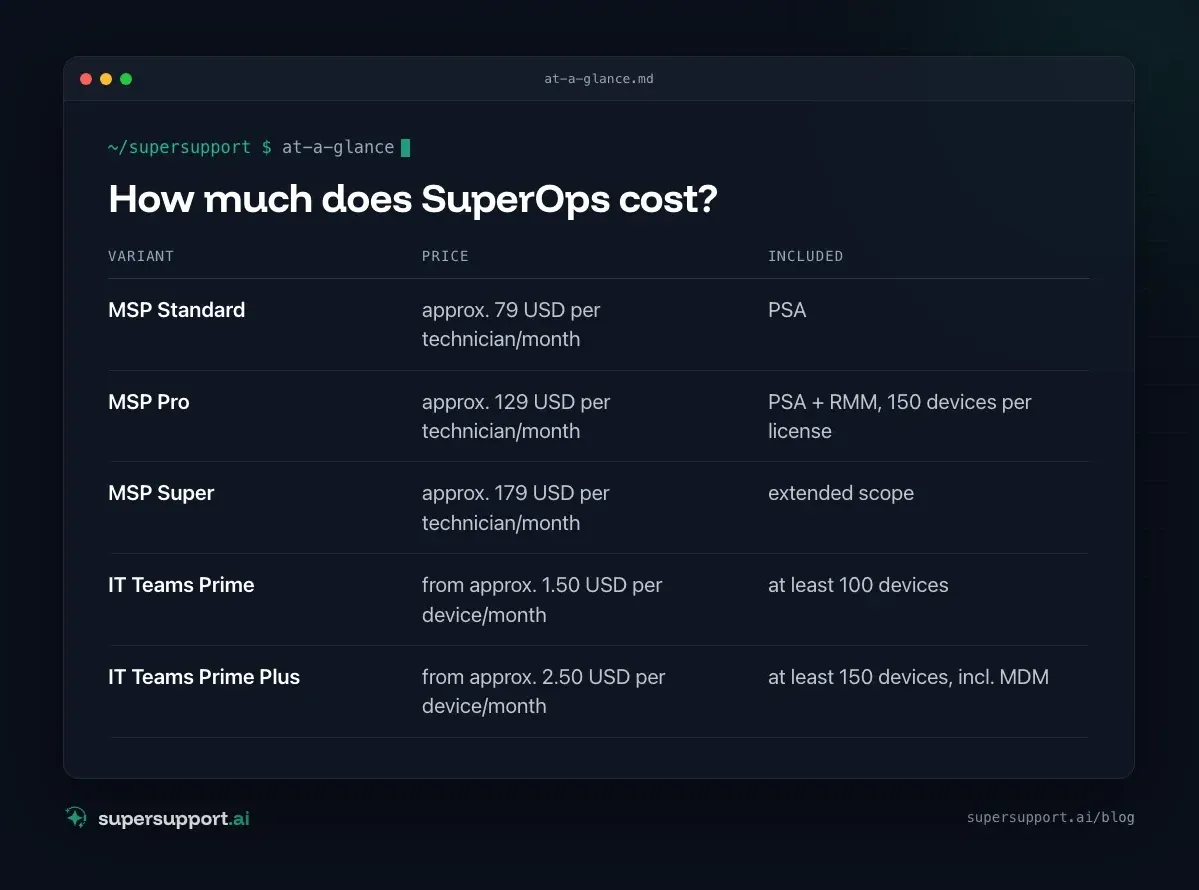
How much does SuperOps cost?
Per technician for MSPs, per device for in-house IT. According to market overviews and the pricing page (as of 2026):
- Variant: MSP Standard – Price: approx. 79 USD per technician/month; Included: PSA
- Variant: MSP Pro – Price: approx. 129 USD per technician/month; Included: PSA + RMM, 150 devices per license
- Variant: MSP Super – Price: approx. 179 USD per technician/month; Included: extended scope
- Variant: IT Teams Prime – Price: from approx. 1.50 USD per device/month; Included: at least 100 devices
- Variant: IT Teams Prime Plus – Price: from approx. 2.50 USD per device/month; Included: at least 150 devices, incl. MDM
There is a discount for annual payment; additional device packs cost extra. A free trial is possible.
Why do so many people look for a SuperOps alternative?
Rarely because of the tool itself – usually because of the work that still stays with the technician.
- Price per technician: For small MSPs with several technicians, this adds up.
- Switching effort: If you already have a PSA or RMM, you have to migrate contracts, customers and scripts.
- AI for technicians, not for users: Monica helps with handling tickets. But the ticket itself is still created – with a call, a follow-up question and handling time.
- Data region: If you depend on EU hosting, you should clarify the region in writing before signing the contract.
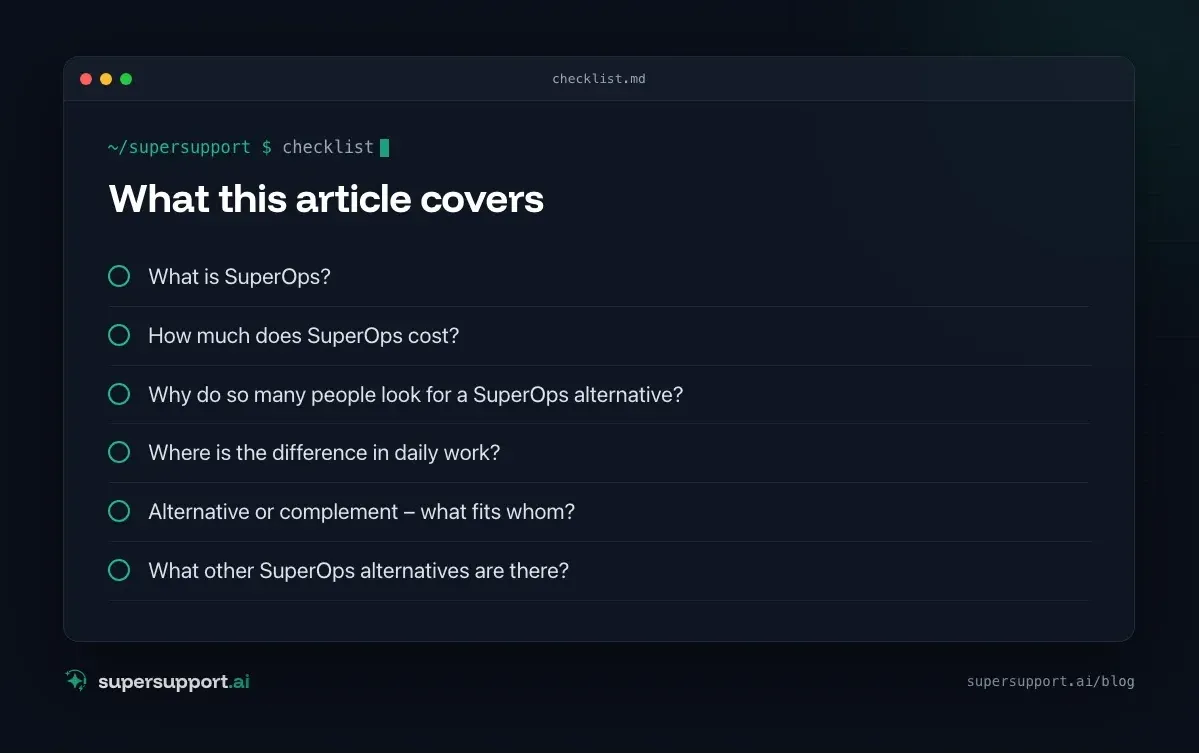
SuperOps and SuperSupport compared
- Category – SuperOps: PSA + RMM for MSPs; SuperSupport: AI support for end users
- Target group – SuperOps: Technicians at the MSP; SuperSupport: Users at the customer – and the technicians behind them
- Billing – SuperOps: per technician (MSP) or per device (IT); SuperSupport: per workstation
- Tickets, contracts, billing – SuperOps: yes, core feature; SuperSupport: no – the PSA stays for that
- Patches, monitoring, remote access – SuperOps: yes, core feature; SuperSupport: no – the RMM stays for that
- User describes the problem in chat – SuperOps: via portal/ticket; SuperSupport: yes, core feature
- Diagnosis on the device – SuperOps: by script, run by the technician; SuperSupport: by the agent in conversation
- Fix – SuperOps: Technician or automation; SuperSupport: Harmless things itself, sensitive ones after approval
- AI focus – SuperOps: Ticket handling, automation; SuperSupport: Users' 1st-level requests
- Language – SuperOps: Interface mostly English; SuperSupport: German throughout
Where is the difference in daily work?
SuperOps makes the technician's work more efficient. SuperSupport makes sure that part of it doesn't arise in the first place.
Example: A user at the customer reports “The VPN isn't working again”. In the PSA a ticket is created, and the technician looks in the firewall logs and calls back. The SuperSupport agent checks in the chat whether the VPN client is running and the firewall is reachable, and explains step by step where the 2FA code is entered. See VPN: authentication failed.
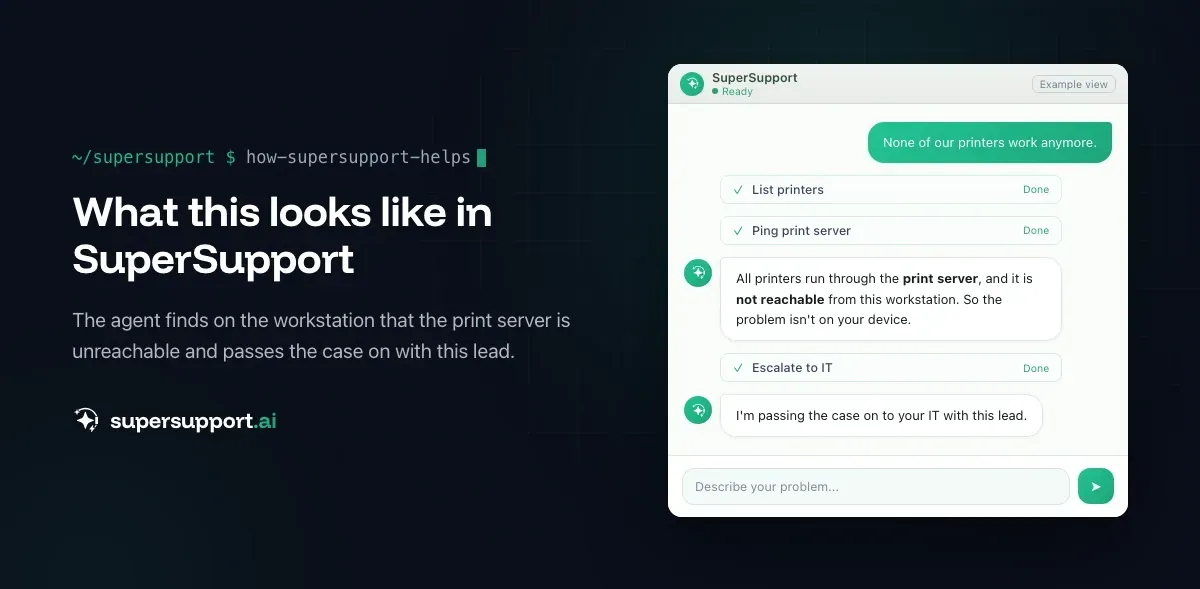
Or: “None of the printers work.” The agent determines at the workstation that the print server is not reachable, and the report goes to the MSP with this lead – see Windows Server shuts down every hour.
Alternative or complement – what fits whom?
SuperOps fits if …

14 days free
IT support that fixes itself.
SuperSupport fixes IT problems right on the device, before they turn into tickets. Try it free for 14 days.
Start free trial- as an MSP you want PSA and RMM in one modern tool,
- transparent pricing matters to you,
- your team is comfortable with an English-language interface.
SuperSupport in addition to SuperOps fits if …
- SuperOps stays as your PSA and RMM,
- you want your customers' users to get simple problems resolved in the chat,
- open cases go on to your technicians as a ticket.
A different PSA-RMM instead of SuperOps fits if …
SuperSupport as a starting point fits if …
- as a small MSP you mainly want to relieve 1st level before introducing a new PSA (AI support for MSPs).
What other SuperOps alternatives are there?
In the MSP space, Atera, NinjaOne, HaloPSA, ConnectWise, Kaseya and N-able are the best known. For in-house IT teams, ITSM solutions such as Freshservice, SysAid or TOPdesk come into question.
What does SuperSupport offer?
SuperSupport takes over 1st-level IT support by chat: the user describes their problem, the agent diagnoses directly on the Windows or Mac device, resolves harmless things itself and submits everything sensitive to IT for approval. For MSPs the platform is multi-tenant: each customer separate, every step logged, every chat at the same time the case – and, if needed, handed over as a ticket to an existing system. Developed in Austria.
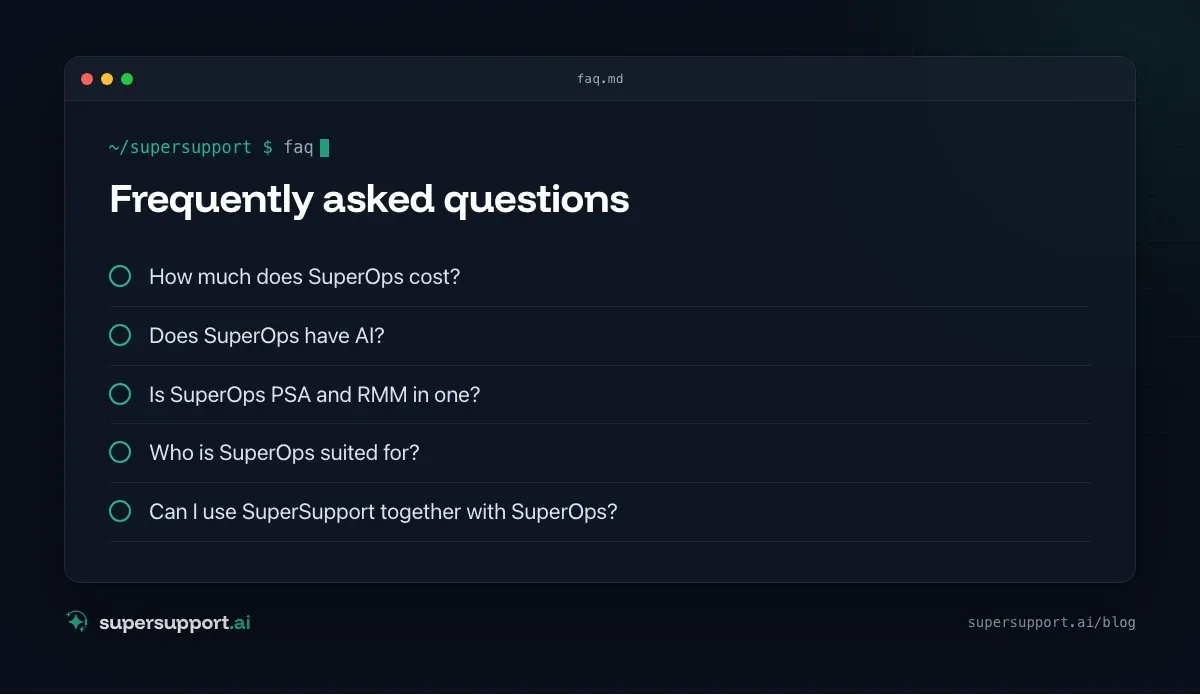
Frequently asked questions
How much does SuperOps cost?
For MSPs, billing is per technician: according to market overviews around 79 US dollars (Standard), 129 US dollars (Pro) and 179 US dollars (Super) per technician per month with annual payment, each with 150 devices per license. For in-house IT teams, there is per-device billing from around 1.50 US dollars, with a minimum quantity.
Does SuperOps have AI?
Yes, under the name Monica. It summarizes tickets, drafts replies and supports automations; agentic workflows are being expanded step by step. An assistant that talks directly to users and resolves their problems on the device is not the focus.
Is SuperOps PSA and RMM in one?
Yes. SuperOps combines ticketing, billing, contracts and projects (PSA) with monitoring, patches, scripts and remote access (RMM) on one platform. Both can also be used separately.
Who is SuperOps suited for?
Mainly for small and mid-sized MSPs that want a modern all-in-one tool instead of several separate products. In-house IT teams can use the variant for IT departments.
Can I use SuperSupport together with SuperOps?
Yes. SuperOps stays responsible for tickets, billing, patches and remote support. SuperSupport takes user requests in the chat and resolves part of them directly on the device – open cases go to the technicians as a ticket.
14 days free
IT support that fixes itself.
SuperSupport fixes IT problems right on the device, before they turn into tickets. Try it free for 14 days.
Start free trialNico Haslberger is Co-Founder & CEO of SuperSupport.ai. With years of experience as an IT technician, he knows the problems in IT support first-hand: from overloaded help desks to recurring tickets that slow teams down. That knowledge is built into every feature of the platform today. He makes sure SuperSupport.ai solves exactly the problems he experienced himself for years.
This article was created with AI assistance and editorially reviewed.
Related Articles
OTRS Alternative: Znuny, OTOBO, KIX or AI Support?
With the OTRS Community Edition discontinued, many seek an alternative. The forks at a glance – and when AI support on the device complements them better.

Shadow AI in the Workplace: Detect, Govern, Replace
Employees use AI tools IT doesn't know about, with customer data, contracts and code. How to detect shadow AI, set sensible rules and offer alternatives.

AI Agent in IT Support: Guardrails That Actually Hold
An AI agent on the computer needs limits outside the prompt: protected list, blocked actions, approvals that expire. This is how it looks in practice.