;}.cls-2{fill:url(%23Unbenannter_Verlauf_5-2);}.cls-3{fill:url(%23Unbenannter_Verlauf_5-5);}.cls-4{fill:url(%23Unbenannter_Verlauf_5-6);}.cls-5{fill:url(%23Unbenannter_Verlauf_5-3);}.cls-6{fill:url(%23Unbenannter_Verlauf_5-4);}%3c/style%3e%3clinearGradient%20id='Unbenannter_Verlauf_5'%20x1='1075.02'%20y1='943.06'%20x2='1201.78'%20y2='943.06'%20gradientUnits='userSpaceOnUse'%3e%3cstop%20offset='0'%20stop-color='%2322b88a'/%3e%3cstop%20offset='1'%20stop-color='%231a9e78'/%3e%3c/linearGradient%3e%3clinearGradient%20id='Unbenannter_Verlauf_5-2'%20x1='234.11'%20y1='663.43'%20x2='1058.29'%20y2='663.43'%20xlink:href='%23Unbenannter_Verlauf_5'/%3e%3clinearGradient%20id='Unbenannter_Verlauf_5-3'%20x1='843.79'%20y1='1064.84'%20x2='1096.04'%20y2='1064.84'%20xlink:href='%23Unbenannter_Verlauf_5'/%3e%3clinearGradient%20id='Unbenannter_Verlauf_5-4'%20x1='1120.37'%20y1='662.1'%20x2='1253'%20y2='662.1'%20xlink:href='%23Unbenannter_Verlauf_5'/%3e%3clinearGradient%20id='Unbenannter_Verlauf_5-5'%20x1='97.45'%20y1='265.53'%20x2='385.89'%20y2='265.53'%20xlink:href='%23Unbenannter_Verlauf_5'/%3e%3clinearGradient%20id='Unbenannter_Verlauf_5-6'%20x1='295.45'%20y1='255.64'%20x2='1213.95'%20y2='255.64'%20xlink:href='%23Unbenannter_Verlauf_5'/%3e%3c/defs%3e%3cpath%20class='cls-1'%20d='M1201.78,871c-.61,1.55-1.23,3.1-1.86,4.66-20.33,50.18-47.14,96.85-80.02,139.45-7.56-13.82-21.78-22.31-37.69-22.31h-7.19c29.82-37.26,54.46-78.02,73.61-121.8h53.15Z'/%3e%3cpath%20class='cls-2'%20d='M665.24,264.59l69.02,186.52c21.3,57.57,66.69,102.96,124.26,124.26l186.52,69.02c17.67,6.54,17.67,31.54,0,38.08l-186.52,69.02c-57.57,21.3-102.96,66.69-124.26,124.26l-69.02,186.52c-6.54,17.67-31.54,17.67-38.08,0l-69.02-186.52c-21.3-57.57-66.69-102.96-124.26-124.26l-186.52-69.02c-17.67-6.54-17.67-31.54,0-38.08l186.52-69.02c57.57-21.3,102.96-66.69,124.26-124.26l69.02-186.52c6.54-17.67,31.54-17.67,38.08,0Z'/%3e%3cpath%20class='cls-5'%20d='M1082.21,1021.98h-79.13c-1.7,0-2.97-1.56-2.62-3.23l22.72-109.35c2.94-14.16-15.11-22.74-24.23-11.51l-152.04,187.31c-7.32,9.02-.9,22.5,10.72,22.5h79.13c1.7,0,2.97,1.56,2.62,3.23l-22.72,109.35c-2.94,14.16,15.11,22.74,24.23,11.51l152.04-187.31c7.32-9.02.9-22.5-10.72-22.5Z'/%3e%3crect%20class='cls-6'%20x='1120.37'%20y='486.36'%20width='132.63'%20height='351.48'%20rx='19.58'%20ry='19.58'/%3e%3cpath%20class='cls-3'%20d='M250.58,128.27l13.88,55.81c7.19,28.91,29.76,51.47,58.66,58.66l55.81,13.88c9.29,2.31,9.29,15.51,0,17.82l-55.81,13.88c-28.91,7.19-51.47,29.76-58.66,58.66l-13.88,55.81c-2.31,9.29-15.51,9.29-17.82,0l-13.88-55.81c-7.19-28.91-29.76-51.47-58.66-58.66l-55.81-13.88c-9.29-2.31-9.29-15.51,0-17.82l55.81-13.88c28.91-7.19,51.47-29.76,58.66-58.66l13.88-55.81c2.31-9.29,15.51-9.29,17.82,0Z'/%3e%3cpath%20class='cls-4'%20d='M1213.95,453.21h-67.62c-1.23,0-2.47.04-3.67.12-27.03-63.89-65.84-121.36-115.42-170.94-51.54-51.54-111.61-91.44-178.55-118.59-64.67-26.22-133.03-39.52-203.16-39.52s-138.48,13.3-203.16,39.52c-33.73,13.67-65.72,30.61-95.75,50.63l-.19-.05c-23.62-5.88-42.51-22.85-51-45.24,37.87-26.86,78.65-49.21,122.01-66.79,72.63-29.44,149.37-44.38,228.08-44.38s155.45,14.93,228.08,44.38c75.2,30.51,142.67,75.31,200.53,133.15,57.84,57.85,102.65,125.33,133.15,200.53,2.31,5.7,4.54,11.43,6.66,17.19Z'/%3e%3c/svg%3e)
SysAid Alternative: AI Service Desk or AI on the Device?
SysAid relies heavily on AI agents in the service desk – from 89 USD per technician. When a SysAid alternative fits and how on-device AI support differs.

SysAid calls itself an AI service desk. The AI still doesn't see the employee's computer.
Short verdict: SysAid is a mature ITSM that clearly positions itself as an AI service desk: copilot, self-service chatbot, over 100 prebuilt AI agents – and all of it included in both editions. If you're looking for a full ITSM with strong automation and have the budget for around 89 USD per technician, you're in good hands there. If you mainly want to resolve users' requests directly – on the computer, not in the ticket – you need a different approach.
What is SysAid?
SysAid is an ITSM and service management platform from Israel that has been on the market for over 20 years. It includes incident, problem and change management, a service catalog, asset management and a self-service portal. SysAid runs in the cloud on AWS.
In recent years, SysAid has strongly shifted its positioning toward AI:
- Copilot for technicians (summaries, solution suggestions, reply drafts) and for users.
- Chatbot in self-service that accepts requests and answers them from the knowledge base.
- AI agents: over 100 prebuilt agents for recurring workflows, plus a builder for your own.
- Automation with connections to other systems through an integration service.
What does SysAid cost?
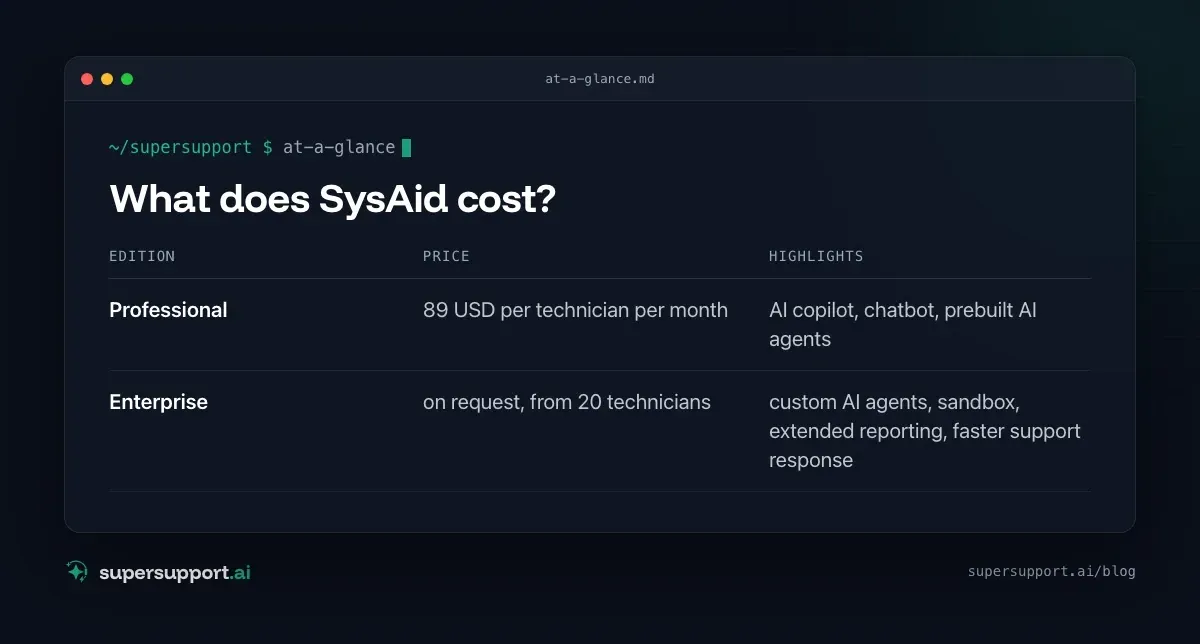
Billing is per technician (agent) per month. According to the price page (as of 2026):
- Edition: Professional – Price: 89 USD per technician per month; Highlights: AI copilot, chatbot, prebuilt AI agents
- Edition: Enterprise – Price: on request, from 20 technicians; Highlights: custom AI agents, sandbox, extended reporting, faster support response
According to the vendor, the AI features are included in both editions with no usage limit. A trial is available without a credit card.
Why do many people look for a SysAid alternative?
Mostly because of the price per technician – and because AI in the ticket is not the same as AI on the device.
- Price: 89 USD per technician is well above entry-level solutions such as Freshservice or ServiceDesk Plus.
- Scope: A full ITSM with catalog, changes and assets needs setup – for small teams often more than they use.
- English first: The interface and AI are multilingual, but documentation and community are mostly English.
- The AI works with knowledge, not on the device: The chatbot can explain how to reconnect a printer. It can't look into why it isn't printing on this computer.
SysAid and SuperSupport compared
- Category – SysAid: ITSM / AI service desk; SuperSupport: AI support for end users
- Billing – SysAid: per technician; SuperSupport: per workstation
- Entry price – SysAid: 89 USD/technician (Professional); SuperSupport: also for small companies and MSPs
- Tickets, catalog, changes, assets – SysAid: yes, comprehensive; SuperSupport: the chat is the case
- AI for users – SysAid: chatbot, copilot; SuperSupport: core function
- Diagnosis on the device – SysAid: no, the AI works in the service desk; SuperSupport: yes, its own agent on Windows and Mac
- Resolution – SysAid: Technician or automation; SuperSupport: Harmless issues itself, sensitive ones after approval
- Language – SysAid: multilingual, docs mostly English; SuperSupport: German throughout
- Multi-tenant for MSPs – SysAid: via MSP offerings; SuperSupport: yes, from the ground up
Where is the difference in daily work?
SysAid makes the service desk faster. SuperSupport makes part of it unnecessary.
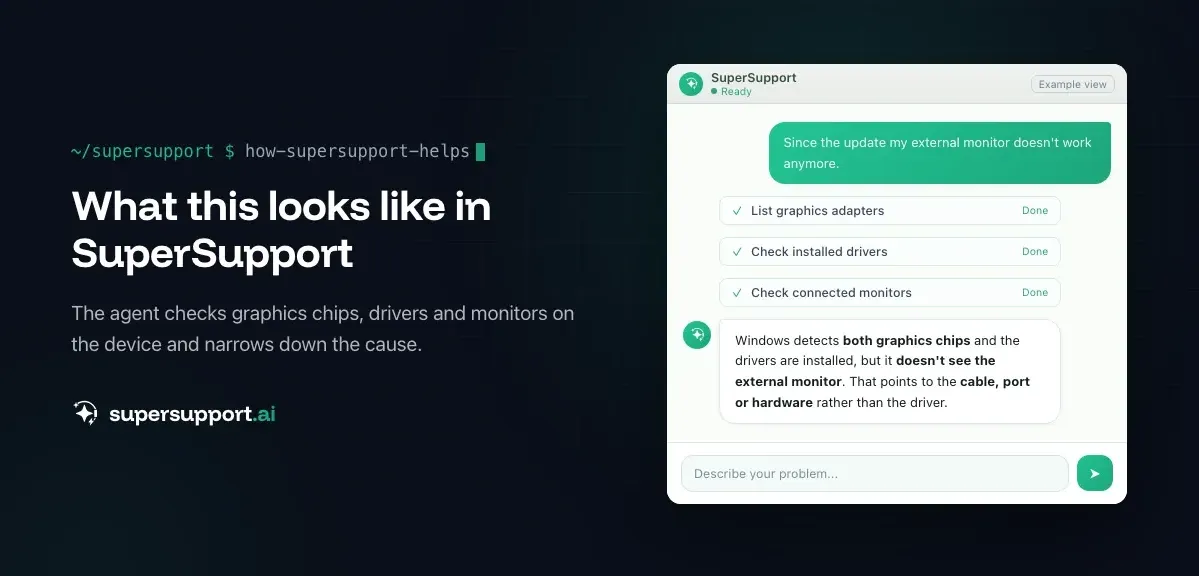
Example: “Since the update, my external monitor no longer works.” The SysAid chatbot creates a ticket, categorizes it as hardware and perhaps suggests a knowledge article about display drivers. A technician gets back to you later. The SuperSupport agent checks in the chat which graphics chips are detected, which drivers are installed and whether Windows sees the monitor – and thereby narrows down whether it's the driver, the setting or the hardware. See External monitor: no signal after BIOS update.
Similarly with Emails to Hotmail aren't arriving or Printer won't print: The answer is on the device, not in the knowledge base.
Alternative or complement – what fits whom?

14 days free
IT support that fixes itself.
SuperSupport fixes IT problems right on the device, before they turn into tickets. Try it free for 14 days.
Start free trialSysAid fits if …
- you're looking for a full ITSM with strong AI automation,
- your team is large enough that the price per technician pays off,
- you want to automate processes like onboarding, approvals and changes with AI agents.
SuperSupport in addition to SysAid fits if …
- SysAid stays as your ticket system,
- but Level 1 should be resolved on the device beforehand – open cases go on as a ticket.
SuperSupport instead of SysAid fits if …
- you don't need a full ITSM,
- you mainly want to get rid of recurring user requests (AI relief for IT teams),
- as an MSP you support many small tenants and don't want to pay per technician (AI support for MSPs).
What other SysAid alternatives are there?
With a similar AI ambition: Freshservice, ServiceNow and Jira Service Management. Cheaper to get started with is ServiceDesk Plus. From Europe come TOPdesk, Matrix42 and Serviceware. Pure AI assistants for the service desk are Moveworks, Aisera and rezolve.ai.
What does SuperSupport offer?
SuperSupport handles Level 1 IT support via chat: the user describes their problem, the agent diagnoses directly on the Windows or Mac device, resolves harmless issues itself and submits everything sensitive to IT for approval. Every step is logged, every chat is also the case itself and can be handed over as a ticket to an existing system. Developed in Austria, with an AI model from a European provider.
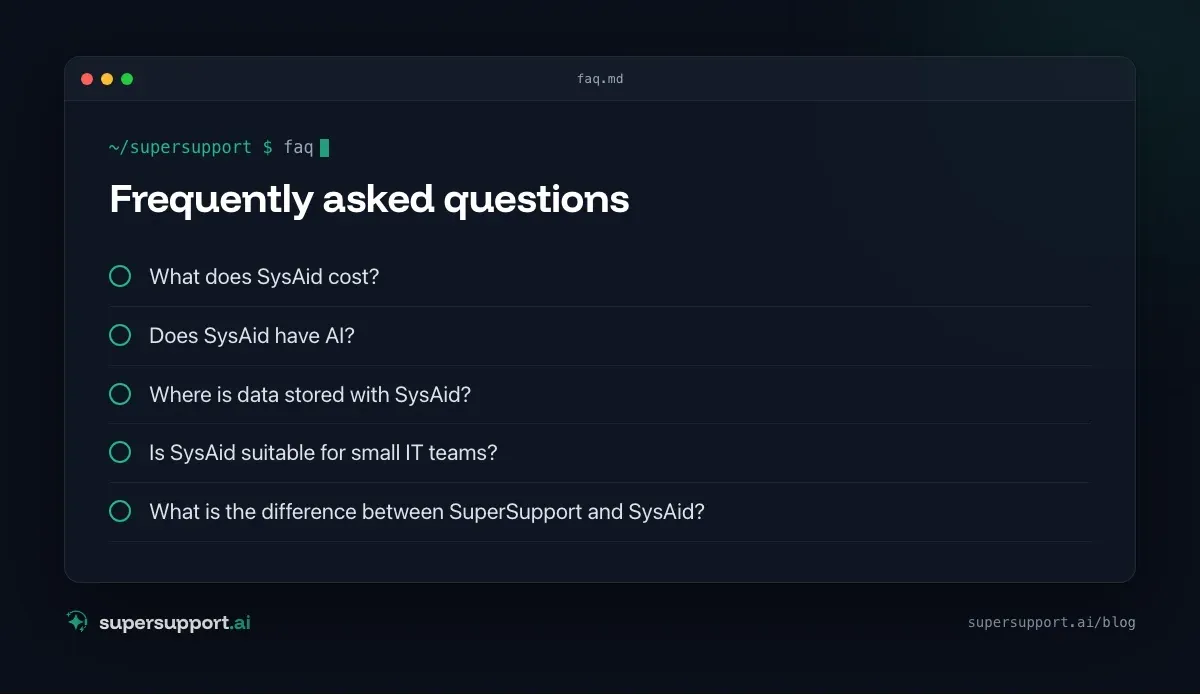
Frequently asked questions
What does SysAid cost?
According to its price page, the Professional edition costs 89 US dollars per technician per month. Enterprise is offered individually and starts at 20 technicians. A free trial without a credit card is available.
Does SysAid have AI?
Yes, AI is a focus: a copilot for technicians and users, a chatbot for self-service, over 100 prebuilt AI agents and a builder for your own. According to the price page, these features are included in both editions.
Where is data stored with SysAid?
SysAid is a cloud service on AWS and, by its own account, offers data hosting in multiple regions. Which region applies and where AI processing takes place should be put in writing in the quote.
Is SysAid suitable for small IT teams?
In principle yes, but the price per technician is high. For a team of two or three technicians it adds up quickly, and the scope of a full ITSM often isn't fully used.
What is the difference between SuperSupport and SysAid?
SysAid is an ITSM with AI around the ticket: accepting requests, categorizing them, suggesting replies, automating workflows. SuperSupport investigates the problem directly on the Windows or Mac device in conversation with the user and resolves it after approval.
14 days free
IT support that fixes itself.
SuperSupport fixes IT problems right on the device, before they turn into tickets. Try it free for 14 days.
Start free trialNico Haslberger is Co-Founder & CEO of SuperSupport.ai. With years of experience as an IT technician, he knows the problems in IT support first-hand: from overloaded help desks to recurring tickets that slow teams down. That knowledge is built into every feature of the platform today. He makes sure SuperSupport.ai solves exactly the problems he experienced himself for years.
This article was created with AI assistance and editorially reviewed.
Related Articles
OTRS Alternative: Znuny, OTOBO, KIX or AI Support?
With the OTRS Community Edition discontinued, many seek an alternative. The forks at a glance – and when AI support on the device complements them better.

Shadow AI in the Workplace: Detect, Govern, Replace
Employees use AI tools IT doesn't know about, with customer data, contracts and code. How to detect shadow AI, set sensible rules and offer alternatives.

AI Agent in IT Support: Guardrails That Actually Hold
An AI agent on the computer needs limits outside the prompt: protected list, blocked actions, approvals that expire. This is how it looks in practice.