;}.cls-2{fill:url(%23Unbenannter_Verlauf_5-2);}.cls-3{fill:url(%23Unbenannter_Verlauf_5-5);}.cls-4{fill:url(%23Unbenannter_Verlauf_5-6);}.cls-5{fill:url(%23Unbenannter_Verlauf_5-3);}.cls-6{fill:url(%23Unbenannter_Verlauf_5-4);}%3c/style%3e%3clinearGradient%20id='Unbenannter_Verlauf_5'%20x1='1075.02'%20y1='943.06'%20x2='1201.78'%20y2='943.06'%20gradientUnits='userSpaceOnUse'%3e%3cstop%20offset='0'%20stop-color='%2322b88a'/%3e%3cstop%20offset='1'%20stop-color='%231a9e78'/%3e%3c/linearGradient%3e%3clinearGradient%20id='Unbenannter_Verlauf_5-2'%20x1='234.11'%20y1='663.43'%20x2='1058.29'%20y2='663.43'%20xlink:href='%23Unbenannter_Verlauf_5'/%3e%3clinearGradient%20id='Unbenannter_Verlauf_5-3'%20x1='843.79'%20y1='1064.84'%20x2='1096.04'%20y2='1064.84'%20xlink:href='%23Unbenannter_Verlauf_5'/%3e%3clinearGradient%20id='Unbenannter_Verlauf_5-4'%20x1='1120.37'%20y1='662.1'%20x2='1253'%20y2='662.1'%20xlink:href='%23Unbenannter_Verlauf_5'/%3e%3clinearGradient%20id='Unbenannter_Verlauf_5-5'%20x1='97.45'%20y1='265.53'%20x2='385.89'%20y2='265.53'%20xlink:href='%23Unbenannter_Verlauf_5'/%3e%3clinearGradient%20id='Unbenannter_Verlauf_5-6'%20x1='295.45'%20y1='255.64'%20x2='1213.95'%20y2='255.64'%20xlink:href='%23Unbenannter_Verlauf_5'/%3e%3c/defs%3e%3cpath%20class='cls-1'%20d='M1201.78,871c-.61,1.55-1.23,3.1-1.86,4.66-20.33,50.18-47.14,96.85-80.02,139.45-7.56-13.82-21.78-22.31-37.69-22.31h-7.19c29.82-37.26,54.46-78.02,73.61-121.8h53.15Z'/%3e%3cpath%20class='cls-2'%20d='M665.24,264.59l69.02,186.52c21.3,57.57,66.69,102.96,124.26,124.26l186.52,69.02c17.67,6.54,17.67,31.54,0,38.08l-186.52,69.02c-57.57,21.3-102.96,66.69-124.26,124.26l-69.02,186.52c-6.54,17.67-31.54,17.67-38.08,0l-69.02-186.52c-21.3-57.57-66.69-102.96-124.26-124.26l-186.52-69.02c-17.67-6.54-17.67-31.54,0-38.08l186.52-69.02c57.57-21.3,102.96-66.69,124.26-124.26l69.02-186.52c6.54-17.67,31.54-17.67,38.08,0Z'/%3e%3cpath%20class='cls-5'%20d='M1082.21,1021.98h-79.13c-1.7,0-2.97-1.56-2.62-3.23l22.72-109.35c2.94-14.16-15.11-22.74-24.23-11.51l-152.04,187.31c-7.32,9.02-.9,22.5,10.72,22.5h79.13c1.7,0,2.97,1.56,2.62,3.23l-22.72,109.35c-2.94,14.16,15.11,22.74,24.23,11.51l152.04-187.31c7.32-9.02.9-22.5-10.72-22.5Z'/%3e%3crect%20class='cls-6'%20x='1120.37'%20y='486.36'%20width='132.63'%20height='351.48'%20rx='19.58'%20ry='19.58'/%3e%3cpath%20class='cls-3'%20d='M250.58,128.27l13.88,55.81c7.19,28.91,29.76,51.47,58.66,58.66l55.81,13.88c9.29,2.31,9.29,15.51,0,17.82l-55.81,13.88c-28.91,7.19-51.47,29.76-58.66,58.66l-13.88,55.81c-2.31,9.29-15.51,9.29-17.82,0l-13.88-55.81c-7.19-28.91-29.76-51.47-58.66-58.66l-55.81-13.88c-9.29-2.31-9.29-15.51,0-17.82l55.81-13.88c28.91-7.19,51.47-29.76,58.66-58.66l13.88-55.81c2.31-9.29,15.51-9.29,17.82,0Z'/%3e%3cpath%20class='cls-4'%20d='M1213.95,453.21h-67.62c-1.23,0-2.47.04-3.67.12-27.03-63.89-65.84-121.36-115.42-170.94-51.54-51.54-111.61-91.44-178.55-118.59-64.67-26.22-133.03-39.52-203.16-39.52s-138.48,13.3-203.16,39.52c-33.73,13.67-65.72,30.61-95.75,50.63l-.19-.05c-23.62-5.88-42.51-22.85-51-45.24,37.87-26.86,78.65-49.21,122.01-66.79,72.63-29.44,149.37-44.38,228.08-44.38s155.45,14.93,228.08,44.38c75.2,30.51,142.67,75.31,200.53,133.15,57.84,57.85,102.65,125.33,133.15,200.53,2.31,5.7,4.54,11.43,6.66,17.19Z'/%3e%3c/svg%3e)
Jamf Alternative or Complement? Mac Management vs. AI
Jamf is the standard for managing Macs and iPhones in companies. When a Jamf alternative fits, and when AI support for Mac users is the better complement.

Jamf knows which Macs you have. Not why one is stuck right now.
Short verdict: For years Jamf has been the standard when companies manage many Macs, iPhones and iPads – with deep Apple integration, self-service and new features often available on the day Apple releases them. At the start of 2026, Francisco Partners acquired Jamf. If you are looking for a Jamf alternative, you are usually looking for a cheaper entry point or a solution that manages Windows and Mac together. But if you mainly want to resolve Mac users' questions, you don't need a different device management – you need support that knows its way around the Mac.
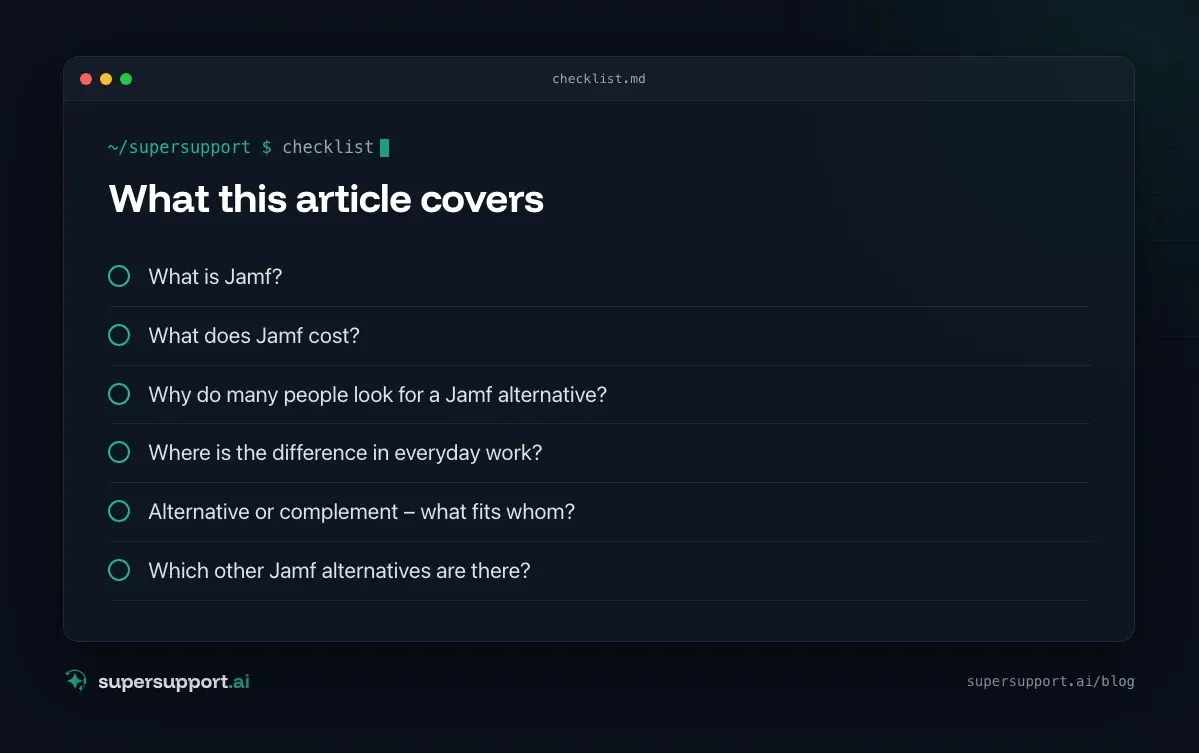
What is Jamf?
Jamf is a platform for managing Apple devices in companies and schools. The core functions:
- Enrollment via Apple Business Manager and automatic setup.
- Configuration profiles for Wi-Fi, VPN, security, restrictions.
- Distribute apps and updates, control macOS updates.
- Security: FileVault, firewall, compliance, and with add-on products also endpoint protection.
- Self Service: A catalog from which employees install approved apps themselves.
- Jamf Now: simplified edition for very small teams.
What does Jamf cost?
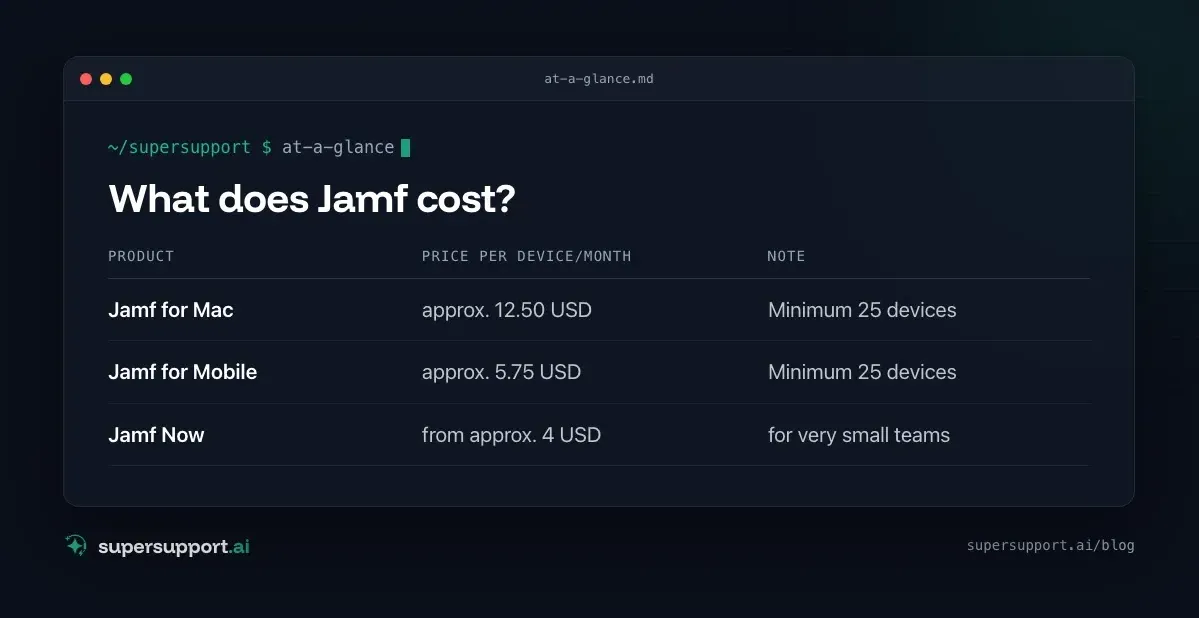
According to price overviews (as of 2026, billed annually):
- Product: Jamf for Mac – Price per device/month: approx. 12.50 USD; Note: Minimum 25 devices
- Product: Jamf for Mobile – Price per device/month: approx. 5.75 USD; Note: Minimum 25 devices
- Product: Jamf Now – Price per device/month: from approx. 4 USD; Note: for very small teams
Why do many people look for a Jamf alternative?
- Price: For small companies with only a few Macs, the entry is comparatively expensive.
- Two worlds: If you manage Windows with Intune and Macs with Jamf, you maintain two systems.
- Change of ownership: After the acquisition by Francisco Partners, some customers wonder how the product and prices will develop.
- Complexity: Jamf Pro is powerful – and takes time to learn.
- The questions remain: “Why won't this app start?” is not answered by any device management.
Jamf and SuperSupport compared
- Category – Jamf: Apple device management; SuperSupport: AI support for end users
- Platforms – Jamf: macOS, iOS, iPadOS, tvOS; SuperSupport: macOS and Windows
- Target group – Jamf: IT administrators; SuperSupport: Users – and the IT behind them
- Billing – Jamf: per device, minimum quantity; SuperSupport: per workstation
- Profiles, apps, updates – Jamf: yes, core function; SuperSupport: no – that stays with Jamf
- User describes the problem in chat – Jamf: no (Self Service for apps); SuperSupport: yes, core function
- Diagnosis on the Mac in conversation – Jamf: by the technician; SuperSupport: by the agent
- Fix – Jamf: Technician, policies, scripts; SuperSupport: Harmless things itself, sensitive things after approval
- Language – Jamf: multilingual; SuperSupport: German throughout
Where is the difference in everyday work?
Jamf makes sure the Mac is configured correctly. SuperSupport helps when the user is stuck anyway.
Examples from real Mac cases:
- An app crashes on launch – the agent checks crash reports, caches and permissions. See Mac app crashes on launch.
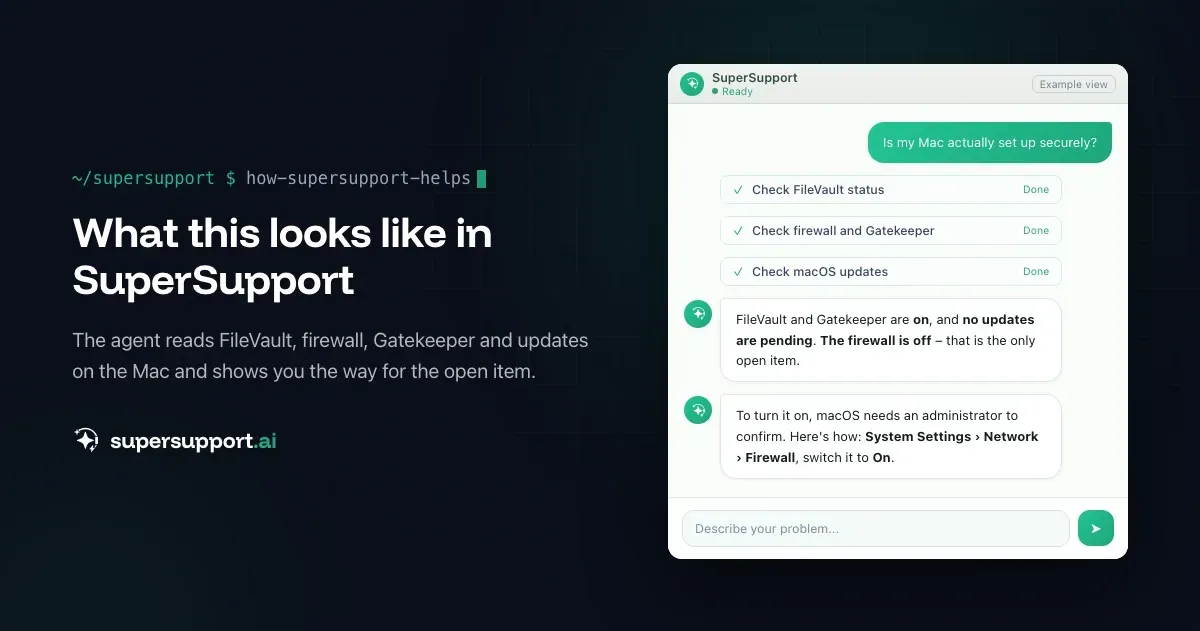
- “Is my Mac secure?” – the agent checks FileVault, firewall, Gatekeeper and updates. See Is my Mac secure?.
- “Are all updates installed?” – the agent checks the macOS version and pending updates. See Are all updates installed?.
Alternative or complement – what fits whom?
Jamf fits if …
- you manage many Apple devices and want maximum Apple integration,
- Self Service and fast support for new macOS versions are important,
- budget and minimum quantity work for you.

14 days free
IT support that fixes itself.
SuperSupport fixes IT problems right on the device, before they turn into tickets. Try it free for 14 days.
Start free trialSuperSupport in addition to Jamf fits if …
- Jamf remains the device management,
- but Mac users should get help in chat before a technician is needed.
A different solution instead of Jamf fits if …
- you want to manage Windows and Mac together – such as Intune or Endpoint Central – or are looking for a cheaper Apple specialist such as Kandji, Mosyle or Addigy.
SuperSupport as an entry point fits if …
- you have few Macs and mainly want to resolve user questions (AI relief for IT teams, AI support for MSPs).
Which other Jamf alternatives are there?
Apple specialists: Kandji, Mosyle, Addigy. Cross-platform: Microsoft Intune, ManageEngine Endpoint Central, Ivanti. RMM with Mac support: NinjaOne, Atera, Pulseway.
What does SuperSupport offer?
SuperSupport takes over first-level IT support via chat: The user describes their problem, the agent diagnoses directly on the Mac or Windows PC, fixes the harmless things itself and submits everything sensitive to IT for approval. Every step is logged, every chat is also the case. Developed in Austria.
Frequently asked questions
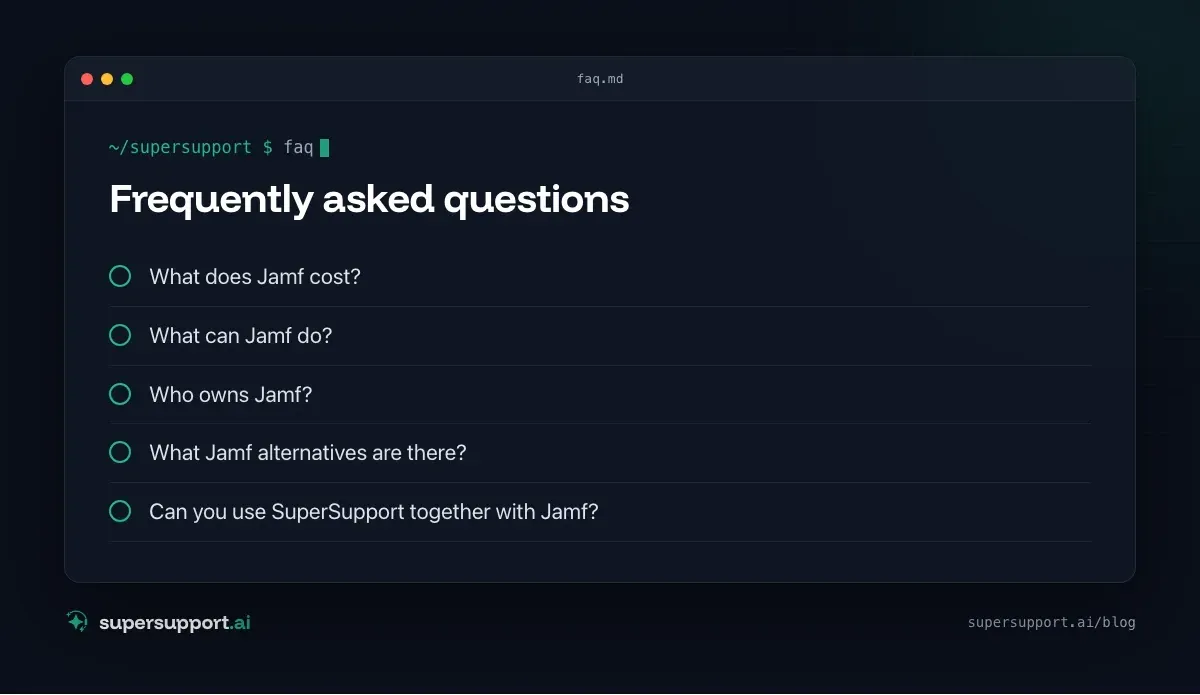
What does Jamf cost?
According to price overviews (as of 2026), Jamf for Mac costs around 12.50 US dollars and Jamf for Mobile around 5.75 US dollars per device per month, billed annually with a minimum of 25 devices. Jamf Now for very small teams starts at around 4 US dollars per device per month.
What can Jamf do?
Enroll and manage Macs, iPhones and iPads, distribute configuration profiles, deploy apps and updates, enforce security settings such as FileVault, lock or wipe devices, and offer employees a self-service catalog.
Who owns Jamf?
The investment firm Francisco Partners acquired Jamf; the closing was announced on January 30, 2026. Since then Jamf is no longer publicly listed.
What Jamf alternatives are there?
For Apple device management, for example Kandji, Mosyle, Addigy or Microsoft Intune (with macOS support). Many RMM tools such as NinjaOne or Atera also support Macs, though with fewer Apple-specific functions.
Can you use SuperSupport together with Jamf?
Yes. Jamf remains responsible for profiles, apps and security policies. SuperSupport helps Mac users in chat when something still doesn't work – an app won't start, an update is stuck, storage is full.
14 days free
IT support that fixes itself.
SuperSupport fixes IT problems right on the device, before they turn into tickets. Try it free for 14 days.
Start free trialNico Haslberger is Co-Founder & CEO of SuperSupport.ai. With years of experience as an IT technician, he knows the problems in IT support first-hand: from overloaded help desks to recurring tickets that slow teams down. That knowledge is built into every feature of the platform today. He makes sure SuperSupport.ai solves exactly the problems he experienced himself for years.
This article was created with AI assistance and editorially reviewed.
Related Articles
OTRS Alternative: Znuny, OTOBO, KIX or AI Support?
With the OTRS Community Edition discontinued, many seek an alternative. The forks at a glance – and when AI support on the device complements them better.

Shadow AI in the Workplace: Detect, Govern, Replace
Employees use AI tools IT doesn't know about, with customer data, contracts and code. How to detect shadow AI, set sensible rules and offer alternatives.


AI Agent in IT Support: Guardrails That Actually Hold
An AI agent on the computer needs limits outside the prompt: protected list, blocked actions, approvals that expire. This is how it looks in practice.