;}.cls-2{fill:url(%23Unbenannter_Verlauf_5-2);}.cls-3{fill:url(%23Unbenannter_Verlauf_5-5);}.cls-4{fill:url(%23Unbenannter_Verlauf_5-6);}.cls-5{fill:url(%23Unbenannter_Verlauf_5-3);}.cls-6{fill:url(%23Unbenannter_Verlauf_5-4);}%3c/style%3e%3clinearGradient%20id='Unbenannter_Verlauf_5'%20x1='1075.02'%20y1='943.06'%20x2='1201.78'%20y2='943.06'%20gradientUnits='userSpaceOnUse'%3e%3cstop%20offset='0'%20stop-color='%2322b88a'/%3e%3cstop%20offset='1'%20stop-color='%231a9e78'/%3e%3c/linearGradient%3e%3clinearGradient%20id='Unbenannter_Verlauf_5-2'%20x1='234.11'%20y1='663.43'%20x2='1058.29'%20y2='663.43'%20xlink:href='%23Unbenannter_Verlauf_5'/%3e%3clinearGradient%20id='Unbenannter_Verlauf_5-3'%20x1='843.79'%20y1='1064.84'%20x2='1096.04'%20y2='1064.84'%20xlink:href='%23Unbenannter_Verlauf_5'/%3e%3clinearGradient%20id='Unbenannter_Verlauf_5-4'%20x1='1120.37'%20y1='662.1'%20x2='1253'%20y2='662.1'%20xlink:href='%23Unbenannter_Verlauf_5'/%3e%3clinearGradient%20id='Unbenannter_Verlauf_5-5'%20x1='97.45'%20y1='265.53'%20x2='385.89'%20y2='265.53'%20xlink:href='%23Unbenannter_Verlauf_5'/%3e%3clinearGradient%20id='Unbenannter_Verlauf_5-6'%20x1='295.45'%20y1='255.64'%20x2='1213.95'%20y2='255.64'%20xlink:href='%23Unbenannter_Verlauf_5'/%3e%3c/defs%3e%3cpath%20class='cls-1'%20d='M1201.78,871c-.61,1.55-1.23,3.1-1.86,4.66-20.33,50.18-47.14,96.85-80.02,139.45-7.56-13.82-21.78-22.31-37.69-22.31h-7.19c29.82-37.26,54.46-78.02,73.61-121.8h53.15Z'/%3e%3cpath%20class='cls-2'%20d='M665.24,264.59l69.02,186.52c21.3,57.57,66.69,102.96,124.26,124.26l186.52,69.02c17.67,6.54,17.67,31.54,0,38.08l-186.52,69.02c-57.57,21.3-102.96,66.69-124.26,124.26l-69.02,186.52c-6.54,17.67-31.54,17.67-38.08,0l-69.02-186.52c-21.3-57.57-66.69-102.96-124.26-124.26l-186.52-69.02c-17.67-6.54-17.67-31.54,0-38.08l186.52-69.02c57.57-21.3,102.96-66.69,124.26-124.26l69.02-186.52c6.54-17.67,31.54-17.67,38.08,0Z'/%3e%3cpath%20class='cls-5'%20d='M1082.21,1021.98h-79.13c-1.7,0-2.97-1.56-2.62-3.23l22.72-109.35c2.94-14.16-15.11-22.74-24.23-11.51l-152.04,187.31c-7.32,9.02-.9,22.5,10.72,22.5h79.13c1.7,0,2.97,1.56,2.62,3.23l-22.72,109.35c-2.94,14.16,15.11,22.74,24.23,11.51l152.04-187.31c7.32-9.02.9-22.5-10.72-22.5Z'/%3e%3crect%20class='cls-6'%20x='1120.37'%20y='486.36'%20width='132.63'%20height='351.48'%20rx='19.58'%20ry='19.58'/%3e%3cpath%20class='cls-3'%20d='M250.58,128.27l13.88,55.81c7.19,28.91,29.76,51.47,58.66,58.66l55.81,13.88c9.29,2.31,9.29,15.51,0,17.82l-55.81,13.88c-28.91,7.19-51.47,29.76-58.66,58.66l-13.88,55.81c-2.31,9.29-15.51,9.29-17.82,0l-13.88-55.81c-7.19-28.91-29.76-51.47-58.66-58.66l-55.81-13.88c-9.29-2.31-9.29-15.51,0-17.82l55.81-13.88c28.91-7.19,51.47-29.76,58.66-58.66l13.88-55.81c2.31-9.29,15.51-9.29,17.82,0Z'/%3e%3cpath%20class='cls-4'%20d='M1213.95,453.21h-67.62c-1.23,0-2.47.04-3.67.12-27.03-63.89-65.84-121.36-115.42-170.94-51.54-51.54-111.61-91.44-178.55-118.59-64.67-26.22-133.03-39.52-203.16-39.52s-138.48,13.3-203.16,39.52c-33.73,13.67-65.72,30.61-95.75,50.63l-.19-.05c-23.62-5.88-42.51-22.85-51-45.24,37.87-26.86,78.65-49.21,122.01-66.79,72.63-29.44,149.37-44.38,228.08-44.38s155.45,14.93,228.08,44.38c75.2,30.51,142.67,75.31,200.53,133.15,57.84,57.85,102.65,125.33,133.15,200.53,2.31,5.7,4.54,11.43,6.66,17.19Z'/%3e%3c/svg%3e)
Intune Alternative or Add-On? Device Management vs. AI
Microsoft Intune manages devices, policies and apps, often already in Microsoft 365. When an Intune alternative makes sense and when AI support helps.

Intune knows exactly which policies apply on the laptop. It still does not know why the printer is not printing.
Short verdict: Microsoft Intune is the obvious device management for many companies – often already included in Microsoft 365 Business Premium, E3 or E5, and since July 2026 in E3 and E5 even with parts of, or the whole, Intune Suite. Anyone looking for an Intune alternative usually wants an RMM with monitoring and remote support, or better macOS support. But if you mainly want to resolve users' requests – “The app isn't there,” “My printer is missing” – you do not need a different device management, but a Level 1 in front of it.
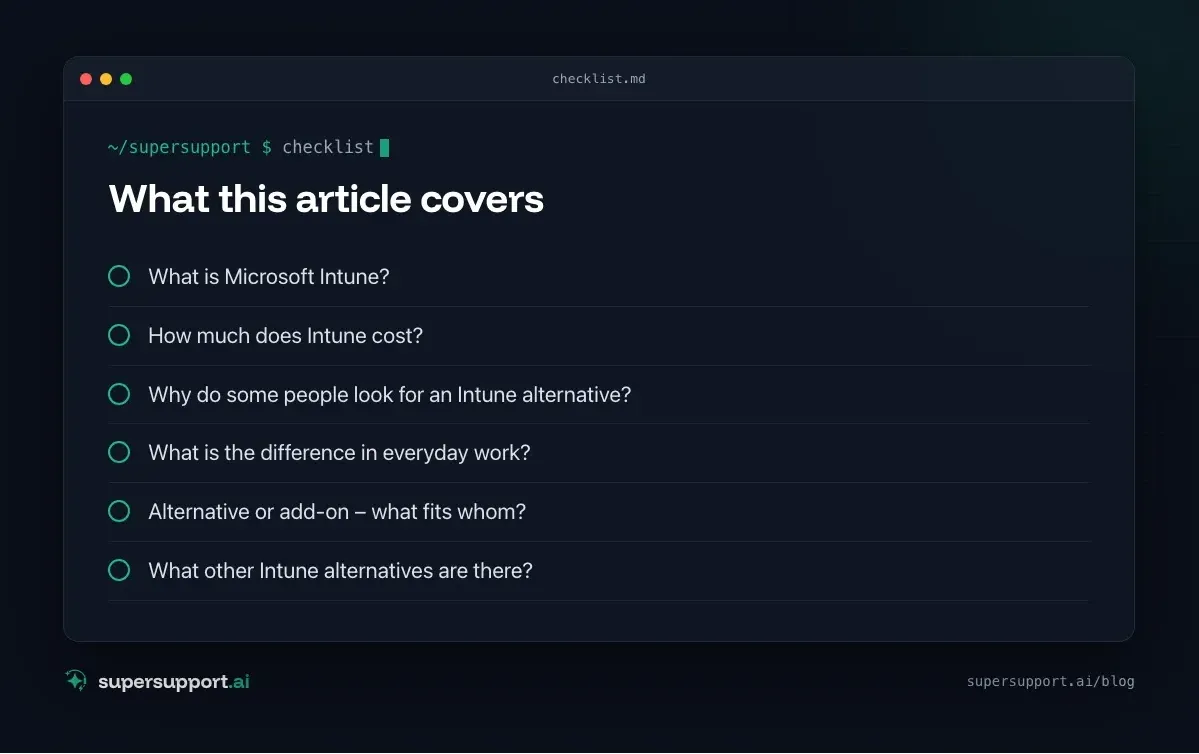
What is Microsoft Intune?
Intune is Microsoft's cloud solution for endpoint management (UEM). It lets you manage devices centrally:
- Enrollment of Windows, macOS, iOS and Android devices, including through Autopilot.
- Policies for security, configuration, BitLocker/FileVault, firewall, Defender.
- Apps – distribute and update them.
- Updates – control them for Windows.
- Compliance checks – the basis for conditional access in Entra ID.
- Remote actions: lock, wipe, restart.
- Intune Suite (add-on features): Remote Help, Advanced Analytics, Endpoint Privilege Management, Enterprise App Management, Cloud PKI.
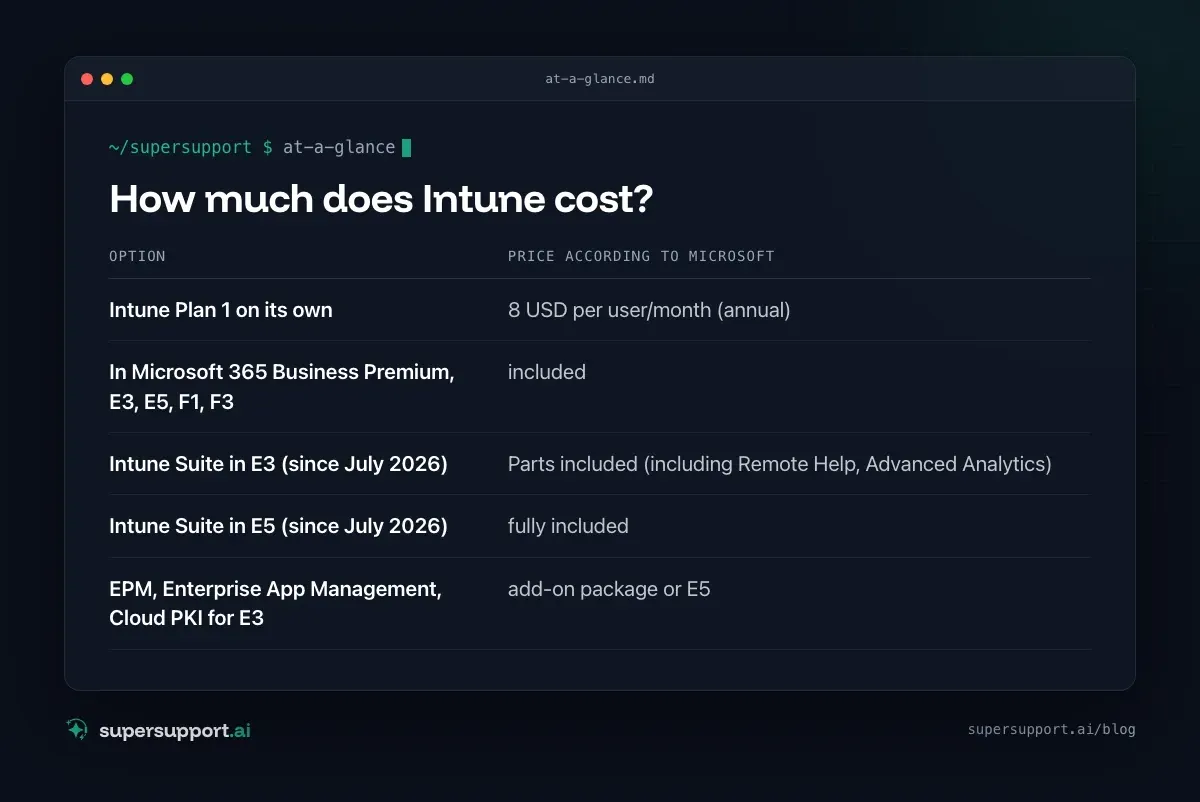
How much does Intune cost?
- Intune Plan 1 on its own – 8 USD per user/month (annual)
- In Microsoft 365 Business Premium, E3, E5, F1, F3 – included
- Intune Suite in E3 (since July 2026) – Parts included (including Remote Help, Advanced Analytics)
- Intune Suite in E5 (since July 2026) – fully included
- EPM, Enterprise App Management, Cloud PKI for E3 – add-on package or E5
At the same time, Microsoft raised the prices for Microsoft 365 E3 and E5 on July 1, 2026.
Why do some people look for an Intune alternative?
- Complexity: Profiles, assignments, filters, compliance – it takes a while until everything runs cleanly.
- Waiting time: Policies and apps do not arrive immediately; users ask “Where is my app?”.
- macOS and third-party software: Many people reach for additional tools here.
- No classic monitoring: Intune is management, not monitoring with alerts like an RMM.
- IT service providers: Managing many customer tenants individually is laborious; RMMs with multi-tenancy are often more convenient.
Intune and SuperSupport compared
- Category – Microsoft Intune: Device management (UEM); SuperSupport: AI support for end users
- Target group – Microsoft Intune: IT administrators; SuperSupport: Users – and the IT behind them
- Billing – Microsoft Intune: per user, often included in M365; SuperSupport: per workstation
- Policies, apps, updates – Microsoft Intune: yes, core function; SuperSupport: no – Intune stays for that
- User describes the problem in chat – Microsoft Intune: no; SuperSupport: yes, core function
- Diagnosis on the device during the conversation – Microsoft Intune: via Remote Help by a technician; SuperSupport: by the agent
- Resolution – Microsoft Intune: Technician, policies, scripts; SuperSupport: Safe steps on its own, sensitive ones after approval
- Platforms – Microsoft Intune: Windows, macOS, iOS, Android; SuperSupport: Windows, macOS
What is the difference in everyday work?
Intune makes sure devices are configured correctly. SuperSupport helps when something still does not work for the user.
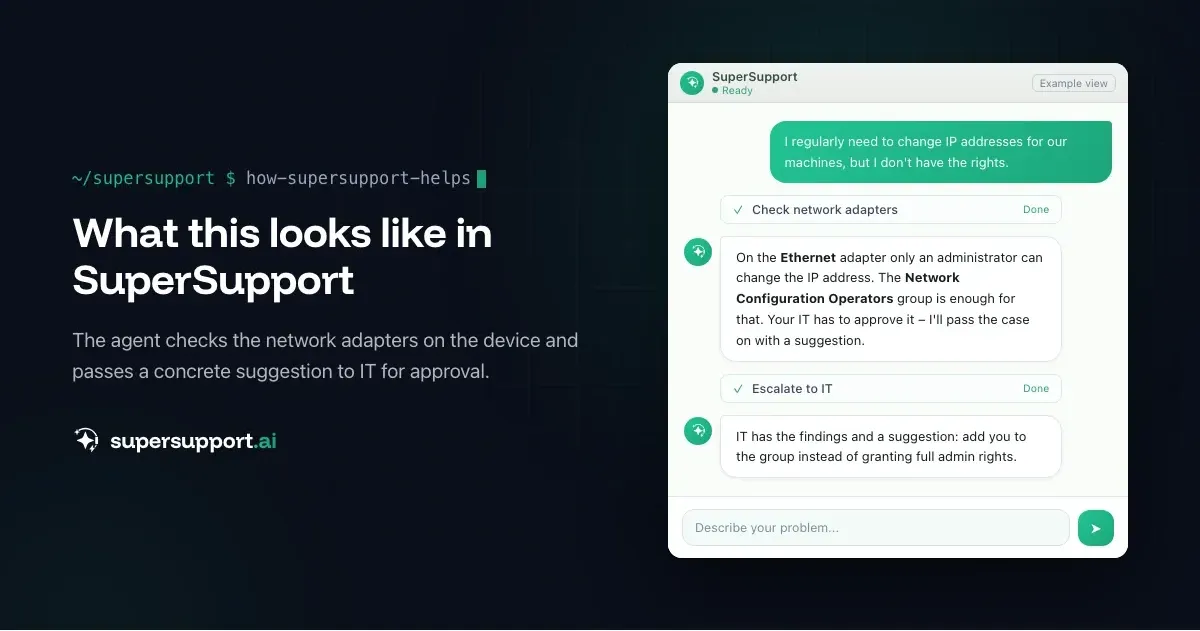
Example: An employee permanently needs the ability to change IP addresses for machines. In Intune, IT creates a policy for the Network Configuration Operators group. But how does IT know that this is exactly the solution? The SuperSupport agent asks in chat, checks the network adapters and proposes this approval to IT – see Change an IP address without admin rights.
Or: “Are all updates installed on my computer?” Intune shows the status in the console – the agent explains it to the user and walks them through missing optional updates. See Are all updates installed?.
Alternative or add-on – what fits whom?
Intune fits if …
- you already have Microsoft 365 Business Premium, E3 or E5,
- you want to manage devices, policies and apps centrally and close to Microsoft,
- conditional access through Entra ID is important.

Beta
IT support that fixes itself.
supersupport.ai handles your 1st-level support fully automatically. Secure your spot on the waitlist now.
Join the WaitlistSuperSupport in addition to Intune fits if …
- Intune remains your device management,
- but you want users' requests resolved in chat on the device before a technician is needed.
An RMM instead of or alongside Intune fits if …
- you need monitoring, alerts, remote support and third-party patches from one source – for example NinjaOne, Atera, N-able or Datto RMM.
SuperSupport as a starting point fits if …
- you mainly want to get rid of recurring user problems (AI relief for IT teams, AI support for MSPs).
What other Intune alternatives are there?
For device management: Jamf (mainly Apple), Ivanti, ManageEngine Endpoint Central and Matrix42. RMMs with device management: NinjaOne, Atera, SuperOps, N-able. See also Ivanti alternative and Matrix42 alternative.
What does SuperSupport offer?
SuperSupport takes over Level 1 IT support via chat: the user describes the problem, the agent diagnoses directly on the Windows or Mac device, fixes safe things on its own and submits everything sensitive to IT for approval. Every step is logged, and every chat is also the case record. Developed in Austria.
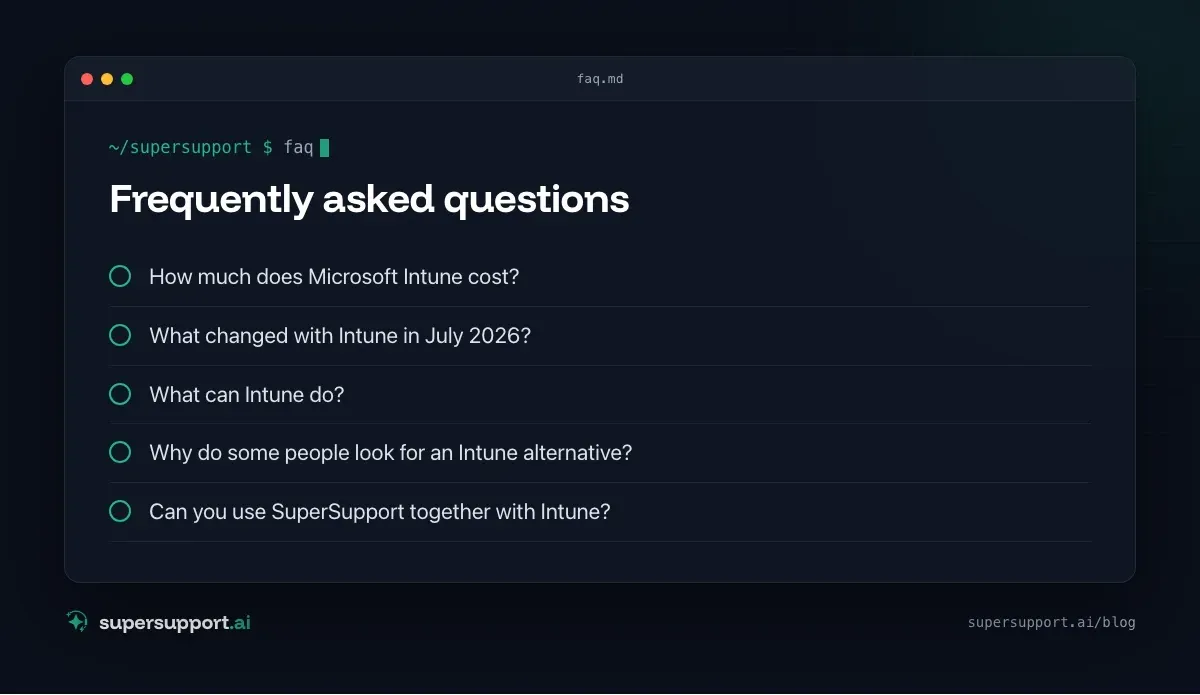
Frequently asked questions
How much does Microsoft Intune cost?
According to Microsoft, Intune Plan 1 on its own costs 8 US dollars per user per month with an annual commitment. Intune Plan 1 is already included in Microsoft 365 Business Premium, E3, E5, F1 and F3 – so many companies do not pay extra for it.
What changed with Intune in July 2026?
Since July 1, 2026, parts of the Intune Suite are included in Microsoft 365 E3 (including Remote Help, Advanced Analytics and Plan 2 features), and the full Intune Suite is included in E5. Endpoint Privilege Management, Enterprise App Management and Cloud PKI remain reserved for E5 or an add-on package. At the same time, Microsoft raised the prices for E3 and E5.
What can Intune do?
Enroll and manage devices (Windows, macOS, iOS, Android), distribute policies and security settings, install apps, control updates, lock or wipe devices when they are lost, and check compliance for conditional access.
Why do some people look for an Intune alternative?
Common reasons are the complexity of setup, delayed policy application, gaps with macOS or third-party patches, and the wish for an RMM with monitoring and remote support from one source – especially at IT service providers with many customers.
Can you use SuperSupport together with Intune?
Yes. Intune remains responsible for device management, policies and software distribution. SuperSupport takes users' requests in chat and resolves some of them directly on the device – for example, when a policy or installation does not arrive.
Beta
IT support that fixes itself.
supersupport.ai handles your 1st-level support fully automatically. Secure your spot on the waitlist now.
Join the WaitlistNico Haslberger is Co-Founder & CEO of SuperSupport.ai. With years of experience as an IT technician, he knows the problems in IT support first-hand: from overloaded help desks to recurring tickets that slow teams down. That knowledge is built into every feature of the platform today. He makes sure SuperSupport.ai solves exactly the problems he experienced himself for years.
This article was created with AI assistance and editorially reviewed.
Related Articles

HaloITSM & HaloPSA Alternative or Add-On?
Halo is popular with IT teams and MSPs as a ticketing and PSA system. When an alternative fits and when AI support on the device is the add-on.

Moveworks Alternative for Mid-Sized Companies and MSPs
Moveworks now belongs to ServiceNow and only pays off at thousands of employees. What smaller companies and MSPs can use instead.

Runbooks in IT Support: Help for Line-of-Business Software
There is no vendor chatbot for your own merchandise management system. How IT captures its knowledge as a runbook and the agent applies it on the device.