;}.cls-2{fill:url(%23Unbenannter_Verlauf_5-2);}.cls-3{fill:url(%23Unbenannter_Verlauf_5-5);}.cls-4{fill:url(%23Unbenannter_Verlauf_5-6);}.cls-5{fill:url(%23Unbenannter_Verlauf_5-3);}.cls-6{fill:url(%23Unbenannter_Verlauf_5-4);}%3c/style%3e%3clinearGradient%20id='Unbenannter_Verlauf_5'%20x1='1075.02'%20y1='943.06'%20x2='1201.78'%20y2='943.06'%20gradientUnits='userSpaceOnUse'%3e%3cstop%20offset='0'%20stop-color='%2322b88a'/%3e%3cstop%20offset='1'%20stop-color='%231a9e78'/%3e%3c/linearGradient%3e%3clinearGradient%20id='Unbenannter_Verlauf_5-2'%20x1='234.11'%20y1='663.43'%20x2='1058.29'%20y2='663.43'%20xlink:href='%23Unbenannter_Verlauf_5'/%3e%3clinearGradient%20id='Unbenannter_Verlauf_5-3'%20x1='843.79'%20y1='1064.84'%20x2='1096.04'%20y2='1064.84'%20xlink:href='%23Unbenannter_Verlauf_5'/%3e%3clinearGradient%20id='Unbenannter_Verlauf_5-4'%20x1='1120.37'%20y1='662.1'%20x2='1253'%20y2='662.1'%20xlink:href='%23Unbenannter_Verlauf_5'/%3e%3clinearGradient%20id='Unbenannter_Verlauf_5-5'%20x1='97.45'%20y1='265.53'%20x2='385.89'%20y2='265.53'%20xlink:href='%23Unbenannter_Verlauf_5'/%3e%3clinearGradient%20id='Unbenannter_Verlauf_5-6'%20x1='295.45'%20y1='255.64'%20x2='1213.95'%20y2='255.64'%20xlink:href='%23Unbenannter_Verlauf_5'/%3e%3c/defs%3e%3cpath%20class='cls-1'%20d='M1201.78,871c-.61,1.55-1.23,3.1-1.86,4.66-20.33,50.18-47.14,96.85-80.02,139.45-7.56-13.82-21.78-22.31-37.69-22.31h-7.19c29.82-37.26,54.46-78.02,73.61-121.8h53.15Z'/%3e%3cpath%20class='cls-2'%20d='M665.24,264.59l69.02,186.52c21.3,57.57,66.69,102.96,124.26,124.26l186.52,69.02c17.67,6.54,17.67,31.54,0,38.08l-186.52,69.02c-57.57,21.3-102.96,66.69-124.26,124.26l-69.02,186.52c-6.54,17.67-31.54,17.67-38.08,0l-69.02-186.52c-21.3-57.57-66.69-102.96-124.26-124.26l-186.52-69.02c-17.67-6.54-17.67-31.54,0-38.08l186.52-69.02c57.57-21.3,102.96-66.69,124.26-124.26l69.02-186.52c6.54-17.67,31.54-17.67,38.08,0Z'/%3e%3cpath%20class='cls-5'%20d='M1082.21,1021.98h-79.13c-1.7,0-2.97-1.56-2.62-3.23l22.72-109.35c2.94-14.16-15.11-22.74-24.23-11.51l-152.04,187.31c-7.32,9.02-.9,22.5,10.72,22.5h79.13c1.7,0,2.97,1.56,2.62,3.23l-22.72,109.35c-2.94,14.16,15.11,22.74,24.23,11.51l152.04-187.31c7.32-9.02.9-22.5-10.72-22.5Z'/%3e%3crect%20class='cls-6'%20x='1120.37'%20y='486.36'%20width='132.63'%20height='351.48'%20rx='19.58'%20ry='19.58'/%3e%3cpath%20class='cls-3'%20d='M250.58,128.27l13.88,55.81c7.19,28.91,29.76,51.47,58.66,58.66l55.81,13.88c9.29,2.31,9.29,15.51,0,17.82l-55.81,13.88c-28.91,7.19-51.47,29.76-58.66,58.66l-13.88,55.81c-2.31,9.29-15.51,9.29-17.82,0l-13.88-55.81c-7.19-28.91-29.76-51.47-58.66-58.66l-55.81-13.88c-9.29-2.31-9.29-15.51,0-17.82l55.81-13.88c28.91-7.19,51.47-29.76,58.66-58.66l13.88-55.81c2.31-9.29,15.51-9.29,17.82,0Z'/%3e%3cpath%20class='cls-4'%20d='M1213.95,453.21h-67.62c-1.23,0-2.47.04-3.67.12-27.03-63.89-65.84-121.36-115.42-170.94-51.54-51.54-111.61-91.44-178.55-118.59-64.67-26.22-133.03-39.52-203.16-39.52s-138.48,13.3-203.16,39.52c-33.73,13.67-65.72,30.61-95.75,50.63l-.19-.05c-23.62-5.88-42.51-22.85-51-45.24,37.87-26.86,78.65-49.21,122.01-66.79,72.63-29.44,149.37-44.38,228.08-44.38s155.45,14.93,228.08,44.38c75.2,30.51,142.67,75.31,200.53,133.15,57.84,57.85,102.65,125.33,133.15,200.53,2.31,5.7,4.54,11.43,6.66,17.19Z'/%3e%3c/svg%3e)
RustDesk Alternative or Complement? Open Source vs. AI
Self-hosted open-source remote maintenance, free or from 11.88 USD a month. When a RustDesk alternative fits and when AI support complements it.

RustDesk is free and belongs to you. You still need the technician who connects.
Short verdict: RustDesk is the most popular open-source remote maintenance tool – free, self-hostable, with a paid Server Pro variant for companies from 11.88 US dollars a month. For many small IT teams and MSPs, it is the way out of rising TeamViewer and AnyDesk prices. If you are looking for a RustDesk alternative, you usually want less operating effort or more features. If you mainly want fewer remote maintenance sessions, though, you need a different approach – or both.
What is RustDesk?
RustDesk is remote maintenance software whose client and server are available as open source (AGPL). You can run the connection server yourself – in your own data center or with a host of your choice – and so keep control over connection data and metadata.
- Free: client and basic server, community support.
- Server Pro: web console, address book, two-factor authentication, audit log, access rules, central settings, distributed relay servers – in higher tiers also SSO (OIDC), LDAP and a generator for customized clients.
How much does RustDesk cost?
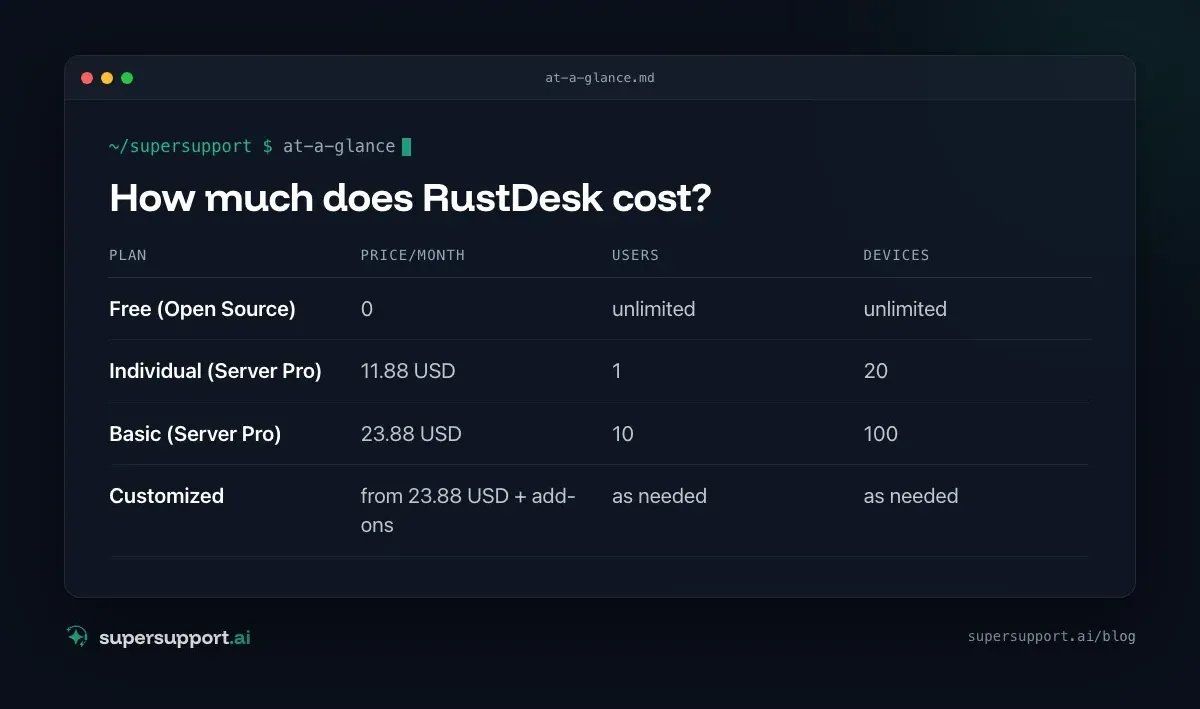
According to the pricing page (as of 2026, billed annually):
- Plan: Free (Open Source) – Price/month: 0; Users: unlimited; Devices: unlimited
- Plan: Individual (Server Pro) – Price/month: 11.88 USD; Users: 1; Devices: 20
- Plan: Basic (Server Pro) – Price/month: 23.88 USD; Users: 10; Devices: 100
- Plan: Customized – Price/month: from 23.88 USD + add-ons; Users: as needed; Devices: as needed
Additional users and devices each cost a small extra charge. On top come the costs for your own server.
Why do some people look for a RustDesk alternative?
- Operating effort: Server, updates, security and monitoring are up to your own team.
- Feature scope: No ticket system, no endpoint management, no AI.
- Support: In the free version, community support only.
- The sessions remain: Even free remote maintenance needs an available technician for every request.
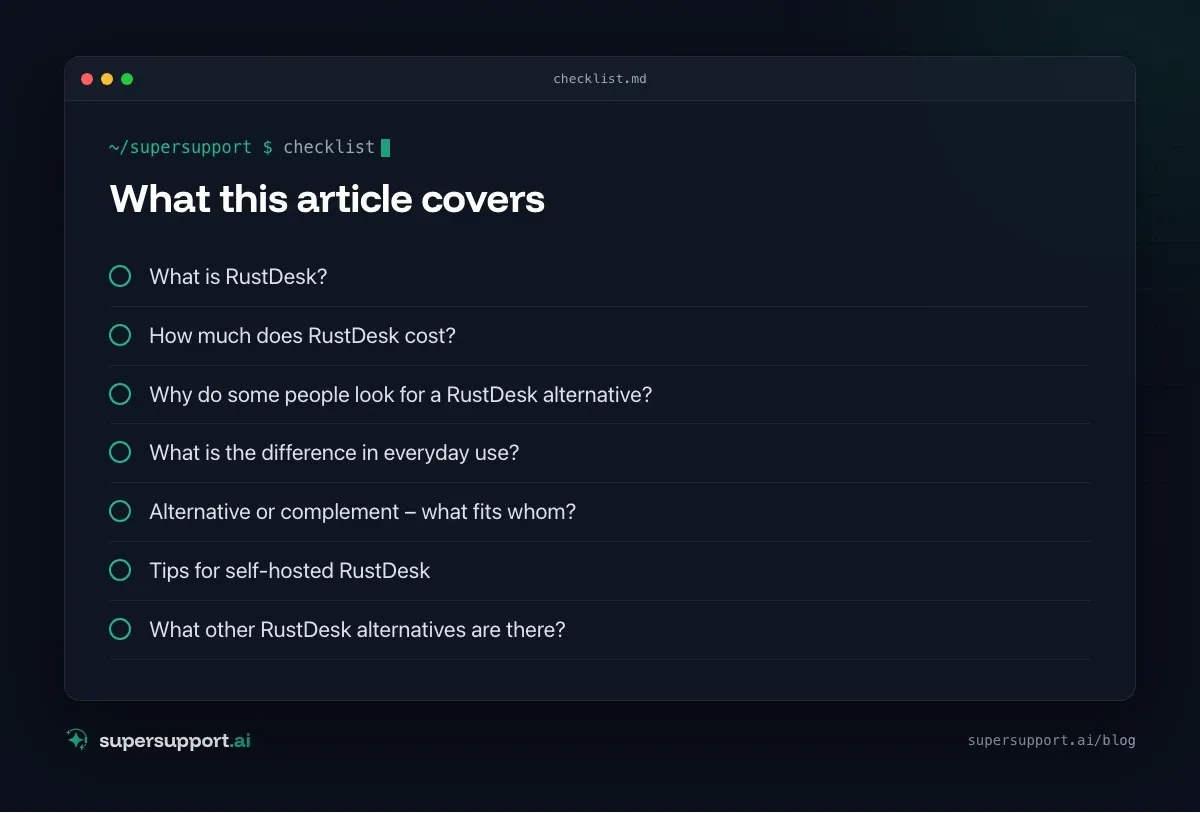
RustDesk and SuperSupport compared
- Category – RustDesk: Remote maintenance, open source; SuperSupport: AI support for end users
- Who does the work – RustDesk: Technician in the session; SuperSupport: AI agent in chat with the user
- Needs an available technician – RustDesk: yes; SuperSupport: no, for first level
- Billing – RustDesk: free, or Server Pro per year; SuperSupport: per workstation
- Takes over the screen – RustDesk: yes, core feature; SuperSupport: no
- Diagnosis on the device – RustDesk: by the technician; SuperSupport: by the agent in conversation
- Fix – RustDesk: Technician; SuperSupport: Harmless things itself, sensitive things after approval
- Logging – RustDesk: in Server Pro; SuperSupport: every step
- Language – RustDesk: multilingual; SuperSupport: German throughout
What is the difference in everyday use?
Example: “The email from the supplier didn’t arrive.” With RustDesk, a technician connects and searches the junk folder and quarantine. With SuperSupport, the agent explains in the chat where to look and asks IT specifically for approval – see Microsoft 365 quarantine: releasing an email.
For cases where someone really has to look at the screen, remote maintenance – whether RustDesk or a commercial tool – remains the right means.
Alternative or complement – what fits whom?
RustDesk fits if …
- you want to host remote maintenance yourself and keep control,
- your team can reliably take over server operation,
- the budget is tight.
SuperSupport in addition to RustDesk fits if …

14 days free
IT support that fixes itself.
SuperSupport fixes IT problems right on the device, before they turn into tickets. Try it free for 14 days.
Start free trial- RustDesk stays for real remote maintenance cases,
- but the many small requests should be resolved beforehand in the chat.
A commercial remote maintenance tool instead of RustDesk fits if …
- you don’t want to run your own server – for example TeamViewer, AnyDesk or Splashtop, or remote access directly in the RMM.
SuperSupport instead of RustDesk fits if …
- you mainly use remote maintenance for simple user problems (AI relief for IT teams),
- you are an MSP and want to reduce the number of sessions (AI support for MSPs).
Tips for self-hosted RustDesk
- Keep the server up to date and apply updates promptly.
- Secure access: own key, firewall rules, two-factor authentication (Server Pro).
- Review logs – who connected when and with what.
- Back up the server configuration.
- Tell users which remote maintenance tool the real IT team uses – to guard against scam calls.
What other RustDesk alternatives are there?
Commercial: TeamViewer, AnyDesk, Splashtop. Integrated in the RMM: NinjaOne, Atera, Syncro, Pulseway. Free in Windows: Quick Assist.
What does SuperSupport offer?
SuperSupport takes over first-level IT support by chat: the user describes their problem, the agent diagnoses directly on the Windows or Mac device, fixes harmless things itself and submits everything sensitive to IT for approval. Every step is logged, and every chat is also the case. Developed in Austria.
Frequently asked questions
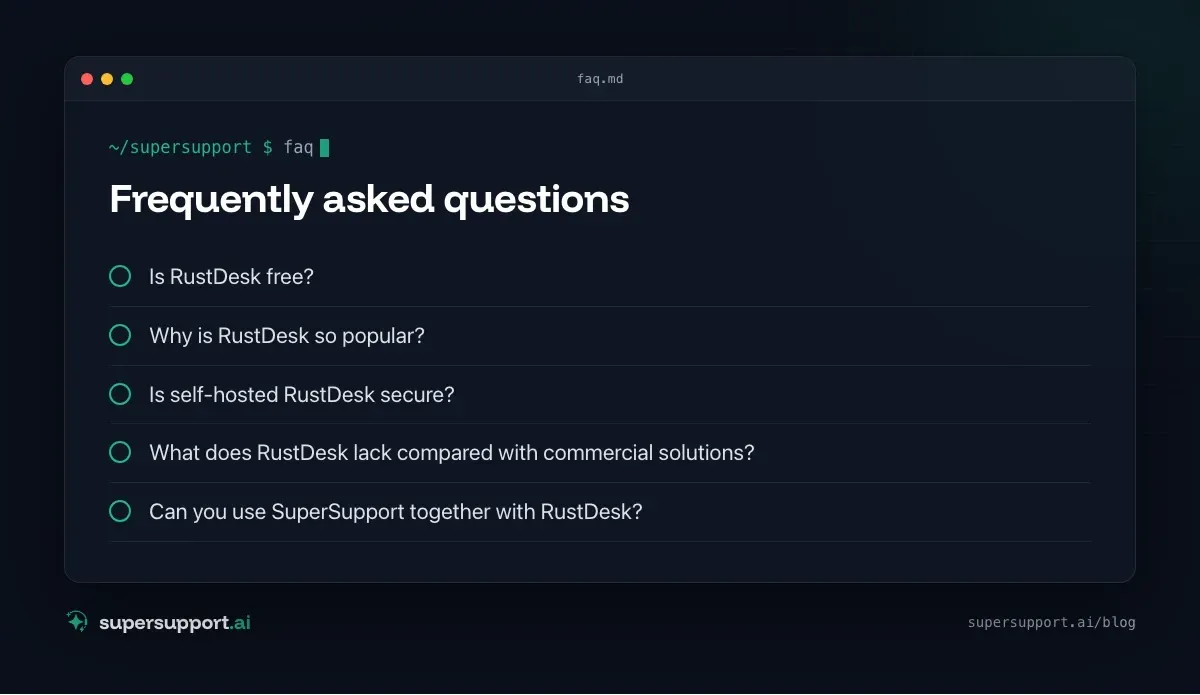
Is RustDesk free?
The client and a basic server are open source (AGPL) and free to self-host. Server Pro, with a web console, address book, two-factor authentication, audit log and access control, costs from 11.88 US dollars (Individual) or 23.88 US dollars (Basic) per month according to the pricing page, billed annually.
Why is RustDesk so popular?
Because it is a free, self-hostable alternative to TeamViewer and AnyDesk. If you run the server yourself, you keep control over connection data and don’t have to rely on a cloud vendor.
Is self-hosted RustDesk secure?
As secure as its operation: keep the server up to date, secure access, use two-factor authentication and access rules (in Server Pro), review logs. Without maintenance, a self-hosted server quickly becomes a risk.
What does RustDesk lack compared with commercial solutions?
In the free version mainly central management, logging and access control – Server Pro provides those. AI features, a ticket system or endpoint management are not part of the scope.
Can you use SuperSupport together with RustDesk?
Yes. RustDesk stays in place for remote maintenance when a technician has to get onto the screen themselves. SuperSupport resolves some of the requests beforehand in the chat, directly on the device.
14 days free
IT support that fixes itself.
SuperSupport fixes IT problems right on the device, before they turn into tickets. Try it free for 14 days.
Start free trialNico Haslberger is Co-Founder & CEO of SuperSupport.ai. With years of experience as an IT technician, he knows the problems in IT support first-hand: from overloaded help desks to recurring tickets that slow teams down. That knowledge is built into every feature of the platform today. He makes sure SuperSupport.ai solves exactly the problems he experienced himself for years.
This article was created with AI assistance and editorially reviewed.
Related Articles
Pulseway Alternative or Complement? Comparison for MSPs
Pulseway is the RMM with the strong phone app, popular with small MSPs. When a Pulseway alternative fits, and when AI support for end users complements it.

Ivanti Alternative: When Lean AI Support Is Enough
Ivanti Neurons combines ITSM, endpoint management and security for large environments. When an Ivanti alternative fits, and how AI support differs.
What Employees Really Ask IT Support
We reviewed our AI agent's chats. The top topics are unspectacular, and almost all the answers are on the computer, not in the wiki.