;}.cls-2{fill:url(%23Unbenannter_Verlauf_5-2);}.cls-3{fill:url(%23Unbenannter_Verlauf_5-5);}.cls-4{fill:url(%23Unbenannter_Verlauf_5-6);}.cls-5{fill:url(%23Unbenannter_Verlauf_5-3);}.cls-6{fill:url(%23Unbenannter_Verlauf_5-4);}%3c/style%3e%3clinearGradient%20id='Unbenannter_Verlauf_5'%20x1='1075.02'%20y1='943.06'%20x2='1201.78'%20y2='943.06'%20gradientUnits='userSpaceOnUse'%3e%3cstop%20offset='0'%20stop-color='%2322b88a'/%3e%3cstop%20offset='1'%20stop-color='%231a9e78'/%3e%3c/linearGradient%3e%3clinearGradient%20id='Unbenannter_Verlauf_5-2'%20x1='234.11'%20y1='663.43'%20x2='1058.29'%20y2='663.43'%20xlink:href='%23Unbenannter_Verlauf_5'/%3e%3clinearGradient%20id='Unbenannter_Verlauf_5-3'%20x1='843.79'%20y1='1064.84'%20x2='1096.04'%20y2='1064.84'%20xlink:href='%23Unbenannter_Verlauf_5'/%3e%3clinearGradient%20id='Unbenannter_Verlauf_5-4'%20x1='1120.37'%20y1='662.1'%20x2='1253'%20y2='662.1'%20xlink:href='%23Unbenannter_Verlauf_5'/%3e%3clinearGradient%20id='Unbenannter_Verlauf_5-5'%20x1='97.45'%20y1='265.53'%20x2='385.89'%20y2='265.53'%20xlink:href='%23Unbenannter_Verlauf_5'/%3e%3clinearGradient%20id='Unbenannter_Verlauf_5-6'%20x1='295.45'%20y1='255.64'%20x2='1213.95'%20y2='255.64'%20xlink:href='%23Unbenannter_Verlauf_5'/%3e%3c/defs%3e%3cpath%20class='cls-1'%20d='M1201.78,871c-.61,1.55-1.23,3.1-1.86,4.66-20.33,50.18-47.14,96.85-80.02,139.45-7.56-13.82-21.78-22.31-37.69-22.31h-7.19c29.82-37.26,54.46-78.02,73.61-121.8h53.15Z'/%3e%3cpath%20class='cls-2'%20d='M665.24,264.59l69.02,186.52c21.3,57.57,66.69,102.96,124.26,124.26l186.52,69.02c17.67,6.54,17.67,31.54,0,38.08l-186.52,69.02c-57.57,21.3-102.96,66.69-124.26,124.26l-69.02,186.52c-6.54,17.67-31.54,17.67-38.08,0l-69.02-186.52c-21.3-57.57-66.69-102.96-124.26-124.26l-186.52-69.02c-17.67-6.54-17.67-31.54,0-38.08l186.52-69.02c57.57-21.3,102.96-66.69,124.26-124.26l69.02-186.52c6.54-17.67,31.54-17.67,38.08,0Z'/%3e%3cpath%20class='cls-5'%20d='M1082.21,1021.98h-79.13c-1.7,0-2.97-1.56-2.62-3.23l22.72-109.35c2.94-14.16-15.11-22.74-24.23-11.51l-152.04,187.31c-7.32,9.02-.9,22.5,10.72,22.5h79.13c1.7,0,2.97,1.56,2.62,3.23l-22.72,109.35c-2.94,14.16,15.11,22.74,24.23,11.51l152.04-187.31c7.32-9.02.9-22.5-10.72-22.5Z'/%3e%3crect%20class='cls-6'%20x='1120.37'%20y='486.36'%20width='132.63'%20height='351.48'%20rx='19.58'%20ry='19.58'/%3e%3cpath%20class='cls-3'%20d='M250.58,128.27l13.88,55.81c7.19,28.91,29.76,51.47,58.66,58.66l55.81,13.88c9.29,2.31,9.29,15.51,0,17.82l-55.81,13.88c-28.91,7.19-51.47,29.76-58.66,58.66l-13.88,55.81c-2.31,9.29-15.51,9.29-17.82,0l-13.88-55.81c-7.19-28.91-29.76-51.47-58.66-58.66l-55.81-13.88c-9.29-2.31-9.29-15.51,0-17.82l55.81-13.88c28.91-7.19,51.47-29.76,58.66-58.66l13.88-55.81c2.31-9.29,15.51-9.29,17.82,0Z'/%3e%3cpath%20class='cls-4'%20d='M1213.95,453.21h-67.62c-1.23,0-2.47.04-3.67.12-27.03-63.89-65.84-121.36-115.42-170.94-51.54-51.54-111.61-91.44-178.55-118.59-64.67-26.22-133.03-39.52-203.16-39.52s-138.48,13.3-203.16,39.52c-33.73,13.67-65.72,30.61-95.75,50.63l-.19-.05c-23.62-5.88-42.51-22.85-51-45.24,37.87-26.86,78.65-49.21,122.01-66.79,72.63-29.44,149.37-44.38,228.08-44.38s155.45,14.93,228.08,44.38c75.2,30.51,142.67,75.31,200.53,133.15,57.84,57.85,102.65,125.33,133.15,200.53,2.31,5.7,4.54,11.43,6.66,17.19Z'/%3e%3c/svg%3e)
Microsoft 365 Quarantine: How to Release an Email
An important email is stuck in Microsoft 365 quarantine? Here is how to check it, release it, and keep it from happening again.

“User requested to release a quarantined message” – an email that gets ignored every day. Sometimes it contains the invoice everyone is waiting for.
“User requested to release a quarantined message” – that was the subject line of an automatic alert from Microsoft 365 that landed in the helpdesk of a small planning office. Behind it was an everyday event: the shared invoice mailbox had not received an email because Microsoft had classified it as suspicious and put it in quarantine. The employee had clicked “Request release” in quarantine, and IT reviewed the message and released it.
This happens often, and just as often neither employees nor IT know exactly where to look and who is allowed to do what. Here is the process.
What is quarantine in Microsoft 365?
A holding area for emails that Microsoft classifies as spam, phishing or malware. Instead of delivering or deleting them, Microsoft 365 holds them there. They show up neither in the inbox nor in the Junk folder, so as far as the recipient is concerned they simply “never arrived”.
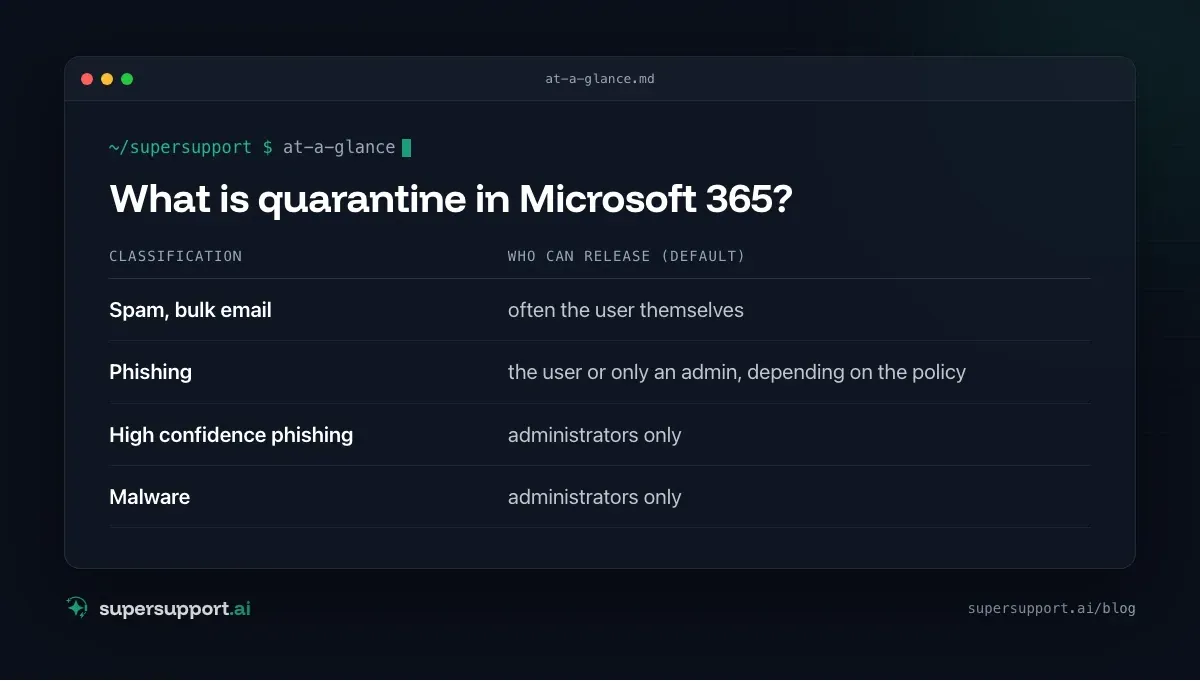
Quarantine policies control what ends up in quarantine and who is allowed to release it:
- Spam, bulk email – often the user themselves
- Phishing – the user or only an admin, depending on the policy
- High confidence phishing – administrators only
- Malware – administrators only
If the user is not allowed to release a message themselves, they see the Request release button instead. An alert then goes to the administrators, which is exactly the one from the practical case above.
Step 1: Find the email in quarantine
As an administrator:
- Open security.microsoft.com.
- Email & collaboration › Review › Quarantine.
- On the Email tab, filter by Recipient, Sender or Subject.
- In the Release status column, messages with a requested release show as Release requested.
As a user: the same address. Users only see their own messages there. Many companies also send regular quarantine notifications by email, from which you can release messages directly.
With PowerShell (Exchange Online):
Connect-ExchangeOnline
Get-QuarantineMessage -RecipientAddress "[email protected]" -StartReceivedDate (Get-Date).AddDays(-7) |
  Select-Object ReceivedTime, SenderAddress, Subject, QuarantineTypes, ReleaseStatus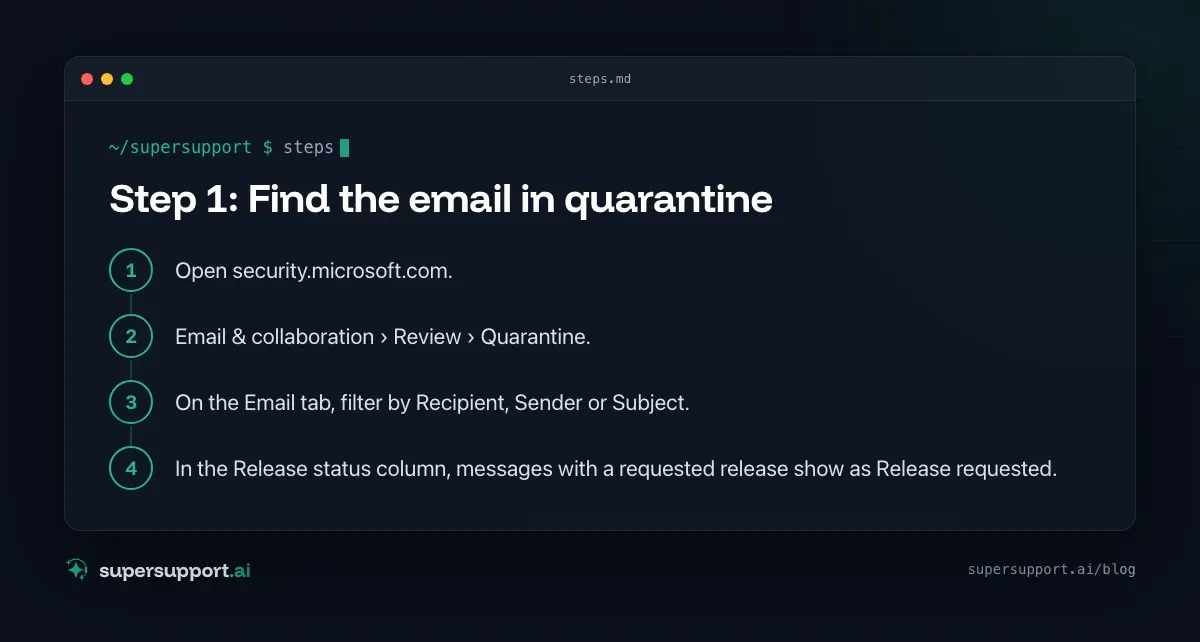
Step 2: Check the email before you release it
Don't release blindly, because quarantine is often right. Before releasing, check:
- Sender: Is the address really the one of the known partner, or just similar (
[email protected]instead of@lieferant.at)? - Reason for the classification: The details show whether it is spam, phishing or malware.
- Headers: Under View message headers, SPF, DKIM and DMARC show whether the email really comes from the stated sender.
- Attachments and links: Unexpected invoices as ZIP files, Office files with macros or links to unfamiliar sign-in pages are classic phishing patterns.
- If in doubt: contact the sender using a known phone number, not the details in the email.
Step 3: Release the email
In the portal: select the message in quarantine › Release › choose recipients (all or specific ones) › optionally Report emails to Microsoft for analysis so the filter learns › Release.
With PowerShell:
Get-QuarantineMessage -RecipientAddress "[email protected]" -SenderAddress "[email protected]" |
  Release-QuarantineMessage -ReleaseToAll
14 days free
IT support that fixes itself.
SuperSupport fixes IT problems right on the device, before they turn into tickets. Try it free for 14 days.
Start free trialAfter a short time, the email then appears in the recipient's inbox.
Deny the release: If the email is suspicious, choose Deny release and briefly tell the employee why. That is a good opportunity to explain the pattern.
Step 4: Prevent it from happening again
- Report as a false positive: When releasing, report the message to Microsoft. This improves filtering.
- Tenant Allow/Block List: Under Email & collaboration › Policies & rules › Threat policies › Tenant Allow/Block Lists you can add trusted senders or domains. Use this sparingly, because spoofed senders would otherwise benefit too.
- Talk to the sender: If a partner's emails keep landing in quarantine, SPF, DKIM or DMARC are often missing on their side. That is the actual fix. More on this in Emails to Hotmail are not arriving.
- Turn on quarantine notifications: That way employees can see for themselves what was held back, instead of waiting days for an email.
How long does an email stay in quarantine?
30 days by default. After that it is deleted automatically and can no longer be released. Anyone waiting for an important email should not hesitate too long. The retention period can be adjusted in the anti-spam policies.
What should employees know?
A short note to everyone saves many requests:
- Email didn't arrive? Check the Junk folder first, then quarantine (link from the quarantine notification or security.microsoft.com).
- “Request release” is the right way if you can't release a message yourself. IT is notified automatically.
- Not every held email is harmless: If IT denies a release, there is usually a reason.
More email topics: Outlook hangs at “Loading profile” and Microsoft is turning off SMS MFA.
How does SuperSupport help with requests like this?
“The email from the supplier didn't arrive” is one of the most common questions in support. The SuperSupport agent asks in chat for the sender and time period, explains where to look in Junk and quarantine, and asks IT specifically to review and release the message if the employee can't release it themselves. The release itself stays with IT. What this looks like for internal IT teams and MSPs is described on the respective pages.
Frequently asked questions
Where do I find quarantine in Microsoft 365?
In the Microsoft Defender portal at security.microsoft.com › Email & collaboration › Review › Quarantine. Administrators see all held messages there, users see their own, depending on the policy.
Why can't I release my email myself?
That depends on the quarantine policy. For spam, users can often release messages themselves, but for malware and high confidence phishing only administrators can. In that case there is only the “Request release” button.
What does the alert “User requested to release a quarantined message” mean?
A user has requested the release of a message from quarantine. By default, Microsoft 365 sends an alert to the administrators, who review the message and release or deny it.
How long do emails stay in quarantine?
30 days by default, after which they are deleted automatically. The period can be adjusted in the anti-spam policies.
How do I stop emails from a sender from landing in quarantine again?
Use the option to report the message as a false positive when you release it. For trusted senders, you can create entries in the Tenant Allow/Block List. Fundamentally, though, the sender should set up SPF, DKIM and DMARC properly.
14 days free
IT support that fixes itself.
SuperSupport fixes IT problems right on the device, before they turn into tickets. Try it free for 14 days.
Start free trialNico Haslberger is Co-Founder & CEO of SuperSupport.ai. With years of experience as an IT technician, he knows the problems in IT support first-hand: from overloaded help desks to recurring tickets that slow teams down. That knowledge is built into every feature of the platform today. He makes sure SuperSupport.ai solves exactly the problems he experienced himself for years.
This article was created with AI assistance and editorially reviewed.
Related Articles
Restart a Windows Service Automatically If It Stops
A program feature suddenly stops working because a background service stopped? Find the service and have Windows restart it automatically from now on.

Remove Local Admin Rights: How to Do It Without Chaos
Admin rights are a security risk, but removing them floods the helpdesk. How SMBs remove local admin rights: preparation, LAPS, Intune, GPO, exceptions.
Roll Back a Driver in Windows After a Bad Update
Screen flickering or sound gone since the driver update? How to roll back the driver, read the versions and stop it from being reinstalled.