;}.cls-2{fill:url(%23Unbenannter_Verlauf_5-2);}.cls-3{fill:url(%23Unbenannter_Verlauf_5-5);}.cls-4{fill:url(%23Unbenannter_Verlauf_5-6);}.cls-5{fill:url(%23Unbenannter_Verlauf_5-3);}.cls-6{fill:url(%23Unbenannter_Verlauf_5-4);}%3c/style%3e%3clinearGradient%20id='Unbenannter_Verlauf_5'%20x1='1075.02'%20y1='943.06'%20x2='1201.78'%20y2='943.06'%20gradientUnits='userSpaceOnUse'%3e%3cstop%20offset='0'%20stop-color='%2322b88a'/%3e%3cstop%20offset='1'%20stop-color='%231a9e78'/%3e%3c/linearGradient%3e%3clinearGradient%20id='Unbenannter_Verlauf_5-2'%20x1='234.11'%20y1='663.43'%20x2='1058.29'%20y2='663.43'%20xlink:href='%23Unbenannter_Verlauf_5'/%3e%3clinearGradient%20id='Unbenannter_Verlauf_5-3'%20x1='843.79'%20y1='1064.84'%20x2='1096.04'%20y2='1064.84'%20xlink:href='%23Unbenannter_Verlauf_5'/%3e%3clinearGradient%20id='Unbenannter_Verlauf_5-4'%20x1='1120.37'%20y1='662.1'%20x2='1253'%20y2='662.1'%20xlink:href='%23Unbenannter_Verlauf_5'/%3e%3clinearGradient%20id='Unbenannter_Verlauf_5-5'%20x1='97.45'%20y1='265.53'%20x2='385.89'%20y2='265.53'%20xlink:href='%23Unbenannter_Verlauf_5'/%3e%3clinearGradient%20id='Unbenannter_Verlauf_5-6'%20x1='295.45'%20y1='255.64'%20x2='1213.95'%20y2='255.64'%20xlink:href='%23Unbenannter_Verlauf_5'/%3e%3c/defs%3e%3cpath%20class='cls-1'%20d='M1201.78,871c-.61,1.55-1.23,3.1-1.86,4.66-20.33,50.18-47.14,96.85-80.02,139.45-7.56-13.82-21.78-22.31-37.69-22.31h-7.19c29.82-37.26,54.46-78.02,73.61-121.8h53.15Z'/%3e%3cpath%20class='cls-2'%20d='M665.24,264.59l69.02,186.52c21.3,57.57,66.69,102.96,124.26,124.26l186.52,69.02c17.67,6.54,17.67,31.54,0,38.08l-186.52,69.02c-57.57,21.3-102.96,66.69-124.26,124.26l-69.02,186.52c-6.54,17.67-31.54,17.67-38.08,0l-69.02-186.52c-21.3-57.57-66.69-102.96-124.26-124.26l-186.52-69.02c-17.67-6.54-17.67-31.54,0-38.08l186.52-69.02c57.57-21.3,102.96-66.69,124.26-124.26l69.02-186.52c6.54-17.67,31.54-17.67,38.08,0Z'/%3e%3cpath%20class='cls-5'%20d='M1082.21,1021.98h-79.13c-1.7,0-2.97-1.56-2.62-3.23l22.72-109.35c2.94-14.16-15.11-22.74-24.23-11.51l-152.04,187.31c-7.32,9.02-.9,22.5,10.72,22.5h79.13c1.7,0,2.97,1.56,2.62,3.23l-22.72,109.35c-2.94,14.16,15.11,22.74,24.23,11.51l152.04-187.31c7.32-9.02.9-22.5-10.72-22.5Z'/%3e%3crect%20class='cls-6'%20x='1120.37'%20y='486.36'%20width='132.63'%20height='351.48'%20rx='19.58'%20ry='19.58'/%3e%3cpath%20class='cls-3'%20d='M250.58,128.27l13.88,55.81c7.19,28.91,29.76,51.47,58.66,58.66l55.81,13.88c9.29,2.31,9.29,15.51,0,17.82l-55.81,13.88c-28.91,7.19-51.47,29.76-58.66,58.66l-13.88,55.81c-2.31,9.29-15.51,9.29-17.82,0l-13.88-55.81c-7.19-28.91-29.76-51.47-58.66-58.66l-55.81-13.88c-9.29-2.31-9.29-15.51,0-17.82l55.81-13.88c28.91-7.19,51.47-29.76,58.66-58.66l13.88-55.81c2.31-9.29,15.51-9.29,17.82,0Z'/%3e%3cpath%20class='cls-4'%20d='M1213.95,453.21h-67.62c-1.23,0-2.47.04-3.67.12-27.03-63.89-65.84-121.36-115.42-170.94-51.54-51.54-111.61-91.44-178.55-118.59-64.67-26.22-133.03-39.52-203.16-39.52s-138.48,13.3-203.16,39.52c-33.73,13.67-65.72,30.61-95.75,50.63l-.19-.05c-23.62-5.88-42.51-22.85-51-45.24,37.87-26.86,78.65-49.21,122.01-66.79,72.63-29.44,149.37-44.38,228.08-44.38s155.45,14.93,228.08,44.38c75.2,30.51,142.67,75.31,200.53,133.15,57.84,57.85,102.65,125.33,133.15,200.53,2.31,5.7,4.54,11.43,6.66,17.19Z'/%3e%3c/svg%3e)
Outlook Stuck on “Loading Profile”: The Causes
Outlook is stuck on “Loading Profile” but everything works in the browser? Often a missing or manually added mailbox is the cause. Here's how to find it.


Emails work in the browser, but not in Outlook. So the mailbox is fine – the problem is on your computer.
“Outlook is stuck on ‘Loading Profile’ – but I can get to my emails in the browser.” When this happens to a single employee, it's annoying. When it hits all employees at the same time, the office comes to a standstill.
That's exactly how a case at a small law firm began. All Outlook installations stalled at startup, Outlook on the web worked. The cause wasn't the PCs but Microsoft 365: the licenses had expired, and with them the shared office mailbox that everyone had connected in Outlook had been deleted. After the licenses were repurchased and permissions reassigned, it worked again – but for two employees the problem came back. There, the mailbox had been added by hand.
Here are the causes and the order in which to check them.
Why is Outlook stuck on “Loading Profile”?
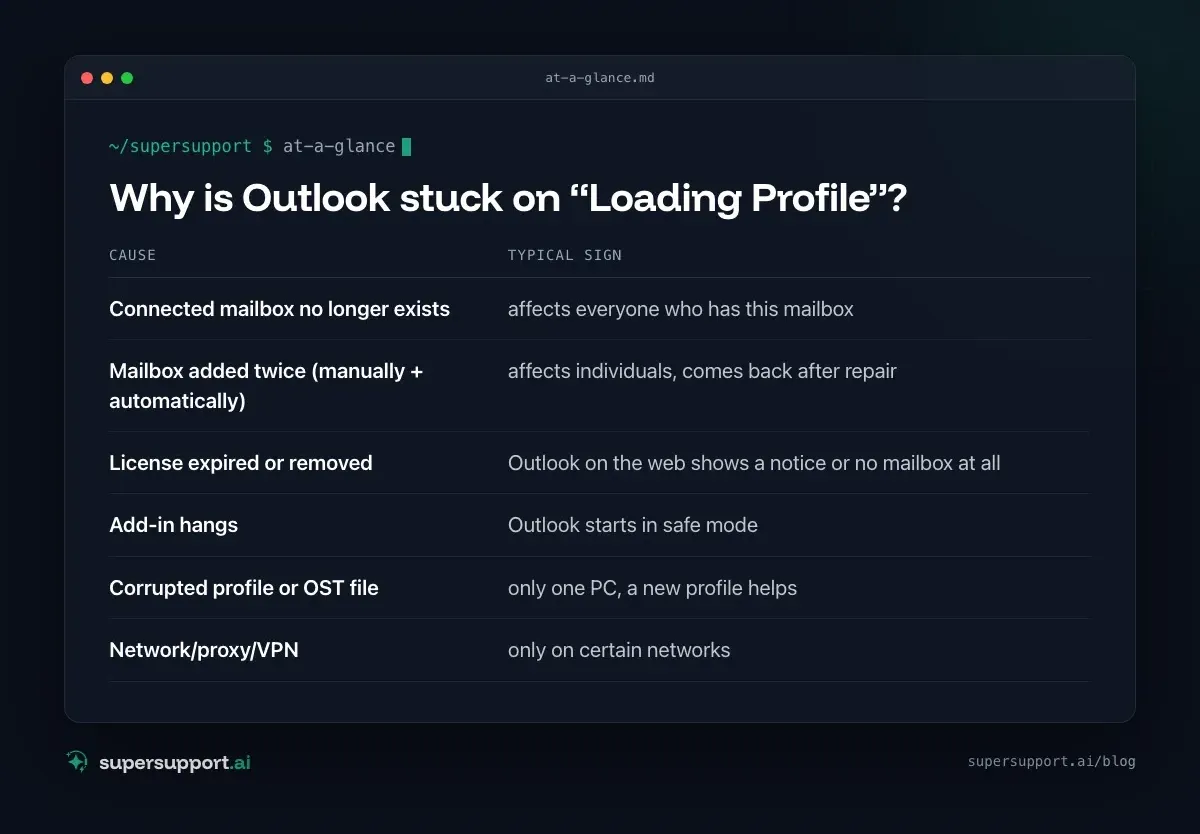
Because at startup, Outlook loads all connected mailboxes and add-ins – and waits for one of them. The most common causes:
- Connected mailbox no longer exists – affects everyone who has this mailbox
- Mailbox added twice (manually + automatically) – affects individuals, comes back after repair
- License expired or removed – Outlook on the web shows a notice or no mailbox at all
- Add-in hangs – Outlook starts in safe mode
- Corrupted profile or OST file – only one PC, a new profile helps
- Network/proxy/VPN – only on certain networks
The most important question first: Does it affect one employee or all of them? If all, the cause is almost certainly in Microsoft 365 and not on the PC.
Step 1: Does Outlook work on the web?
Sign in at outlook.office.com. If your own mailbox opens there, the account, password and MFA are fine.
Then check: Are the additional mailboxes (office, info, accounting) reachable via Open another mailbox? If it says “not found” there, the mailbox has disappeared – that's your lead.
Step 2: Check licenses and mailboxes in Microsoft 365
In the Microsoft 365 admin center:
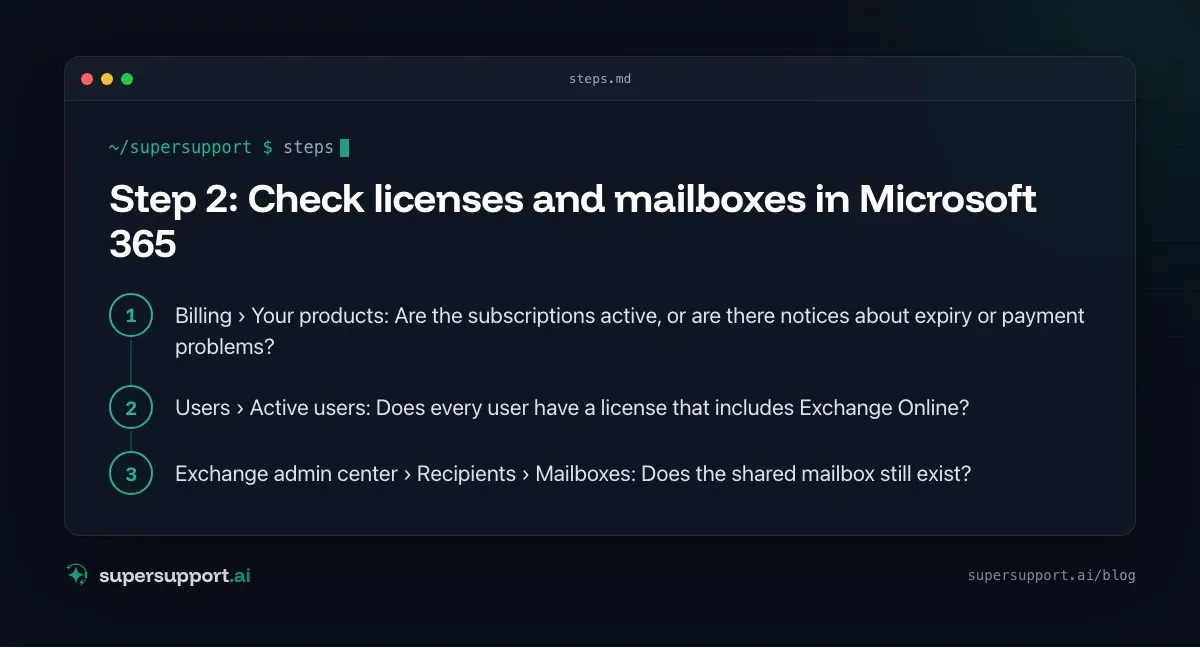
- Billing › Your products: Are the subscriptions active, or are there notices about expiry or payment problems?
- Users › Active users: Does every user have a license that includes Exchange Online?
- Exchange admin center › Recipients › Mailboxes: Does the shared mailbox still exist?
What happens when licenses expire? Microsoft 365 keeps the data for a grace period after expiry and deletes it afterwards. Mailboxes that were tied to an expired user license disappear – and every Outlook that has them connected waits for them in vain at startup.
Tip: Create shared addresses such as office@ or info@ as a shared mailbox, not as a user. Shared mailboxes up to 50 GB don't need a license of their own and aren't affected by the expiry of a user license.
Step 3: Reassign permissions
After a mailbox is restored or recreated, the permissions have to be granted again. In the Exchange admin center, under Delegation for the mailbox, give the users Full Access (and, if needed, Send as).
Via PowerShell (Exchange Online):
Connect-ExchangeOnline
Add-MailboxPermission -Identity "[email protected]" -User "[email protected]" -AccessRights FullAccess -AutoMapping $true
With -AutoMapping $true, the mailbox appears in Outlook by itself after some time – without anyone adding it by hand.
Step 4: Remove manually added mailboxes

14 days free
IT support that fixes itself.
SuperSupport fixes IT problems right on the device, before they turn into tickets. Try it free for 14 days.
Start free trialThis was the second cause in the real-world case. For two employees, the problem came back after the repair. The reason: the office mailbox had once been added by hand as an additional mailbox. With the new permission, it arrived a second time through automapping – and Outlook couldn't cope with the double connection.
Here's how to remove the manual connection:
- Start Outlook in safe mode (see below) or use Control Panel.
- File › Account Settings › Account Settings › your account › Change.
- More Settings › Advanced tab.
- Under Open these additional mailboxes, remove the mailbox.
- Restart Outlook – the mailbox then reappears through automapping, this time only once.
If Outlook doesn't get that far: Control Panel › Mail (Microsoft Outlook) › E-mail Accounts – the account can be edited there as well.
Step 5: Rule out add-ins and the profile
If it affects only one PC and the mailboxes are fine:
- Safe mode: Windows+R ›
outlook.exe /safe. If Outlook starts this way, go to File › Options › Add-ins › COM Add-ins and disable the add-ins one by one. - New profile: Control Panel › Mail › Show Profiles › Add. Set the new profile as the default and test. Keep the old one for now.
- Repair Office: Settings › Apps › Microsoft 365 › Modify › Online Repair.
More Outlook problems with their own guides: Outlook crashes, Outlook is slow and Outlook doesn't run macros.
How do I prevent this in the future?
- Keep an eye on license expiry: Keep your payment method up to date, send notifications to an address that someone actually reads.
- Create shared addresses as shared mailboxes, not as licensed users.
- Distribute mailboxes through permissions only, don't additionally add them by hand.
- When employees leave, convert the mailbox to a shared one before the license is removed.
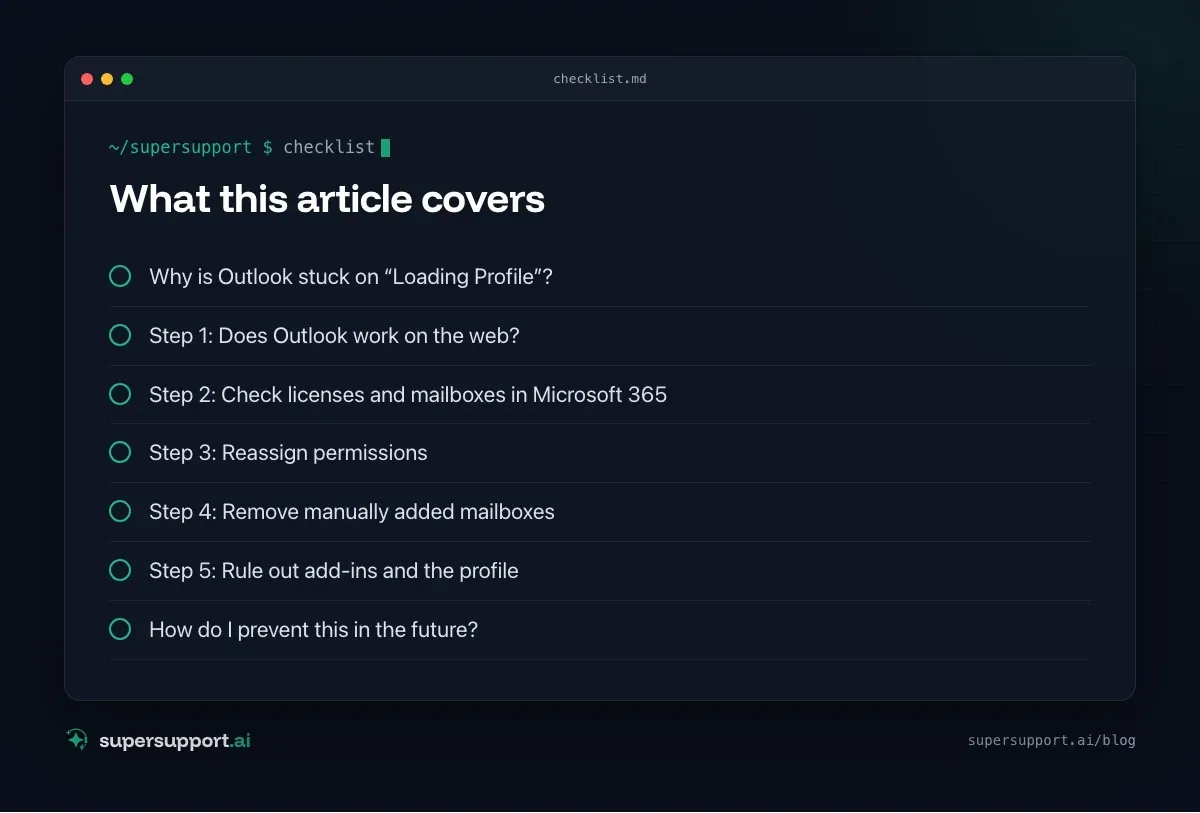
How does SuperSupport help with Outlook problems?
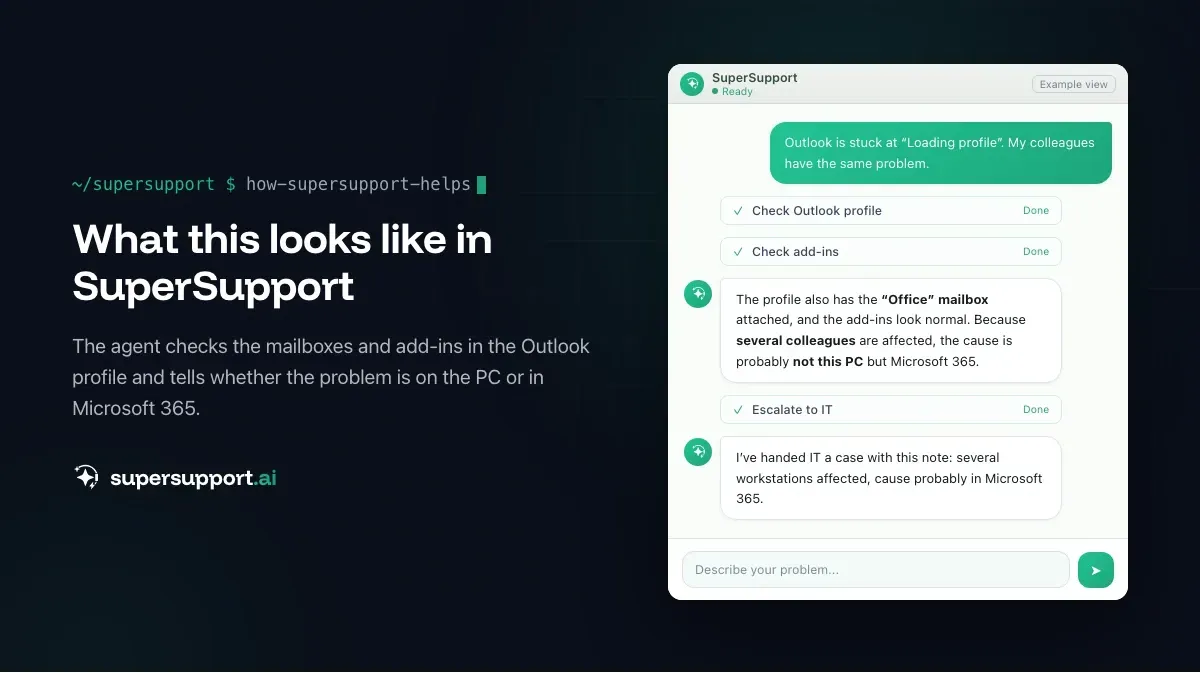
The SuperSupport agent can check on the PC which mailboxes are connected in the Outlook profile, whether Outlook starts in safe mode and which add-ins are active – and so distinguish whether the problem lies with this PC or in Microsoft 365. If it affects several employees at the same time, IT receives a case with exactly that note. What this looks like for internal IT teams and MSPs is described on the respective pages.
Frequently asked questions
Why is Outlook stuck on “Loading Profile”?
At startup, Outlook tries to reach all connected mailboxes. If one of them is missing – for example because a license expired or a mailbox was deleted – or if a shared mailbox is added twice, Outlook stalls while loading. Add-ins and corrupted profiles are also common causes.
Why does Outlook work in the browser but not on the PC?
Outlook on the web opens only your own mailbox and doesn't load local profiles, add-ins or additional mailboxes. If it works in the browser, the account and password are fine – the problem is in the Outlook profile on the PC or in an additionally connected mailbox.
How do I add a shared mailbox correctly?
Ideally not by hand at all: when a user is given Full Access to a mailbox in Microsoft 365, it appears in Outlook by itself after a short time through automapping. An additional, manually added mailbox often causes conflicts.
What happens to a mailbox when the license expires?
After expiry, the mailbox is kept for a grace period and deleted afterwards. Outlook profiles that have this mailbox connected then stall while loading. Shared mailboxes up to 50 GB don't need a license of their own.
How do I start Outlook in safe mode?
Press Windows+R, type outlook.exe /safe and confirm with Enter. Outlook then starts without add-ins. If it starts this way, an add-in is the likely cause.
14 days free
IT support that fixes itself.
SuperSupport fixes IT problems right on the device, before they turn into tickets. Try it free for 14 days.
Start free trialNico Haslberger is Co-Founder & CEO of SuperSupport.ai. With years of experience as an IT technician, he knows the problems in IT support first-hand: from overloaded help desks to recurring tickets that slow teams down. That knowledge is built into every feature of the platform today. He makes sure SuperSupport.ai solves exactly the problems he experienced himself for years.
This article was created with AI assistance and editorially reviewed.
Related Articles

Recover a Deleted File: All the Ways at Work
File deleted, overwritten or unsaved? Recover it via Recycle Bin, OneDrive and SharePoint, version history, AutoRecover, Previous Versions or Time Machine.


Find Your BitLocker Recovery Key: All the Ways
Windows asks for the BitLocker recovery key? Where to find the 48-digit key (Microsoft account, Entra ID, Intune, AD) and why it is requested.

Windows Server Shuts Down Every Hour? Check the License
Server shuts itself down after about an hour – taking VMs and printers with it? Usually the evaluation license has expired. How to spot and fix it.