;}.cls-2{fill:url(%23Unbenannter_Verlauf_5-2);}.cls-3{fill:url(%23Unbenannter_Verlauf_5-5);}.cls-4{fill:url(%23Unbenannter_Verlauf_5-6);}.cls-5{fill:url(%23Unbenannter_Verlauf_5-3);}.cls-6{fill:url(%23Unbenannter_Verlauf_5-4);}%3c/style%3e%3clinearGradient%20id='Unbenannter_Verlauf_5'%20x1='1075.02'%20y1='943.06'%20x2='1201.78'%20y2='943.06'%20gradientUnits='userSpaceOnUse'%3e%3cstop%20offset='0'%20stop-color='%2322b88a'/%3e%3cstop%20offset='1'%20stop-color='%231a9e78'/%3e%3c/linearGradient%3e%3clinearGradient%20id='Unbenannter_Verlauf_5-2'%20x1='234.11'%20y1='663.43'%20x2='1058.29'%20y2='663.43'%20xlink:href='%23Unbenannter_Verlauf_5'/%3e%3clinearGradient%20id='Unbenannter_Verlauf_5-3'%20x1='843.79'%20y1='1064.84'%20x2='1096.04'%20y2='1064.84'%20xlink:href='%23Unbenannter_Verlauf_5'/%3e%3clinearGradient%20id='Unbenannter_Verlauf_5-4'%20x1='1120.37'%20y1='662.1'%20x2='1253'%20y2='662.1'%20xlink:href='%23Unbenannter_Verlauf_5'/%3e%3clinearGradient%20id='Unbenannter_Verlauf_5-5'%20x1='97.45'%20y1='265.53'%20x2='385.89'%20y2='265.53'%20xlink:href='%23Unbenannter_Verlauf_5'/%3e%3clinearGradient%20id='Unbenannter_Verlauf_5-6'%20x1='295.45'%20y1='255.64'%20x2='1213.95'%20y2='255.64'%20xlink:href='%23Unbenannter_Verlauf_5'/%3e%3c/defs%3e%3cpath%20class='cls-1'%20d='M1201.78,871c-.61,1.55-1.23,3.1-1.86,4.66-20.33,50.18-47.14,96.85-80.02,139.45-7.56-13.82-21.78-22.31-37.69-22.31h-7.19c29.82-37.26,54.46-78.02,73.61-121.8h53.15Z'/%3e%3cpath%20class='cls-2'%20d='M665.24,264.59l69.02,186.52c21.3,57.57,66.69,102.96,124.26,124.26l186.52,69.02c17.67,6.54,17.67,31.54,0,38.08l-186.52,69.02c-57.57,21.3-102.96,66.69-124.26,124.26l-69.02,186.52c-6.54,17.67-31.54,17.67-38.08,0l-69.02-186.52c-21.3-57.57-66.69-102.96-124.26-124.26l-186.52-69.02c-17.67-6.54-17.67-31.54,0-38.08l186.52-69.02c57.57-21.3,102.96-66.69,124.26-124.26l69.02-186.52c6.54-17.67,31.54-17.67,38.08,0Z'/%3e%3cpath%20class='cls-5'%20d='M1082.21,1021.98h-79.13c-1.7,0-2.97-1.56-2.62-3.23l22.72-109.35c2.94-14.16-15.11-22.74-24.23-11.51l-152.04,187.31c-7.32,9.02-.9,22.5,10.72,22.5h79.13c1.7,0,2.97,1.56,2.62,3.23l-22.72,109.35c-2.94,14.16,15.11,22.74,24.23,11.51l152.04-187.31c7.32-9.02.9-22.5-10.72-22.5Z'/%3e%3crect%20class='cls-6'%20x='1120.37'%20y='486.36'%20width='132.63'%20height='351.48'%20rx='19.58'%20ry='19.58'/%3e%3cpath%20class='cls-3'%20d='M250.58,128.27l13.88,55.81c7.19,28.91,29.76,51.47,58.66,58.66l55.81,13.88c9.29,2.31,9.29,15.51,0,17.82l-55.81,13.88c-28.91,7.19-51.47,29.76-58.66,58.66l-13.88,55.81c-2.31,9.29-15.51,9.29-17.82,0l-13.88-55.81c-7.19-28.91-29.76-51.47-58.66-58.66l-55.81-13.88c-9.29-2.31-9.29-15.51,0-17.82l55.81-13.88c28.91-7.19,51.47-29.76,58.66-58.66l13.88-55.81c2.31-9.29,15.51-9.29,17.82,0Z'/%3e%3cpath%20class='cls-4'%20d='M1213.95,453.21h-67.62c-1.23,0-2.47.04-3.67.12-27.03-63.89-65.84-121.36-115.42-170.94-51.54-51.54-111.61-91.44-178.55-118.59-64.67-26.22-133.03-39.52-203.16-39.52s-138.48,13.3-203.16,39.52c-33.73,13.67-65.72,30.61-95.75,50.63l-.19-.05c-23.62-5.88-42.51-22.85-51-45.24,37.87-26.86,78.65-49.21,122.01-66.79,72.63-29.44,149.37-44.38,228.08-44.38s155.45,14.93,228.08,44.38c75.2,30.51,142.67,75.31,200.53,133.15,57.84,57.85,102.65,125.33,133.15,200.53,2.31,5.7,4.54,11.43,6.66,17.19Z'/%3e%3c/svg%3e)
Syncro Alternative or Complement? Comparison for MSPs
Syncro offers PSA and RMM per technician with unlimited devices, popular with small MSPs. When a Syncro alternative fits and when AI support complements.

Syncro makes tickets and remote support cheap for small MSPs. It doesn't reduce the calls from customers.
Short verdict: Syncro is popular with small MSPs – PSA and RMM in one tool, billed per technician, with an unlimited number of devices. People who look for a Syncro alternative usually do so because of missing features for larger environments, the interface or the English-language focus. But if your main goal is fewer user calls, switching gains you little – then SuperSupport is the complement.
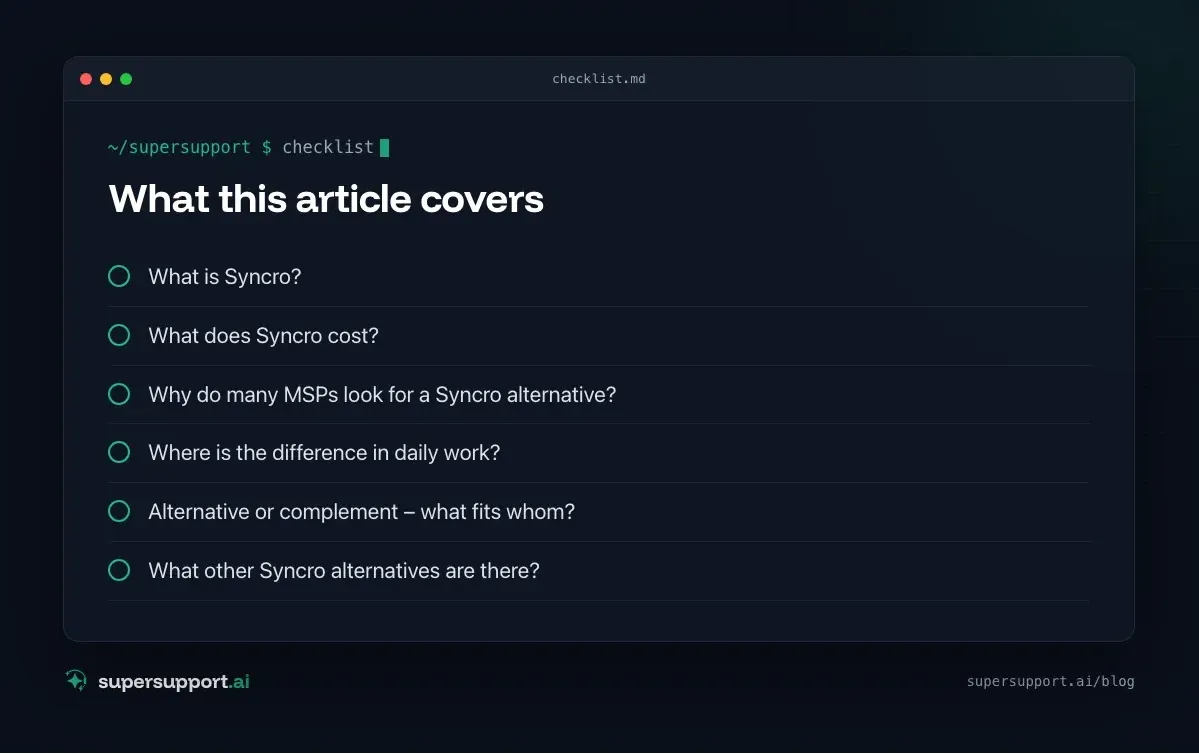
What is Syncro?
Syncro is a US vendor of a combined PSA-RMM platform for MSPs, now also with Microsoft 365 management under the name “Syncro XMM”. It includes:
- RMM: monitoring, patch management, scripts, automation for Windows, Mac, servers and network devices.
- Remote access via Splashtop.
- PSA: tickets, customer portal, time tracking, automatic billing and invoicing.
- Microsoft 365 (Team plan): management of multiple tenants, security baselines, CIS assessments.
- AI and automation: agentic features for service delivery, MCP server, Zapier integration.
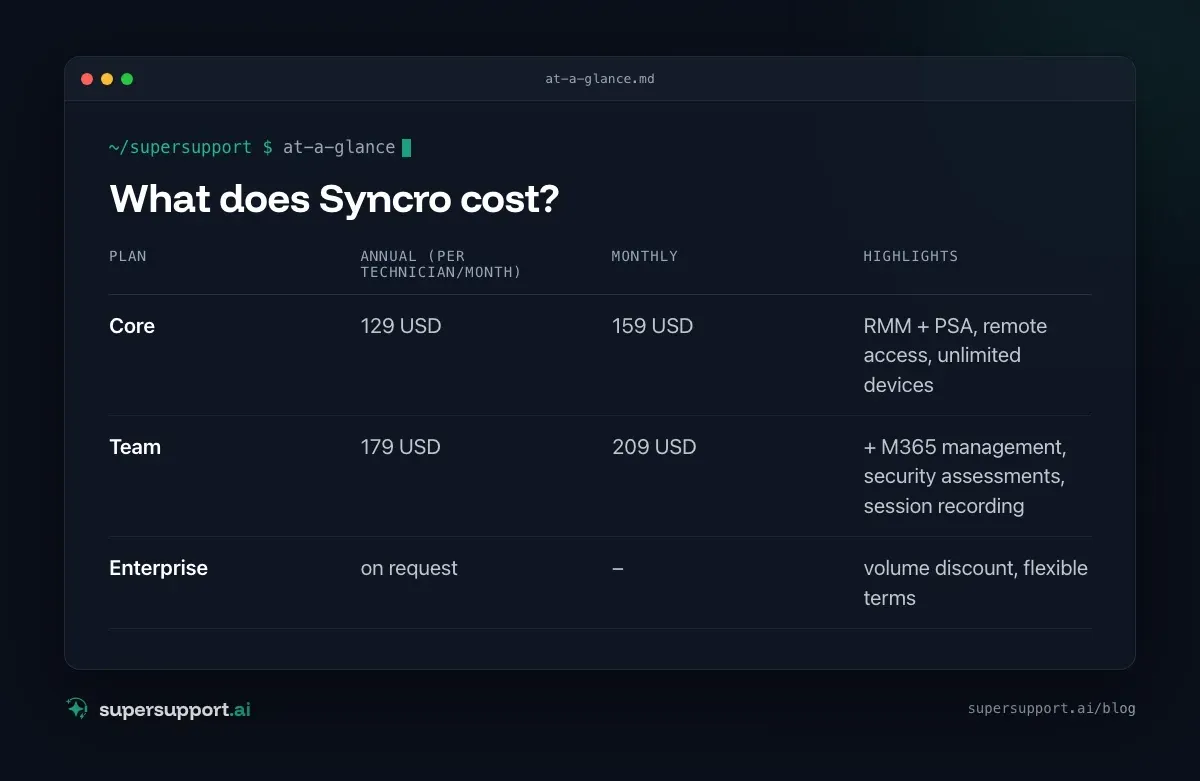
What does Syncro cost?
Billing is per technician, devices are unlimited. According to the price page (as of 2026):
- Plan: Core – Annual (per technician/month): 129 USD; Monthly: 159 USD; Highlights: RMM + PSA, remote access, unlimited devices
- Plan: Team – Annual (per technician/month): 179 USD; Monthly: 209 USD; Highlights: + M365 management, security assessments, session recording
- Plan: Enterprise – Annual (per technician/month): on request; Monthly: –; Highlights: volume discount, flexible terms
A 14-day trial without a credit card is available.
Why do many MSPs look for a Syncro alternative?
- Growth: As the number of technicians grows, per-technician billing gets more expensive, and larger MSPs miss features for complex environments.
- Depth of individual features: PSA and RMM in one is convenient – specialized tools often go further in individual areas.
- English-language: Interface, documentation and support are aimed at the US market.
- The calls stay: No matter how good the tool is – “The VPN isn't working” still lands with the technician.
Syncro and SuperSupport compared
- Category – Syncro: PSA + RMM for MSPs; SuperSupport: AI support for end users
- Target group – Syncro: Technicians at the MSP; SuperSupport: Users at the customer – and the technicians behind them
- Billing – Syncro: per technician, unlimited devices; SuperSupport: per workstation
- Entry price – Syncro: 129 USD/technician (Core, annual); SuperSupport: also for small companies and MSPs
- Tickets, billing, customer portal – Syncro: yes; SuperSupport: the chat is the case, handover as a ticket
- Patches, monitoring, remote access – Syncro: yes; SuperSupport: no – the RMM stays for that
- User describes the problem in a chat – Syncro: via portal/ticket; SuperSupport: yes, core function
- Diagnosis on the device – Syncro: by script or remote access by the technician; SuperSupport: by the agent in the conversation
- Resolution – Syncro: Technician or automation; SuperSupport: Harmless issues itself, sensitive ones after approval
- Language – Syncro: English; SuperSupport: German throughout
Where is the difference in daily work?
Syncro makes the technician's work more efficient. SuperSupport makes sure that part of it doesn't arise in the first place.
Example: At the customer, management reports a Veeam warning by email and asks what to do. In the PSA, a ticket is created that a technician has to sort out. The SuperSupport agent explains in the chat what the message means and passes it on to the technician with job, error and time – see Veeam Health Check: “Failed to verify backup file”.
Or with deadlines such as the switch of .at domains to NISG 2026: The agent classifies the registrar's email instead of it staying unread.
Alternative or complement – what fits whom?
Syncro fits if …
- you're a small or mid-sized MSP and want PSA and RMM from a single vendor,
- you support many devices with few technicians,
- simple, transparent pricing matters to you.

14 days free
IT support that fixes itself.
SuperSupport fixes IT problems right on the device, before they turn into tickets. Try it free for 14 days.
Start free trialSuperSupport in addition to Syncro fits if …
- Syncro stays as your PSA and RMM,
- but your customers' users should get simple problems resolved in the chat,
- open cases go on to your technicians as a ticket.
A different PSA-RMM instead of Syncro fits if …
- you need more depth or features for larger environments – such as SuperOps, HaloPSA, ConnectWise or Kaseya, or a pure RMM such as NinjaOne or N-able.
SuperSupport as a starting point fits if …
- you first want to relieve Level 1 before deciding on a platform switch (AI support for MSPs).
What other Syncro alternatives are there?
In the MSP space: Atera, SuperOps, NinjaOne, N-able, Kaseya, ConnectWise and HaloPSA. For internal IT teams, ITSM solutions such as Freshservice or TOPdesk are suitable.
What does SuperSupport offer?
SuperSupport handles Level 1 IT support via chat: the user describes their problem, the agent diagnoses directly on the Windows or Mac device, resolves harmless issues itself and submits everything sensitive to IT for approval. For MSPs the platform is multi-tenant: each customer separate, every step logged, every chat also the case itself – and, if needed, handed over as a ticket to an existing system. Developed in Austria.
Frequently asked questions
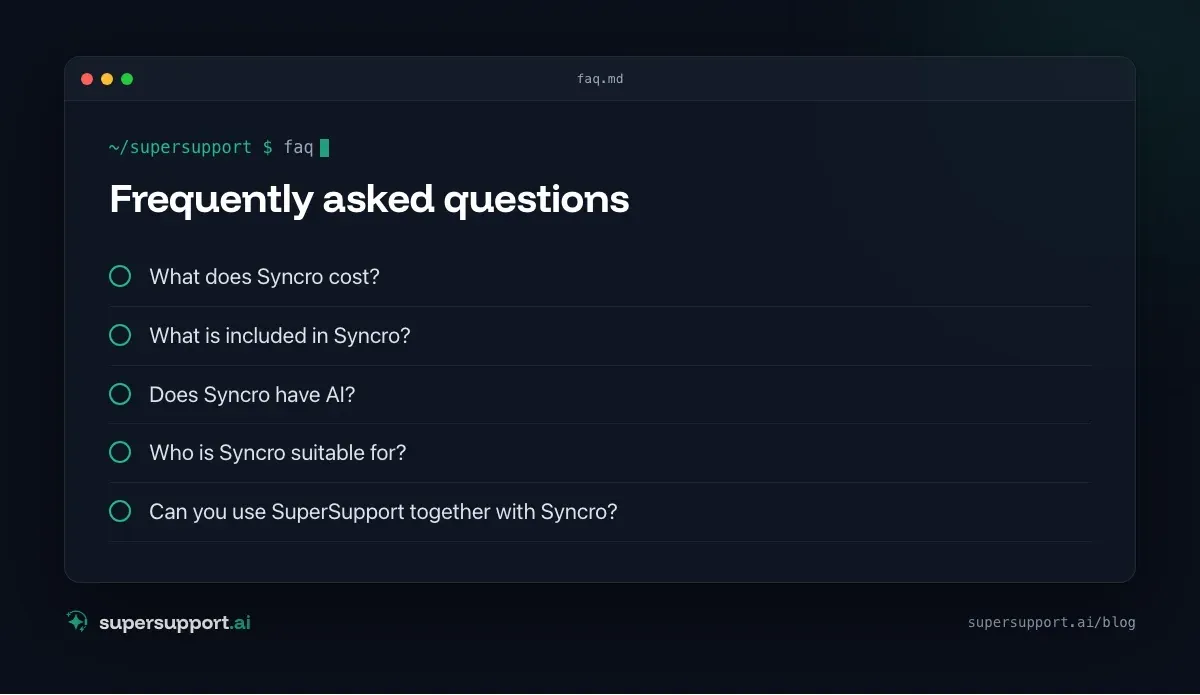
What does Syncro cost?
According to its price page, the Core plan costs 129 US dollars per technician per month with annual billing (159 US dollars monthly), the Team plan 179 US dollars (209 US dollars monthly). Both plans include an unlimited number of managed devices. A 14-day trial without a credit card is available.
What is included in Syncro?
RMM and PSA in one: monitoring, patch management, scripts, remote access via Splashtop, tickets, customer portal, billing and invoicing. The Team plan adds Microsoft 365 management for multiple tenants, security assessments, session recording and network discovery.
Does Syncro have AI?
Syncro mentions agentic features for service delivery and an MCP server for connecting AI tools. The focus is on the technicians' work, not on an assistant that talks to users.
Who is Syncro suitable for?
Mainly for small and mid-sized MSPs that want PSA and RMM from a single vendor and prefer to pay per technician rather than per device. With many devices and few technicians, the model is especially cheap.
Can you use SuperSupport together with Syncro?
Yes. Syncro stays responsible for tickets, billing, patches and remote access. SuperSupport takes the requests from the customer's users in the chat and resolves some of them directly on the device – open cases go to the technicians as a ticket.
14 days free
IT support that fixes itself.
SuperSupport fixes IT problems right on the device, before they turn into tickets. Try it free for 14 days.
Start free trialNico Haslberger is Co-Founder & CEO of SuperSupport.ai. With years of experience as an IT technician, he knows the problems in IT support first-hand: from overloaded help desks to recurring tickets that slow teams down. That knowledge is built into every feature of the platform today. He makes sure SuperSupport.ai solves exactly the problems he experienced himself for years.
This article was created with AI assistance and editorially reviewed.
Related Articles
What Employees Really Ask IT Support
We reviewed our AI agent's chats. The top topics are unspectacular, and almost all the answers are on the computer, not in the wiki.

Splashtop Alternative or Complement? Remote Support vs. AI
Splashtop is low-cost remote support with SOS for spontaneous help and AEM for endpoint management. When an alternative fits and when AI complements it.
Zammad Alternative or Add-On? Ticket System vs. AI
Zammad is an affordable open-source ticket system from Germany, from €7 per agent. When an alternative fits and when AI support on the device adds to it.