;}.cls-2{fill:url(%23Unbenannter_Verlauf_5-2);}.cls-3{fill:url(%23Unbenannter_Verlauf_5-5);}.cls-4{fill:url(%23Unbenannter_Verlauf_5-6);}.cls-5{fill:url(%23Unbenannter_Verlauf_5-3);}.cls-6{fill:url(%23Unbenannter_Verlauf_5-4);}%3c/style%3e%3clinearGradient%20id='Unbenannter_Verlauf_5'%20x1='1075.02'%20y1='943.06'%20x2='1201.78'%20y2='943.06'%20gradientUnits='userSpaceOnUse'%3e%3cstop%20offset='0'%20stop-color='%2322b88a'/%3e%3cstop%20offset='1'%20stop-color='%231a9e78'/%3e%3c/linearGradient%3e%3clinearGradient%20id='Unbenannter_Verlauf_5-2'%20x1='234.11'%20y1='663.43'%20x2='1058.29'%20y2='663.43'%20xlink:href='%23Unbenannter_Verlauf_5'/%3e%3clinearGradient%20id='Unbenannter_Verlauf_5-3'%20x1='843.79'%20y1='1064.84'%20x2='1096.04'%20y2='1064.84'%20xlink:href='%23Unbenannter_Verlauf_5'/%3e%3clinearGradient%20id='Unbenannter_Verlauf_5-4'%20x1='1120.37'%20y1='662.1'%20x2='1253'%20y2='662.1'%20xlink:href='%23Unbenannter_Verlauf_5'/%3e%3clinearGradient%20id='Unbenannter_Verlauf_5-5'%20x1='97.45'%20y1='265.53'%20x2='385.89'%20y2='265.53'%20xlink:href='%23Unbenannter_Verlauf_5'/%3e%3clinearGradient%20id='Unbenannter_Verlauf_5-6'%20x1='295.45'%20y1='255.64'%20x2='1213.95'%20y2='255.64'%20xlink:href='%23Unbenannter_Verlauf_5'/%3e%3c/defs%3e%3cpath%20class='cls-1'%20d='M1201.78,871c-.61,1.55-1.23,3.1-1.86,4.66-20.33,50.18-47.14,96.85-80.02,139.45-7.56-13.82-21.78-22.31-37.69-22.31h-7.19c29.82-37.26,54.46-78.02,73.61-121.8h53.15Z'/%3e%3cpath%20class='cls-2'%20d='M665.24,264.59l69.02,186.52c21.3,57.57,66.69,102.96,124.26,124.26l186.52,69.02c17.67,6.54,17.67,31.54,0,38.08l-186.52,69.02c-57.57,21.3-102.96,66.69-124.26,124.26l-69.02,186.52c-6.54,17.67-31.54,17.67-38.08,0l-69.02-186.52c-21.3-57.57-66.69-102.96-124.26-124.26l-186.52-69.02c-17.67-6.54-17.67-31.54,0-38.08l186.52-69.02c57.57-21.3,102.96-66.69,124.26-124.26l69.02-186.52c6.54-17.67,31.54-17.67,38.08,0Z'/%3e%3cpath%20class='cls-5'%20d='M1082.21,1021.98h-79.13c-1.7,0-2.97-1.56-2.62-3.23l22.72-109.35c2.94-14.16-15.11-22.74-24.23-11.51l-152.04,187.31c-7.32,9.02-.9,22.5,10.72,22.5h79.13c1.7,0,2.97,1.56,2.62,3.23l-22.72,109.35c-2.94,14.16,15.11,22.74,24.23,11.51l152.04-187.31c7.32-9.02.9-22.5-10.72-22.5Z'/%3e%3crect%20class='cls-6'%20x='1120.37'%20y='486.36'%20width='132.63'%20height='351.48'%20rx='19.58'%20ry='19.58'/%3e%3cpath%20class='cls-3'%20d='M250.58,128.27l13.88,55.81c7.19,28.91,29.76,51.47,58.66,58.66l55.81,13.88c9.29,2.31,9.29,15.51,0,17.82l-55.81,13.88c-28.91,7.19-51.47,29.76-58.66,58.66l-13.88,55.81c-2.31,9.29-15.51,9.29-17.82,0l-13.88-55.81c-7.19-28.91-29.76-51.47-58.66-58.66l-55.81-13.88c-9.29-2.31-9.29-15.51,0-17.82l55.81-13.88c28.91-7.19,51.47-29.76,58.66-58.66l13.88-55.81c2.31-9.29,15.51-9.29,17.82,0Z'/%3e%3cpath%20class='cls-4'%20d='M1213.95,453.21h-67.62c-1.23,0-2.47.04-3.67.12-27.03-63.89-65.84-121.36-115.42-170.94-51.54-51.54-111.61-91.44-178.55-118.59-64.67-26.22-133.03-39.52-203.16-39.52s-138.48,13.3-203.16,39.52c-33.73,13.67-65.72,30.61-95.75,50.63l-.19-.05c-23.62-5.88-42.51-22.85-51-45.24,37.87-26.86,78.65-49.21,122.01-66.79,72.63-29.44,149.37-44.38,228.08-44.38s155.45,14.93,228.08,44.38c75.2,30.51,142.67,75.31,200.53,133.15,57.84,57.85,102.65,125.33,133.15,200.53,2.31,5.7,4.54,11.43,6.66,17.19Z'/%3e%3c/svg%3e)
Datto RMM alternative or add-on? Comparison for MSPs
Datto RMM belongs to Kaseya and is the RMM behind Kaseya 365. When a Datto RMM alternative fits, and when AI support for users is the better add-on.

Datto RMM keeps your customers' devices in good shape. The phone still rings.
Short verdict: Datto RMM is an established, cloud-based RMM for MSPs – since the acquisition by Kaseya in 2022 part of the Kaseya world and the RMM behind the Kaseya 365 bundle. Whoever looks for a Datto RMM alternative usually does so because of licensing changes, contracts or the wish for an independent provider. But if your main goal is fewer calls from users, switching RMM gains you little – then SuperSupport is the add-on.
What is Datto RMM?
Datto RMM is a cloud-based platform for remote monitoring and management. The core features:
- Monitoring and alerts for servers, workstations and network devices.
- Patch management for Windows and third-party software.
- Scripts and automation – with the ComStore, a collection of ready-made components, monitors and monitoring policies, plus a community area.
- Remote access to devices.
- Microsoft 365 integration, for example for managing devices across multiple tenants.
Alongside VSA, Datto RMM is one of Kaseya's two RMM tools and serves as the RMM component in Kaseya 365.
How much does Datto RMM cost?
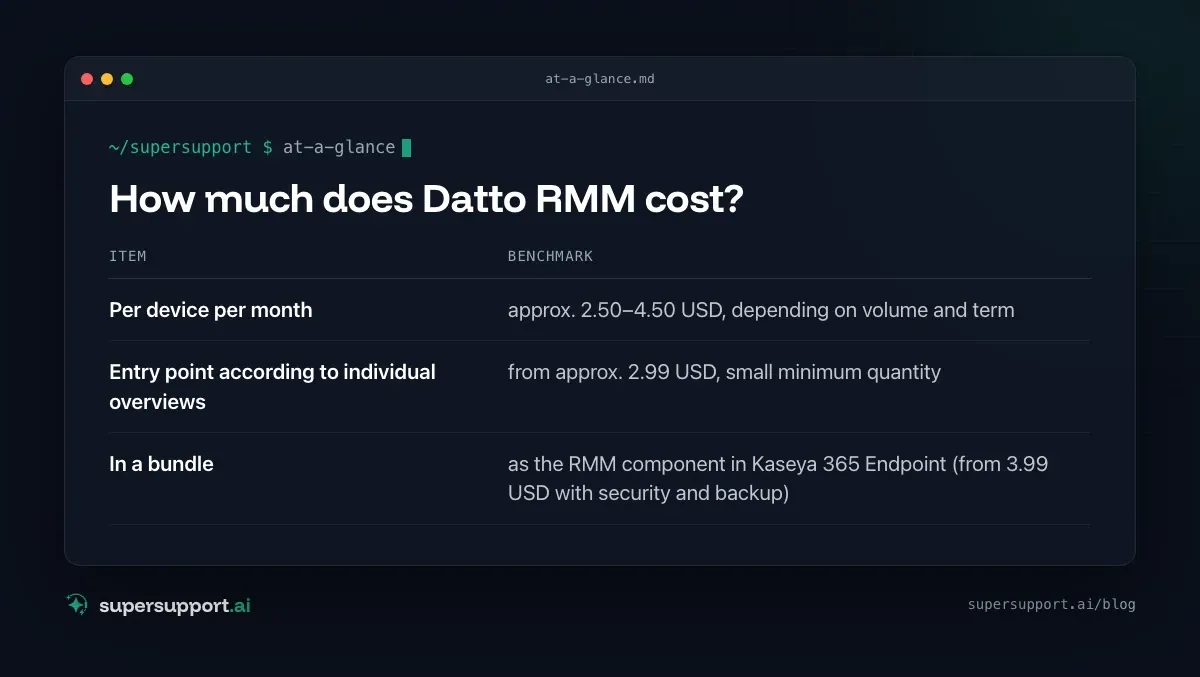
There are no official prices; every quote is individual. Market overviews (as of 2026):
- Per device per month – approx. 2.50–4.50 USD, depending on volume and term
- Entry point according to individual overviews – from approx. 2.99 USD, small minimum quantity
- In a bundle – as the RMM component in Kaseya 365 Endpoint (from 3.99 USD with security and backup)
According to market reports, Kaseya is moving Datto RMM to an agreed minimum quantity with usage-based billing. Before renewing a contract, it is worth taking a close look at the terms.
Why do many MSPs look for a Datto RMM alternative?
- Licensing and contract changes after the acquisition by Kaseya.
- Bundling: If you only want an RMM, you often get offers for Kaseya bundles.
- Independence: Some MSPs don't want everything with one provider – see also Kaseya alternative.
- The calls stay: No matter how well the RMM monitors – “My printer isn't printing” lands with the technician.
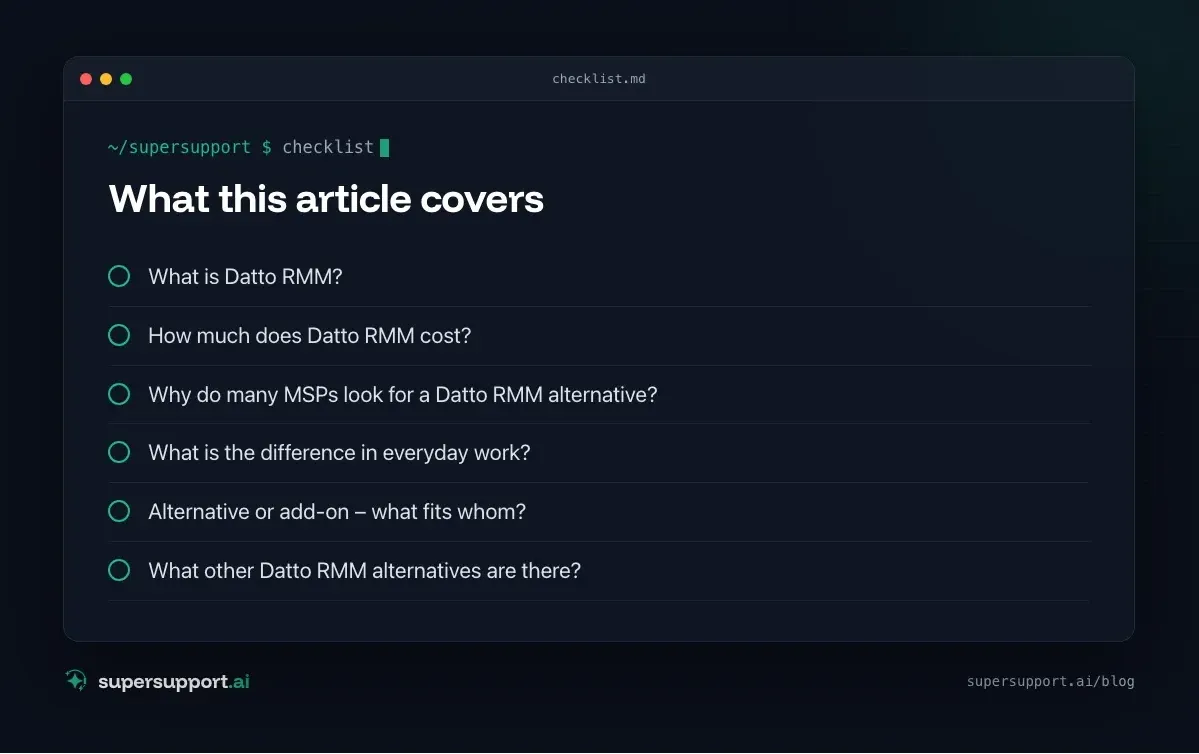
Datto RMM and SuperSupport compared
- Category – Datto RMM: RMM for MSPs; SuperSupport: AI support for end users
- Provider – Datto RMM: Kaseya (USA); SuperSupport: Austria
- Target group – Datto RMM: Technicians at the MSP; SuperSupport: Users at the customer – and the technicians behind them
- Billing – Datto RMM: per device; SuperSupport: per seat
- Patches, monitoring, remote access – Datto RMM: yes, core feature; SuperSupport: no – the RMM stays for that
- Ready-made scripts/components – Datto RMM: ComStore; SuperSupport: –
- User describes the problem in the chat – Datto RMM: no; SuperSupport: yes, core feature
- Diagnosis on the device – Datto RMM: via component or remote access by the technician; SuperSupport: by the agent in the conversation
- Resolution – Datto RMM: Technician or automation; SuperSupport: Harmless steps itself, sensitive steps after approval
- Language – Datto RMM: mostly English; SuperSupport: German throughout
What is the difference in everyday work?
Datto RMM keeps customers' devices up to date and monitored. SuperSupport takes care of what the user can't manage right now.
Example: A user at the customer wants their printers back the way they used to be – four variants per device, with descriptive names. With Datto RMM, the technician can distribute a script after taking down the requirement. The SuperSupport agent takes the requirement in the chat, cleans up what can be done without admin rights, and prepares the setup script – see Set up printers with PowerShell.
Alternative or add-on – what fits whom?
Datto RMM fits if …
- you want a proven cloud RMM with a large component collection,
- you already work in the Kaseya environment (Autotask, IT Glue, Datto Backup),
- the licensing terms fit your size.

14 days free
IT support that fixes itself.
SuperSupport fixes IT problems right on the device, before they turn into tickets. Try it free for 14 days.
Start free trialSuperSupport in addition to Datto RMM fits if …
- Datto RMM stays as your RMM,
- your customers' users should get simple problems solved in the chat,
- open cases should go on to your technicians as a ticket.
A different RMM instead of Datto RMM fits if …
- you want an independent provider or a different pricing model – for example NinjaOne, N-able, Pulseway, Atera, SuperOps or Syncro.
SuperSupport as a starting point fits if …
- you first want to relieve 1st level (AI support for MSPs).
What other Datto RMM alternatives are there?
In the MSP space: NinjaOne, N-able, Atera, SuperOps, Syncro, Pulseway and ConnectWise. Within Kaseya there is also VSA – see Kaseya alternative.
What does SuperSupport offer?
SuperSupport takes over 1st-level IT support by chat: the user describes their problem, the agent diagnoses directly on the Windows or Mac device, handles harmless steps itself and submits anything sensitive to IT for approval. For MSPs the platform is multi-tenant: each customer separate, every step logged, every chat also the case – and handed over as a ticket to an existing system if needed. Developed in Austria.
Frequently asked questions
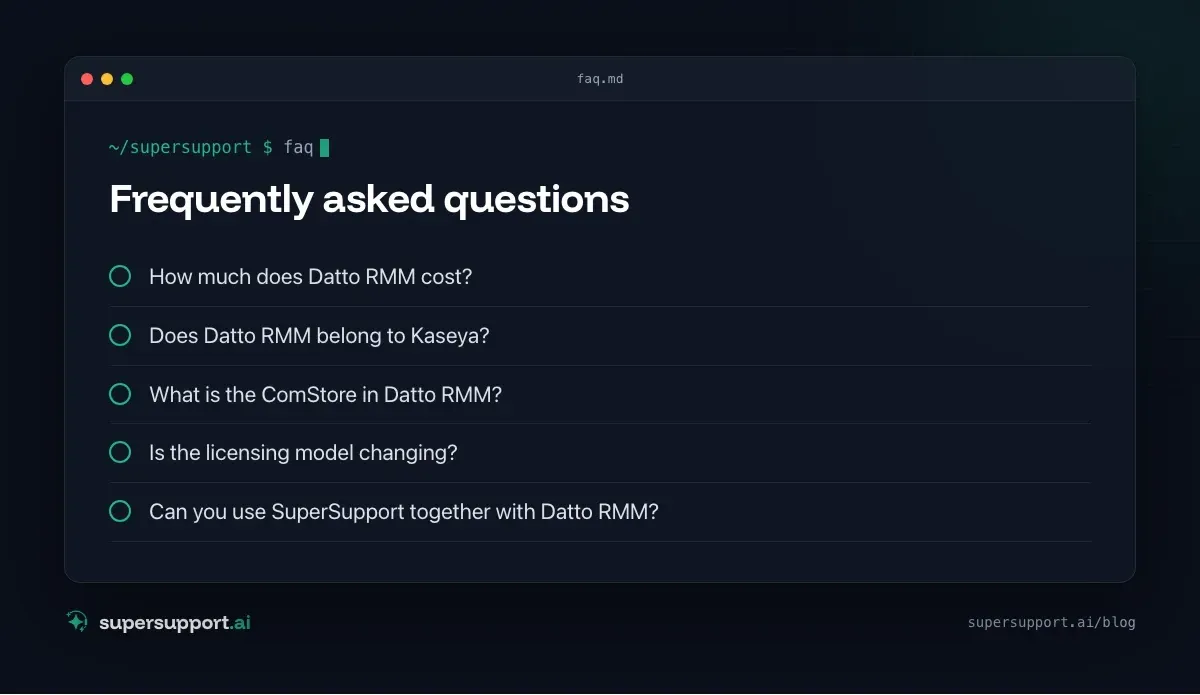
How much does Datto RMM cost?
Datto does not publish official prices; every quote is individual. Market overviews cite roughly 2.50 to 4.50 US dollars per device per month, depending on volume and term, in some cases with an entry point from about 2.99 US dollars. In the Kaseya 365 Endpoint bundle, Datto RMM is included as the RMM component.
Does Datto RMM belong to Kaseya?
Yes. Kaseya acquired Datto in 2022. Alongside VSA, Datto RMM is one of Kaseya's two RMM tools and can be used as the RMM component in Kaseya 365.
What is the ComStore in Datto RMM?
A collection of ready-made components within Datto RMM: installation packages, scripts, monitors and monitoring policies, for example for Exchange, SQL Server or IIS. There is also a community area where users share their own components.
Is the licensing model changing?
According to market reports, Kaseya is moving Datto RMM from the previous peak-count model to an agreed minimum quantity plus usage-based billing. If you renew a contract, read the new terms carefully.
Can you use SuperSupport together with Datto RMM?
Yes. Datto RMM stays responsible for monitoring, patches and remote access. SuperSupport takes the requests of the customer's users in the chat and resolves some of them directly on the device – open cases go to the technicians as a ticket.
14 days free
IT support that fixes itself.
SuperSupport fixes IT problems right on the device, before they turn into tickets. Try it free for 14 days.
Start free trialNico Haslberger is Co-Founder & CEO of SuperSupport.ai. With years of experience as an IT technician, he knows the problems in IT support first-hand: from overloaded help desks to recurring tickets that slow teams down. That knowledge is built into every feature of the platform today. He makes sure SuperSupport.ai solves exactly the problems he experienced himself for years.
This article was created with AI assistance and editorially reviewed.
Related Articles
OTRS Alternative: Znuny, OTOBO, KIX or AI Support?
With the OTRS Community Edition discontinued, many seek an alternative. The forks at a glance – and when AI support on the device complements them better.

Shadow AI in the Workplace: Detect, Govern, Replace
Employees use AI tools IT doesn't know about, with customer data, contracts and code. How to detect shadow AI, set sensible rules and offer alternatives.

AI Agent in IT Support: Guardrails That Actually Hold
An AI agent on the computer needs limits outside the prompt: protected list, blocked actions, approvals that expire. This is how it looks in practice.