;}.cls-2{fill:url(%23Unbenannter_Verlauf_5-2);}.cls-3{fill:url(%23Unbenannter_Verlauf_5-5);}.cls-4{fill:url(%23Unbenannter_Verlauf_5-6);}.cls-5{fill:url(%23Unbenannter_Verlauf_5-3);}.cls-6{fill:url(%23Unbenannter_Verlauf_5-4);}%3c/style%3e%3clinearGradient%20id='Unbenannter_Verlauf_5'%20x1='1075.02'%20y1='943.06'%20x2='1201.78'%20y2='943.06'%20gradientUnits='userSpaceOnUse'%3e%3cstop%20offset='0'%20stop-color='%2322b88a'/%3e%3cstop%20offset='1'%20stop-color='%231a9e78'/%3e%3c/linearGradient%3e%3clinearGradient%20id='Unbenannter_Verlauf_5-2'%20x1='234.11'%20y1='663.43'%20x2='1058.29'%20y2='663.43'%20xlink:href='%23Unbenannter_Verlauf_5'/%3e%3clinearGradient%20id='Unbenannter_Verlauf_5-3'%20x1='843.79'%20y1='1064.84'%20x2='1096.04'%20y2='1064.84'%20xlink:href='%23Unbenannter_Verlauf_5'/%3e%3clinearGradient%20id='Unbenannter_Verlauf_5-4'%20x1='1120.37'%20y1='662.1'%20x2='1253'%20y2='662.1'%20xlink:href='%23Unbenannter_Verlauf_5'/%3e%3clinearGradient%20id='Unbenannter_Verlauf_5-5'%20x1='97.45'%20y1='265.53'%20x2='385.89'%20y2='265.53'%20xlink:href='%23Unbenannter_Verlauf_5'/%3e%3clinearGradient%20id='Unbenannter_Verlauf_5-6'%20x1='295.45'%20y1='255.64'%20x2='1213.95'%20y2='255.64'%20xlink:href='%23Unbenannter_Verlauf_5'/%3e%3c/defs%3e%3cpath%20class='cls-1'%20d='M1201.78,871c-.61,1.55-1.23,3.1-1.86,4.66-20.33,50.18-47.14,96.85-80.02,139.45-7.56-13.82-21.78-22.31-37.69-22.31h-7.19c29.82-37.26,54.46-78.02,73.61-121.8h53.15Z'/%3e%3cpath%20class='cls-2'%20d='M665.24,264.59l69.02,186.52c21.3,57.57,66.69,102.96,124.26,124.26l186.52,69.02c17.67,6.54,17.67,31.54,0,38.08l-186.52,69.02c-57.57,21.3-102.96,66.69-124.26,124.26l-69.02,186.52c-6.54,17.67-31.54,17.67-38.08,0l-69.02-186.52c-21.3-57.57-66.69-102.96-124.26-124.26l-186.52-69.02c-17.67-6.54-17.67-31.54,0-38.08l186.52-69.02c57.57-21.3,102.96-66.69,124.26-124.26l69.02-186.52c6.54-17.67,31.54-17.67,38.08,0Z'/%3e%3cpath%20class='cls-5'%20d='M1082.21,1021.98h-79.13c-1.7,0-2.97-1.56-2.62-3.23l22.72-109.35c2.94-14.16-15.11-22.74-24.23-11.51l-152.04,187.31c-7.32,9.02-.9,22.5,10.72,22.5h79.13c1.7,0,2.97,1.56,2.62,3.23l-22.72,109.35c-2.94,14.16,15.11,22.74,24.23,11.51l152.04-187.31c7.32-9.02.9-22.5-10.72-22.5Z'/%3e%3crect%20class='cls-6'%20x='1120.37'%20y='486.36'%20width='132.63'%20height='351.48'%20rx='19.58'%20ry='19.58'/%3e%3cpath%20class='cls-3'%20d='M250.58,128.27l13.88,55.81c7.19,28.91,29.76,51.47,58.66,58.66l55.81,13.88c9.29,2.31,9.29,15.51,0,17.82l-55.81,13.88c-28.91,7.19-51.47,29.76-58.66,58.66l-13.88,55.81c-2.31,9.29-15.51,9.29-17.82,0l-13.88-55.81c-7.19-28.91-29.76-51.47-58.66-58.66l-55.81-13.88c-9.29-2.31-9.29-15.51,0-17.82l55.81-13.88c28.91-7.19,51.47-29.76,58.66-58.66l13.88-55.81c2.31-9.29,15.51-9.29,17.82,0Z'/%3e%3cpath%20class='cls-4'%20d='M1213.95,453.21h-67.62c-1.23,0-2.47.04-3.67.12-27.03-63.89-65.84-121.36-115.42-170.94-51.54-51.54-111.61-91.44-178.55-118.59-64.67-26.22-133.03-39.52-203.16-39.52s-138.48,13.3-203.16,39.52c-33.73,13.67-65.72,30.61-95.75,50.63l-.19-.05c-23.62-5.88-42.51-22.85-51-45.24,37.87-26.86,78.65-49.21,122.01-66.79,72.63-29.44,149.37-44.38,228.08-44.38s155.45,14.93,228.08,44.38c75.2,30.51,142.67,75.31,200.53,133.15,57.84,57.85,102.65,125.33,133.15,200.53,2.31,5.7,4.54,11.43,6.66,17.19Z'/%3e%3c/svg%3e)
Keyboard or Mouse Not Responding: Quick Fixes
Keyboard not typing, mouse not moving, or Y and Z swapped? The most common causes for USB, wireless and Bluetooth devices on Windows and Mac.


The keyboard isn't working. Often the battery is just empty or the receiver is in the wrong port.
“My mouse has stopped working.” – “The keyboard isn’t typing.” – “Why is my keyboard suddenly typing Y instead of Z?” Requests like these are usually solved quickly in support, if you know where to look. Often a new battery or a different port is enough, and sometimes a Windows feature that was turned on by accident is behind it.
Step 1: The simple things
- Batteries or battery pack: Charge wireless and Bluetooth devices first, or replace the batteries.
- Check the on/off switch on the underside of the mouse or keyboard.
- Wireless receiver (USB dongle): Is it plugged in? Try it directly on the laptop instead of on a hub or docking station.
- Test a different USB port.
- Different device: Does another mouse work? Then the old one is defective.
- Restart.
Step 2: Bluetooth devices
Windows: Settings › Bluetooth & devices – is Bluetooth on and the device connected? If not: remove the device and pair it again (hold down the pairing button on the device).
Mac: System Settings › Bluetooth – connect the device, or remove it and pair it again.
Step 3: Dead after standby?
Windows sometimes switches off USB devices to save power, or the docking station does not wake them up.
- Short term: Unplug and reconnect.
- Permanent fix: Device Manager › Keyboards or Mice and other pointing devices › device › Properties › Power Management › clear the checkmark for Allow the computer to turn off this device to save power.
- Docking station: Update the firmware and drivers – see External monitor: no signal after BIOS update.
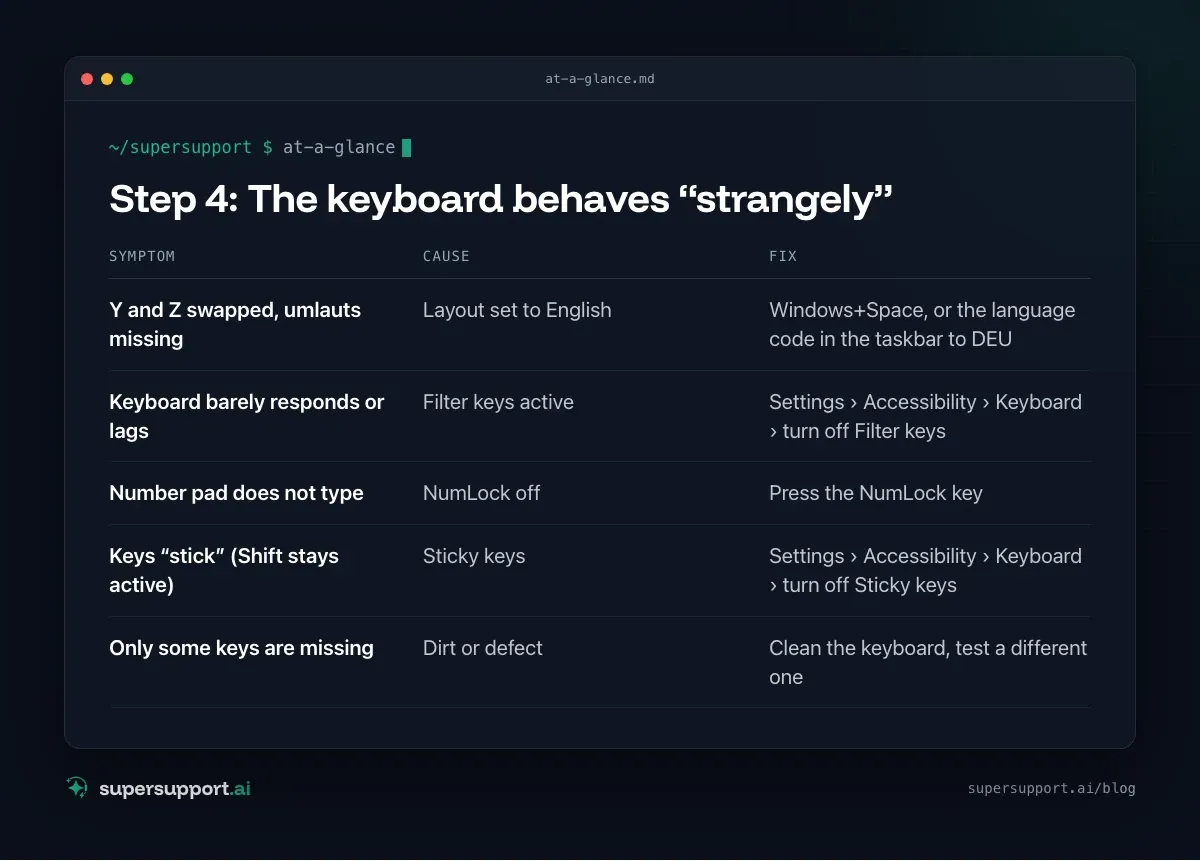
Step 4: The keyboard behaves “strangely”
- Symptom: Y and Z swapped, umlauts missing – Cause: Layout set to English; Fix: Windows+Space, or the language code in the taskbar to DEU
- Symptom: Keyboard barely responds or lags – Cause: Filter keys active; Fix: Settings › Accessibility › Keyboard › turn off Filter keys
- Symptom: Number pad does not type – Cause: NumLock off; Fix: Press the NumLock key
- Symptom: Keys “stick” (Shift stays active) – Cause: Sticky keys; Fix: Settings › Accessibility › Keyboard › turn off Sticky keys
- Symptom: Only some keys are missing – Cause: Dirt or defect; Fix: Clean the keyboard, test a different one
Filter keys are turned on by Windows when you hold the right Shift key for eight seconds. It happens more easily than you would think.
Remove extra layouts: Settings › Time & language › Language & region › language › Language options › Keyboards.
Step 5: Drivers
Device Manager › Keyboards or Mice and other pointing devices – a yellow warning icon? Right-click › Uninstall device, then restart. Windows reinstalls the driver. Update the manufacturer software (for example for keyboards with special keys).

14 days free
IT support that fixes itself.
SuperSupport fixes IT problems right on the device, before they turn into tickets. Try it free for 14 days.
Start free trialEmergency controls if one fails
- Mouse gone: Windows key, Tab, arrow keys, Enter – or Alt+Tab to switch.
- Keyboard gone: On-Screen Keyboard – search for “On-Screen Keyboard” in the Start menu, or open it from the sign-in screen via the Accessibility icon.
- Mac: System Settings › Accessibility › Keyboard › Accessibility Keyboard.
How does SuperSupport help with keyboard and mouse?
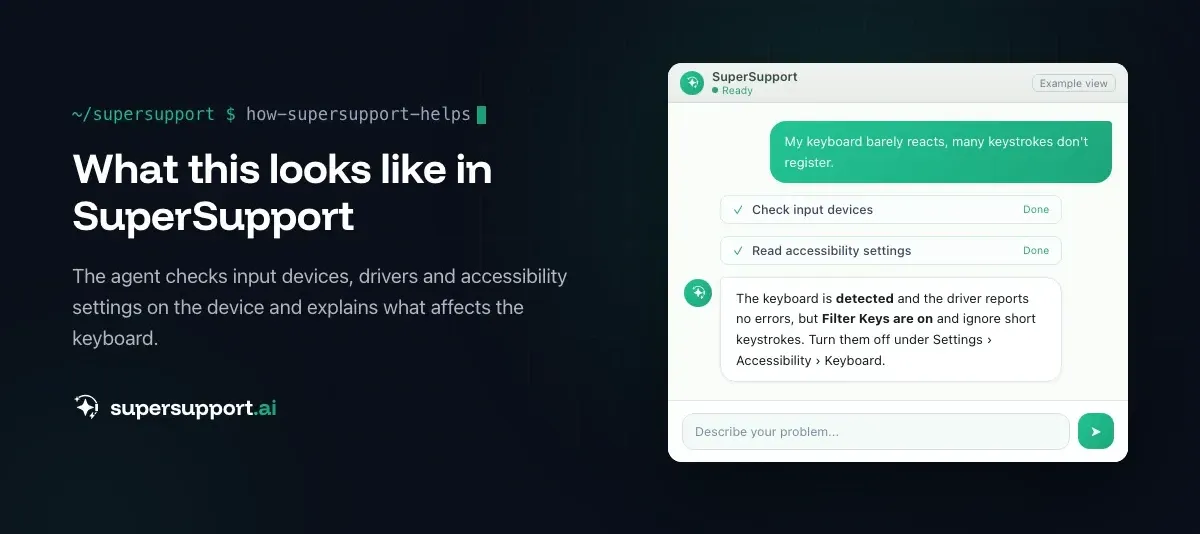
The SuperSupport agent checks on the Windows or Mac device which input devices are detected, whether Bluetooth is connected, whether Filter keys or a wrong keyboard layout are active, and whether drivers report errors. It handles harmless things such as switching the layout back by itself. How this looks for internal IT teams and MSPs is described on the respective pages. See also Teams: camera or microphone not working.
Frequently asked questions
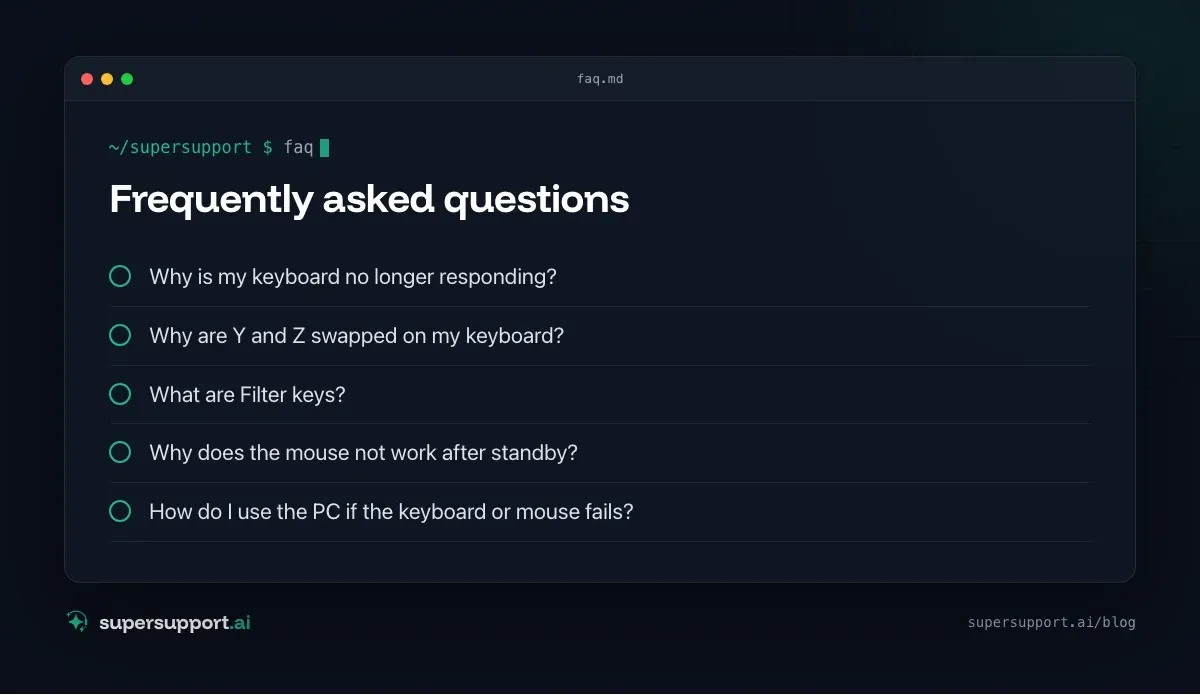
Why is my keyboard no longer responding?
Common causes are dead batteries, a wireless receiver that was unplugged or is in the wrong port, a dropped Bluetooth connection, a docking station port that does not wake up after standby, Filter keys turned on in Windows, or a power-saving mode that switches off the USB port.
Why are Y and Z swapped on my keyboard?
Because the keyboard layout was switched to English (US or UK), often by accident with Alt+Shift or Windows+Space. Use the language code in the taskbar (such as ENG/DEU) to switch back to German, and remove any extra layouts in the language settings.
What are Filter keys?
An accessibility feature in Windows that ignores brief or repeated keystrokes. It turns on when you hold the right Shift key for eight seconds. After that, the keyboard seems not to respond. You can turn it off under Settings › Accessibility › Keyboard.
Why does the mouse not work after standby?
Often Windows switches off the USB port or the device to save power, or the docking station does not wake the connected devices. Unplugging and reconnecting the device helps right away. To fix it permanently, turn off the power-saving option for the device in Device Manager or update the docking station firmware.
How do I use the PC if the keyboard or mouse fails?
If the mouse fails, you can operate Windows with Tab, the arrow keys, Enter and the Windows key. If the keyboard fails, the On-Screen Keyboard (osk) helps, via Start or under Settings › Accessibility › Keyboard. On a Mac there is the Accessibility Keyboard.
14 days free
IT support that fixes itself.
SuperSupport fixes IT problems right on the device, before they turn into tickets. Try it free for 14 days.
Start free trialNico Haslberger is Co-Founder & CEO of SuperSupport.ai. With years of experience as an IT technician, he knows the problems in IT support first-hand: from overloaded help desks to recurring tickets that slow teams down. That knowledge is built into every feature of the platform today. He makes sure SuperSupport.ai solves exactly the problems he experienced himself for years.
This article was created with AI assistance and editorially reviewed.
Related Articles

Recover a Deleted File: All the Ways at Work
File deleted, overwritten or unsaved? Recover it via Recycle Bin, OneDrive and SharePoint, version history, AutoRecover, Previous Versions or Time Machine.


Find Your BitLocker Recovery Key: All the Ways
Windows asks for the BitLocker recovery key? Where to find the 48-digit key (Microsoft account, Entra ID, Intune, AD) and why it is requested.

Windows Server Shuts Down Every Hour? Check the License
Server shuts itself down after about an hour – taking VMs and printers with it? Usually the evaluation license has expired. How to spot and fix it.