;}.cls-2{fill:url(%23Unbenannter_Verlauf_5-2);}.cls-3{fill:url(%23Unbenannter_Verlauf_5-5);}.cls-4{fill:url(%23Unbenannter_Verlauf_5-6);}.cls-5{fill:url(%23Unbenannter_Verlauf_5-3);}.cls-6{fill:url(%23Unbenannter_Verlauf_5-4);}%3c/style%3e%3clinearGradient%20id='Unbenannter_Verlauf_5'%20x1='1075.02'%20y1='943.06'%20x2='1201.78'%20y2='943.06'%20gradientUnits='userSpaceOnUse'%3e%3cstop%20offset='0'%20stop-color='%2322b88a'/%3e%3cstop%20offset='1'%20stop-color='%231a9e78'/%3e%3c/linearGradient%3e%3clinearGradient%20id='Unbenannter_Verlauf_5-2'%20x1='234.11'%20y1='663.43'%20x2='1058.29'%20y2='663.43'%20xlink:href='%23Unbenannter_Verlauf_5'/%3e%3clinearGradient%20id='Unbenannter_Verlauf_5-3'%20x1='843.79'%20y1='1064.84'%20x2='1096.04'%20y2='1064.84'%20xlink:href='%23Unbenannter_Verlauf_5'/%3e%3clinearGradient%20id='Unbenannter_Verlauf_5-4'%20x1='1120.37'%20y1='662.1'%20x2='1253'%20y2='662.1'%20xlink:href='%23Unbenannter_Verlauf_5'/%3e%3clinearGradient%20id='Unbenannter_Verlauf_5-5'%20x1='97.45'%20y1='265.53'%20x2='385.89'%20y2='265.53'%20xlink:href='%23Unbenannter_Verlauf_5'/%3e%3clinearGradient%20id='Unbenannter_Verlauf_5-6'%20x1='295.45'%20y1='255.64'%20x2='1213.95'%20y2='255.64'%20xlink:href='%23Unbenannter_Verlauf_5'/%3e%3c/defs%3e%3cpath%20class='cls-1'%20d='M1201.78,871c-.61,1.55-1.23,3.1-1.86,4.66-20.33,50.18-47.14,96.85-80.02,139.45-7.56-13.82-21.78-22.31-37.69-22.31h-7.19c29.82-37.26,54.46-78.02,73.61-121.8h53.15Z'/%3e%3cpath%20class='cls-2'%20d='M665.24,264.59l69.02,186.52c21.3,57.57,66.69,102.96,124.26,124.26l186.52,69.02c17.67,6.54,17.67,31.54,0,38.08l-186.52,69.02c-57.57,21.3-102.96,66.69-124.26,124.26l-69.02,186.52c-6.54,17.67-31.54,17.67-38.08,0l-69.02-186.52c-21.3-57.57-66.69-102.96-124.26-124.26l-186.52-69.02c-17.67-6.54-17.67-31.54,0-38.08l186.52-69.02c57.57-21.3,102.96-66.69,124.26-124.26l69.02-186.52c6.54-17.67,31.54-17.67,38.08,0Z'/%3e%3cpath%20class='cls-5'%20d='M1082.21,1021.98h-79.13c-1.7,0-2.97-1.56-2.62-3.23l22.72-109.35c2.94-14.16-15.11-22.74-24.23-11.51l-152.04,187.31c-7.32,9.02-.9,22.5,10.72,22.5h79.13c1.7,0,2.97,1.56,2.62,3.23l-22.72,109.35c-2.94,14.16,15.11,22.74,24.23,11.51l152.04-187.31c7.32-9.02.9-22.5-10.72-22.5Z'/%3e%3crect%20class='cls-6'%20x='1120.37'%20y='486.36'%20width='132.63'%20height='351.48'%20rx='19.58'%20ry='19.58'/%3e%3cpath%20class='cls-3'%20d='M250.58,128.27l13.88,55.81c7.19,28.91,29.76,51.47,58.66,58.66l55.81,13.88c9.29,2.31,9.29,15.51,0,17.82l-55.81,13.88c-28.91,7.19-51.47,29.76-58.66,58.66l-13.88,55.81c-2.31,9.29-15.51,9.29-17.82,0l-13.88-55.81c-7.19-28.91-29.76-51.47-58.66-58.66l-55.81-13.88c-9.29-2.31-9.29-15.51,0-17.82l55.81-13.88c28.91-7.19,51.47-29.76,58.66-58.66l13.88-55.81c2.31-9.29,15.51-9.29,17.82,0Z'/%3e%3cpath%20class='cls-4'%20d='M1213.95,453.21h-67.62c-1.23,0-2.47.04-3.67.12-27.03-63.89-65.84-121.36-115.42-170.94-51.54-51.54-111.61-91.44-178.55-118.59-64.67-26.22-133.03-39.52-203.16-39.52s-138.48,13.3-203.16,39.52c-33.73,13.67-65.72,30.61-95.75,50.63l-.19-.05c-23.62-5.88-42.51-22.85-51-45.24,37.87-26.86,78.65-49.21,122.01-66.79,72.63-29.44,149.37-44.38,228.08-44.38s155.45,14.93,228.08,44.38c75.2,30.51,142.67,75.31,200.53,133.15,57.84,57.85,102.65,125.33,133.15,200.53,2.31,5.7,4.54,11.43,6.66,17.19Z'/%3e%3c/svg%3e)
How Much Does an IT Ticket Cost? 1st Level to On-Site
Cost per ticket by support tier, the hidden waiting time of employees and a worked example you can recalculate, with sources instead of gut feeling.

An IT ticket costs $22. Or $600. It depends on who touches it.
Most IT leads know their budget, but not what a single case costs. Yet that very number decides whether more staff, a new tool or a different approach is worth it. Here are the best-known benchmarks, what they are good for, and how you work out your own number.
What does a ticket cost per support tier?
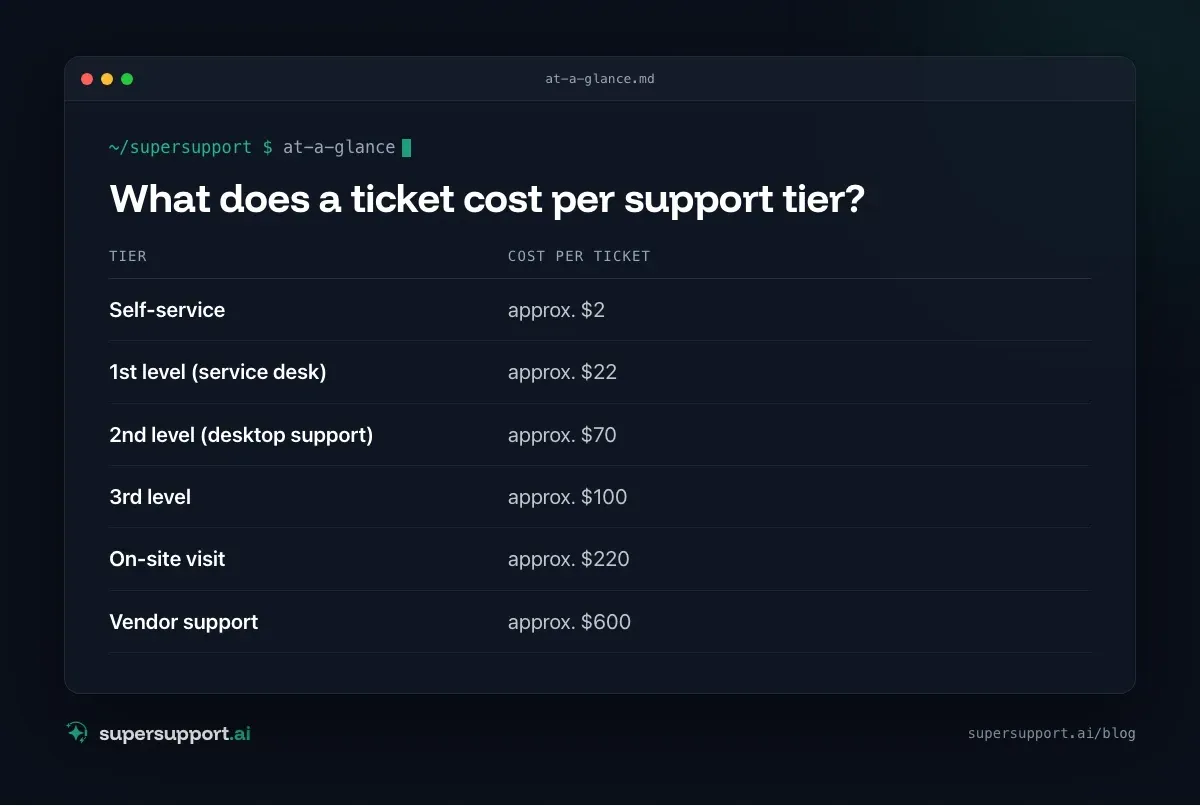
MetricNet broke down the fully loaded cost per ticket in North America (“Metrics Unleashed: Shift-Left”, 2020):
- Self-service – approx. $2
- 1st level (service desk) – approx. $22
- 2nd level (desktop support) – approx. $70
- 3rd level – approx. $100
- On-site visit – approx. $220
- Vendor support – approx. $600
The figures are American and not new. For the DACH region there is no comparable public figure that can be cited. The ratio between the tiers is the real message, though: every tier up costs a multiple.
Why does a simple case get expensive?
Because it lands one tier too high. Most tickets aren't difficult: printer offline, Outlook hangs, headset not recognized. They become expensive when 1st level can't see what is going on at the device and therefore passes them on. Then a technician checks via remote access what one minute of findings would also have shown.
On top of that, an older analysis by MetricNet and HDI shows how widely costs vary: cost per ticket differs by more than a factor of ten between organizations. So the average says little about your own number.
What is the hidden half of the bill?
The time in which the employee can't work. A worked example with the assumptions stated openly:
- Item: 1st-level technician – Assumption: €60,000 fully loaded cost per year, 1,600 productive hours → €37.50/h
- Item: 15-minute case – Cost: approx. €9.40
- Item: Employee waits 30 minutes – Assumption: €45/h; Cost: €22.50
- Item: Total – Cost: approx. €32
Two thirds of the cost show up in no helpdesk report. If the case escalates, it is mainly this part that grows: the employee waits for the callback from 2nd level, then for the remote session.
How do you work out your own number?
Formula: total support costs in the period ÷ number of cases in the same period.
The total costs include:
- salaries including overhead, pro rata for the time spent in support,
- tools: ticket system, remote access, licenses,
- a share of rooms, devices and training,
- for MSPs: non-billable time under flat-rate contracts.
Estimate the employees' downtime separately: average waiting time × hourly rate. More on the metrics in Helpdesk metrics.
Which numbers belong together?

14 days free
IT support that fixes itself.
SuperSupport fixes IT problems right on the device, before they turn into tickets. Try it free for 14 days.
Start free trialCost per ticket alone is misleading. If you close quickly and reopen often, you look cheap and aren't.
- Cost per ticket – What a case costs on average
- First-contact resolution – How often it doesn't escalate in the first place
- Escalation rate – How often it lands one tier higher
- Reopen rate – Whether the fix held
- Time to productivity – The hidden half
Where do you start?
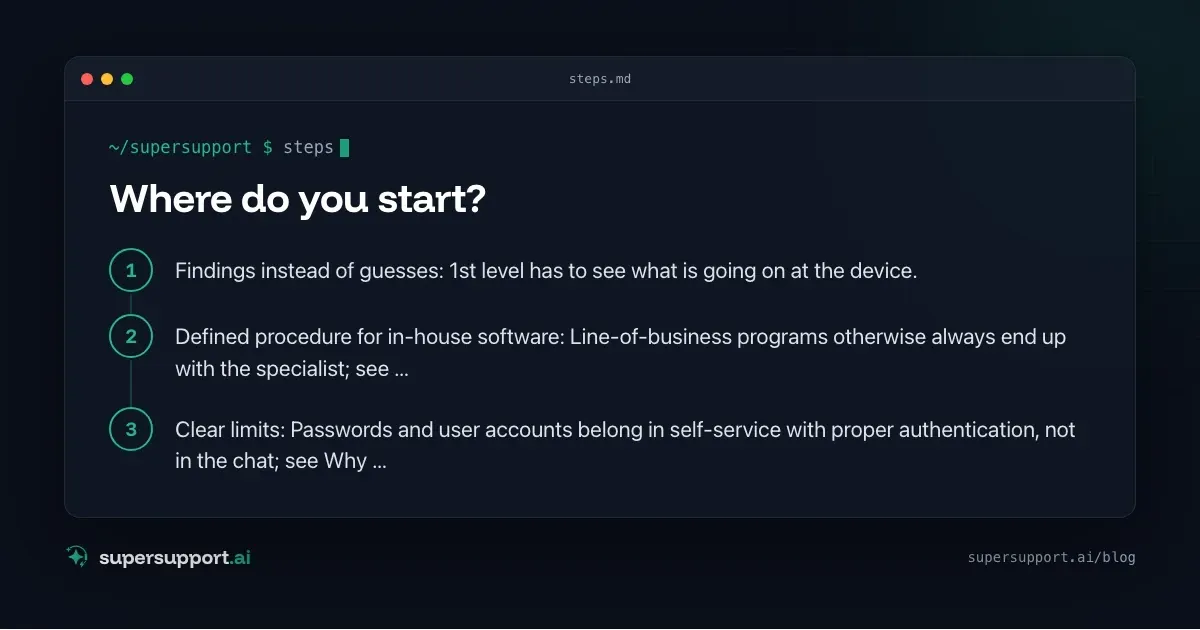
At first contact. Every case resolved there saves the expensive tiers above it. Three levers:
- Findings instead of guesses: 1st level has to see what is going on at the device. A ticket bot that only knows the knowledge base guesses; see AI chatbot in IT support: why ticket bots fail.
- Defined procedure for in-house software: Line-of-business programs otherwise always end up with the specialist; see Runbooks in IT support.
- Clear limits: Passwords and user accounts belong in self-service with proper authentication, not in the chat; see Why no password reset by AI.
SuperSupport starts exactly there: the agent checks on the Windows or Mac device, resolves safe tasks itself and passes risky ones to IT with findings. That way the case stays in 1st level, where it costs the least.
Try it yourself
Work out your own number with the formulas above, and then look at how many cases could have been resolved at first contact. You can test SuperSupport for free and without a credit card, for internal IT teams and MSPs.
Frequently asked questions
What does an IT ticket cost on average?
According to MetricNet (North America, 2020), a fully loaded ticket costs around 22 US dollars at 1st level, 70 at 2nd level, 100 at 3rd level, 220 for an on-site visit and 600 when the vendor has to get involved. Self-service is around 2 US dollars. For the DACH region there is no comparable public figure that can be cited.
What belongs in the cost per ticket?
All support costs in a period (staff including overhead, tools, a share of rooms and infrastructure) divided by the number of cases in the same period. The employees' downtime comes on top, but is rarely included.
Why is employees' waiting time so expensive?
Because most of the time no work gets done. In a simple worked example, a 15-minute case costs around 9 euros of technician time, but half an hour of the employee waiting adds another 22.50 euros.
How do you lower the cost per ticket?
By resolving cases where they are cheapest: at first contact, ideally without handing them off. For that, 1st level needs findings from the device instead of guesses, and a defined procedure for in-house software.
Is a low cost per ticket always good?
No. If you close tickets quickly and they then reopen, you save nothing. Cost per ticket should always be viewed together with first-contact resolution and the reopen rate.
14 days free
IT support that fixes itself.
SuperSupport fixes IT problems right on the device, before they turn into tickets. Try it free for 14 days.
Start free trialNico Haslberger is Co-Founder & CEO of SuperSupport.ai. With years of experience as an IT technician, he knows the problems in IT support first-hand: from overloaded help desks to recurring tickets that slow teams down. That knowledge is built into every feature of the platform today. He makes sure SuperSupport.ai solves exactly the problems he experienced himself for years.
This article was created with AI assistance and editorially reviewed.
Related Articles
What Employees Really Ask IT Support
We reviewed our AI agent's chats. The top topics are unspectacular, and almost all the answers are on the computer, not in the wiki.

Splashtop Alternative or Complement? Remote Support vs. AI
Splashtop is low-cost remote support with SOS for spontaneous help and AEM for endpoint management. When an alternative fits and when AI complements it.
Zammad Alternative or Add-On? Ticket System vs. AI
Zammad is an affordable open-source ticket system from Germany, from €7 per agent. When an alternative fits and when AI support on the device adds to it.