;}.cls-2{fill:url(%23Unbenannter_Verlauf_5-2);}.cls-3{fill:url(%23Unbenannter_Verlauf_5-5);}.cls-4{fill:url(%23Unbenannter_Verlauf_5-6);}.cls-5{fill:url(%23Unbenannter_Verlauf_5-3);}.cls-6{fill:url(%23Unbenannter_Verlauf_5-4);}%3c/style%3e%3clinearGradient%20id='Unbenannter_Verlauf_5'%20x1='1075.02'%20y1='943.06'%20x2='1201.78'%20y2='943.06'%20gradientUnits='userSpaceOnUse'%3e%3cstop%20offset='0'%20stop-color='%2322b88a'/%3e%3cstop%20offset='1'%20stop-color='%231a9e78'/%3e%3c/linearGradient%3e%3clinearGradient%20id='Unbenannter_Verlauf_5-2'%20x1='234.11'%20y1='663.43'%20x2='1058.29'%20y2='663.43'%20xlink:href='%23Unbenannter_Verlauf_5'/%3e%3clinearGradient%20id='Unbenannter_Verlauf_5-3'%20x1='843.79'%20y1='1064.84'%20x2='1096.04'%20y2='1064.84'%20xlink:href='%23Unbenannter_Verlauf_5'/%3e%3clinearGradient%20id='Unbenannter_Verlauf_5-4'%20x1='1120.37'%20y1='662.1'%20x2='1253'%20y2='662.1'%20xlink:href='%23Unbenannter_Verlauf_5'/%3e%3clinearGradient%20id='Unbenannter_Verlauf_5-5'%20x1='97.45'%20y1='265.53'%20x2='385.89'%20y2='265.53'%20xlink:href='%23Unbenannter_Verlauf_5'/%3e%3clinearGradient%20id='Unbenannter_Verlauf_5-6'%20x1='295.45'%20y1='255.64'%20x2='1213.95'%20y2='255.64'%20xlink:href='%23Unbenannter_Verlauf_5'/%3e%3c/defs%3e%3cpath%20class='cls-1'%20d='M1201.78,871c-.61,1.55-1.23,3.1-1.86,4.66-20.33,50.18-47.14,96.85-80.02,139.45-7.56-13.82-21.78-22.31-37.69-22.31h-7.19c29.82-37.26,54.46-78.02,73.61-121.8h53.15Z'/%3e%3cpath%20class='cls-2'%20d='M665.24,264.59l69.02,186.52c21.3,57.57,66.69,102.96,124.26,124.26l186.52,69.02c17.67,6.54,17.67,31.54,0,38.08l-186.52,69.02c-57.57,21.3-102.96,66.69-124.26,124.26l-69.02,186.52c-6.54,17.67-31.54,17.67-38.08,0l-69.02-186.52c-21.3-57.57-66.69-102.96-124.26-124.26l-186.52-69.02c-17.67-6.54-17.67-31.54,0-38.08l186.52-69.02c57.57-21.3,102.96-66.69,124.26-124.26l69.02-186.52c6.54-17.67,31.54-17.67,38.08,0Z'/%3e%3cpath%20class='cls-5'%20d='M1082.21,1021.98h-79.13c-1.7,0-2.97-1.56-2.62-3.23l22.72-109.35c2.94-14.16-15.11-22.74-24.23-11.51l-152.04,187.31c-7.32,9.02-.9,22.5,10.72,22.5h79.13c1.7,0,2.97,1.56,2.62,3.23l-22.72,109.35c-2.94,14.16,15.11,22.74,24.23,11.51l152.04-187.31c7.32-9.02.9-22.5-10.72-22.5Z'/%3e%3crect%20class='cls-6'%20x='1120.37'%20y='486.36'%20width='132.63'%20height='351.48'%20rx='19.58'%20ry='19.58'/%3e%3cpath%20class='cls-3'%20d='M250.58,128.27l13.88,55.81c7.19,28.91,29.76,51.47,58.66,58.66l55.81,13.88c9.29,2.31,9.29,15.51,0,17.82l-55.81,13.88c-28.91,7.19-51.47,29.76-58.66,58.66l-13.88,55.81c-2.31,9.29-15.51,9.29-17.82,0l-13.88-55.81c-7.19-28.91-29.76-51.47-58.66-58.66l-55.81-13.88c-9.29-2.31-9.29-15.51,0-17.82l55.81-13.88c28.91-7.19,51.47-29.76,58.66-58.66l13.88-55.81c2.31-9.29,15.51-9.29,17.82,0Z'/%3e%3cpath%20class='cls-4'%20d='M1213.95,453.21h-67.62c-1.23,0-2.47.04-3.67.12-27.03-63.89-65.84-121.36-115.42-170.94-51.54-51.54-111.61-91.44-178.55-118.59-64.67-26.22-133.03-39.52-203.16-39.52s-138.48,13.3-203.16,39.52c-33.73,13.67-65.72,30.61-95.75,50.63l-.19-.05c-23.62-5.88-42.51-22.85-51-45.24,37.87-26.86,78.65-49.21,122.01-66.79,72.63-29.44,149.37-44.38,228.08-44.38s155.45,14.93,228.08,44.38c75.2,30.51,142.67,75.31,200.53,133.15,57.84,57.85,102.65,125.33,133.15,200.53,2.31,5.7,4.54,11.43,6.66,17.19Z'/%3e%3c/svg%3e)
5 IT tickets that can be resolved in 60 seconds
Over 60% of all IT tickets follow five patterns, and each can be automatically resolved in under a minute. Which ones and how it works.


Same picture every morning
You open your ticket system and there they are again: 47 new tickets overnight. You scroll through the list and recognize a pattern. At least half of them you've solved a hundred times before. Same problems, same solutions, same time investment.
That's not a sign of bad IT. It's a sign of missing automation. And that's exactly where SuperSupport.ai comes in.
We analyzed over 50,000 real IT tickets, from mid-market companies, across industries. The result is clear: there are five ticket types that together account for over 60% of total ticket volume. And every single one of them can be resolved automatically in under 60 seconds.
Ticket #1: Password reset
The classic. Monday morning, 8:02 AM. "I can't log in." In many companies, this single ticket type alone accounts for 15-20% of total volume.
The manual solution takes 5-10 minutes per ticket, not because the reset is complex, but because the employee first needs to call, then their identity is verified, then the reset is performed, then the new password needs to be communicated.
SuperSupport.ai solves this in under 30 seconds. The AI agent verifies identity through the already authenticated chat channel, performs the reset via Active Directory integration, and delivers the temporary password directly, encrypted and with an expiration date.
Ticket #2: Printer not working
"The printer isn't working" is the sentence that makes every IT supporter sigh internally. Not because it's hard, but because in 90% of cases it's the same fix: restart the print spooler, update the driver, or simply switch the printer from "Offline" back to "Online."
Our AI agent can directly access the user's endpoint to restart the spooler service, clear the print queue, and check driver status. No remote access needed, no follow-up questions, no waiting.
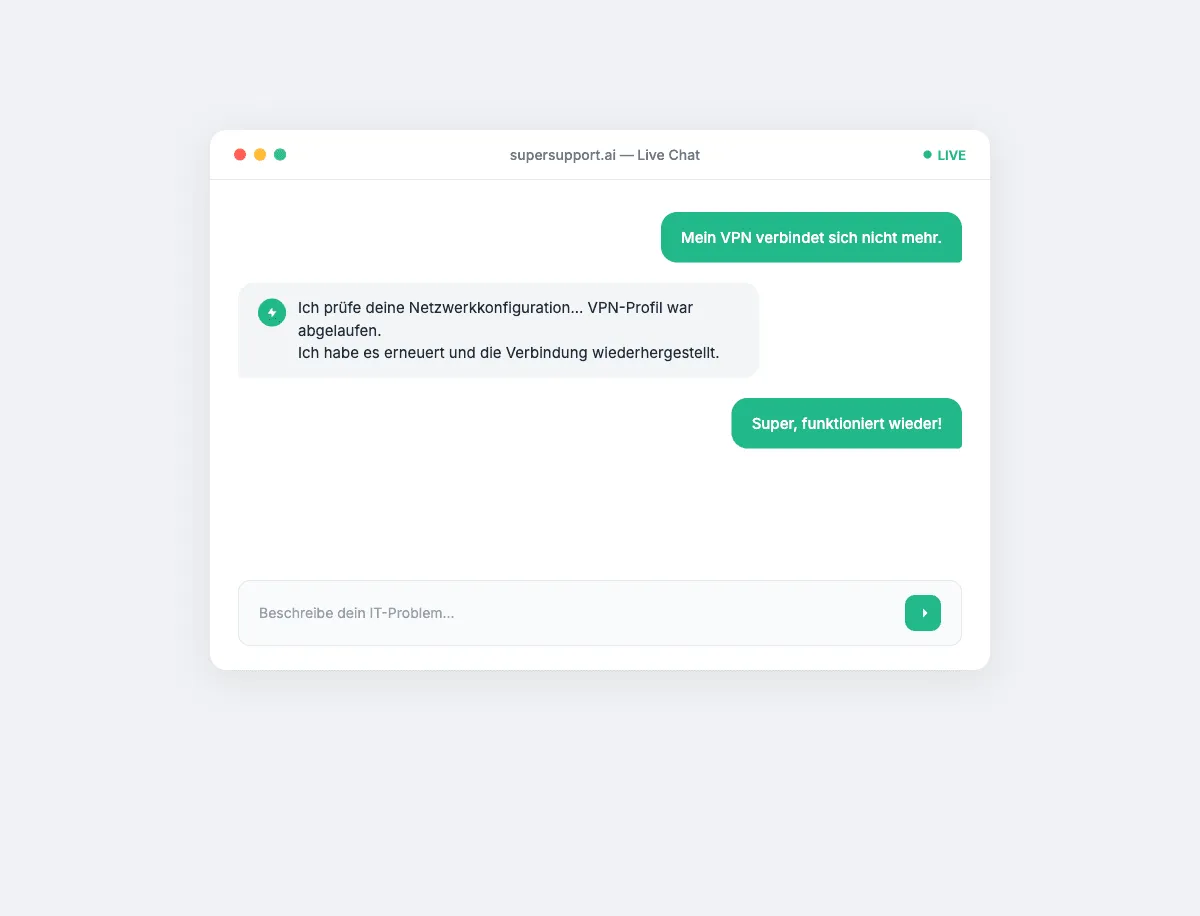
Ticket #3: VPN won't connect
Remote work has made VPN issues the third-largest ticket driver. "VPN doesn't work" can mean many things: wrong certificate, DNS conflict, firewall rule, or simply an expired password.
What a Level 1 support agent diagnoses in 15-20 minutes, the AI agent accomplishes in seconds: check network configuration, flush DNS cache, analyze VPN client logs, and rebuild the connection if needed. All via shell access, all documented in the audit log.

Beta
IT support that fixes itself.
supersupport.ai handles your 1st-level support fully automatically. Secure your spot on the waitlist now.
Join the WaitlistIn our tests, the agent resolves 87% of all VPN tickets without human intervention.
Ticket #4: Outlook not syncing
Email is the lifeline of office work. When Outlook stops syncing, everything grinds to a halt. The most common causes: corrupt OST profile, full cache, or an authentication issue with Exchange.
The AI agent analyzes Outlook logs, checks the connection to the mail server, clears the cache if needed, and repairs the profile. If an Outlook client restart is required, it handles that too, with advance warning to the user, of course.
Ticket #5: "My PC is slow"
The evergreen of IT tickets. Vague, frustrating, and yet incredibly common: "Everything is so slow." Without context, this is a bottomless pit for a support agent.
For an AI agent with endpoint access, it's a 30-second diagnostic: CPU usage, RAM consumption, disk space, startup programs, pending updates. The agent identifies the most likely cause and fixes it, whether that's a restart, killing resource-hungry processes, or clearing temporary files.
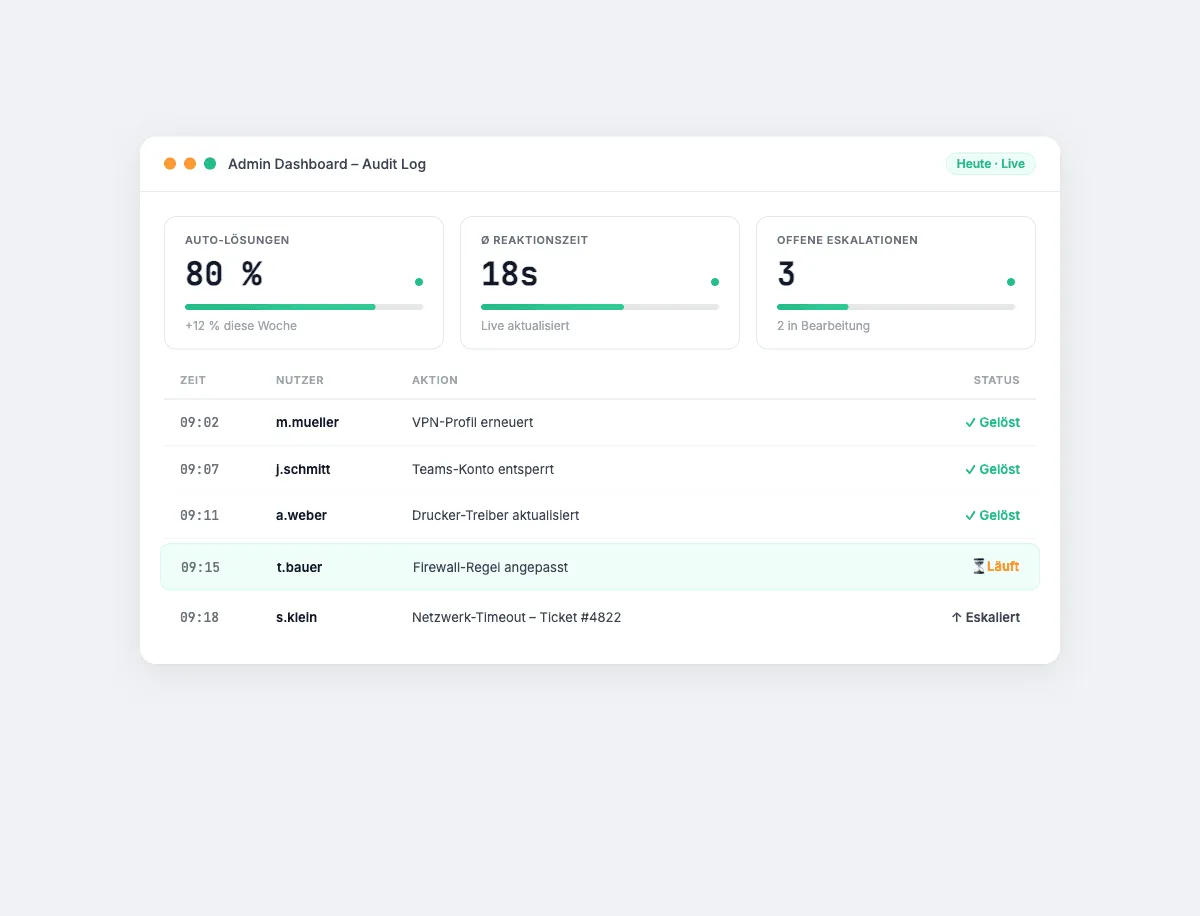
The bigger picture: Why automation starts here
These five ticket types have one thing in common: they're repetitive, follow a clear solution path, and require no creative problem-solving. They're perfect for automation.
Yet in most companies, they're still handled manually. A Level 1 supporter spends an average of 4 hours per day on exactly these tickets. That's 20 hours per week, 1,000 hours per year, per employee.
The math is simple: If an IT supporter costs €70,000 per year and spends 60% of their time on automatable tickets, that's €42,000 per year going into repetitive work.
SuperSupport.ai doesn't eliminate the IT supporter. It eliminates the work that no human should be doing. So your team can focus on what really matters: complex problems, strategic projects, and evolving your infrastructure.
Ready for the next step?
If you want to know how many of your tickets can be automated, sign up for our beta. We'll analyze your ticket volume and show you in a demo how SuperSupport.ai works in your environment.
Beta
IT support that fixes itself.
supersupport.ai handles your 1st-level support fully automatically. Secure your spot on the waitlist now.
Join the WaitlistNico Haslberger ist Co-Founder & CEO von SuperSupport.ai. Mit langjähriger Erfahrung als IT-Techniker kennt er die Probleme im IT-Support aus erster Hand: von überlasteten Helpdesks bis zu wiederkehrenden Tickets, die Teams ausbremsen. Dieses Wissen steckt heute in jedem Feature der Plattform. Er sorgt dafür, dass SuperSupport.ai genau die Probleme löst, die er selbst jahrelang erlebt hat.
Related Articles

7 signs your IT support is overwhelmed
Rising ticket times, systematic overtime, shadow IT: the 7 clearest warning signs and how to course-correct.


Welcome to the Future of IT Support
Our launch video is here. Watch how SuperSupport.ai resolves IT issues in under 60 seconds: autonomously, directly on the device, no helpdesk ticket needed.


Why we founded SuperSupport.ai
Two brothers, one MSP, thousands of identical IT tickets. The story of how the daily grind of a Managed Service Provider became an AI platform that resolves IT support in under 60 seconds, directly on the device.